How to fix Ender 3 S1/S1 Pro ABL issues
Alex Schladetsch
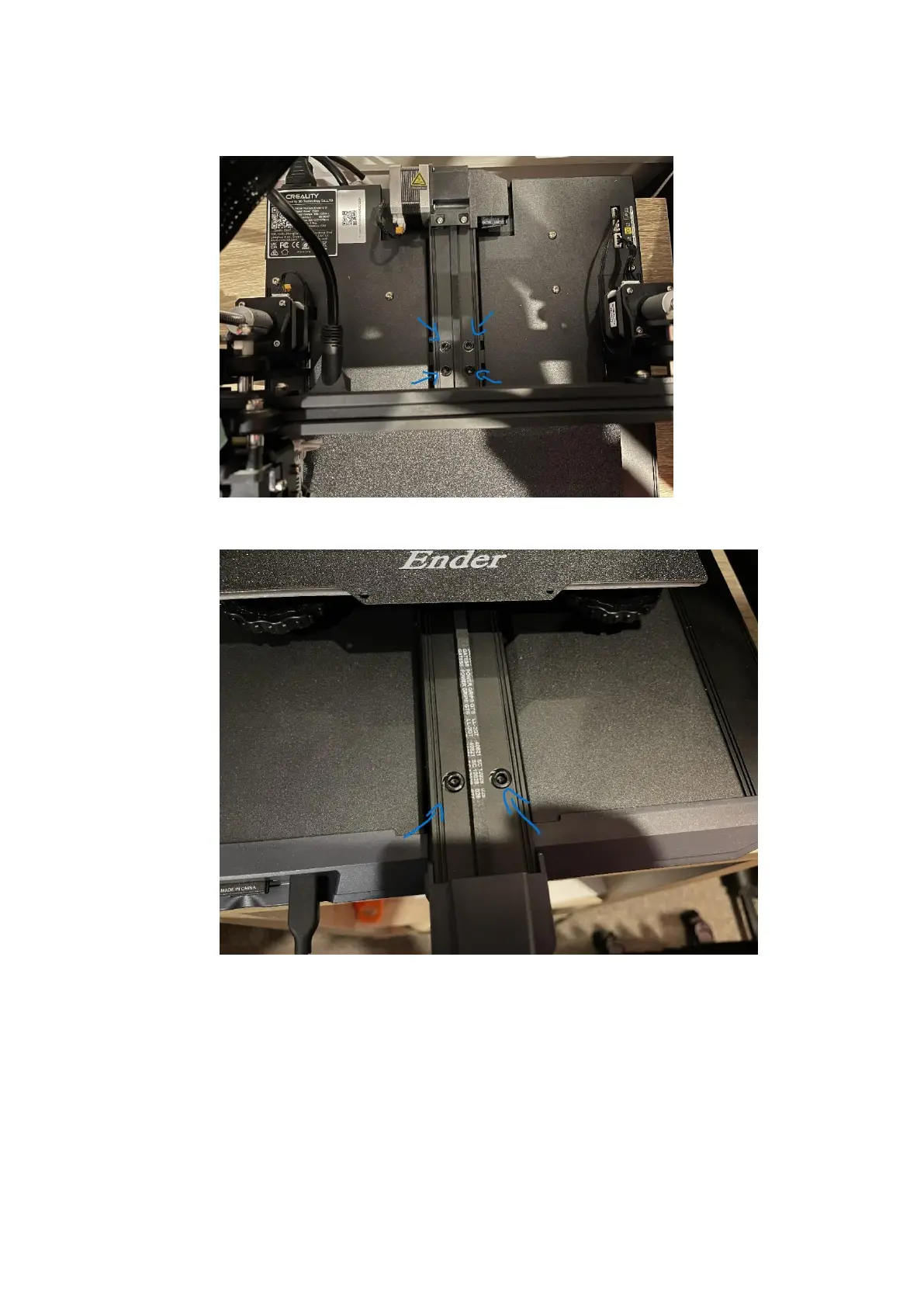
5. Pull the bed forward and undo the four long bolts attaching the Y axis aluminium extrusion
to the central frame extrusion of the
printer.
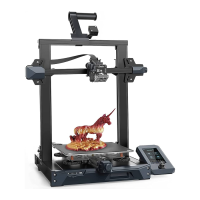
6. Push the bed backwards, and remove the 2 bolts at the front of the machine that hold the
front of the Y axis to the main body of the
printer.





 To Next Page