This icon is displayed on eects that require an
external sync source.
Page 19Vortex8 User Manual
Version 1.2
5.6 CreamOS Eects Mode
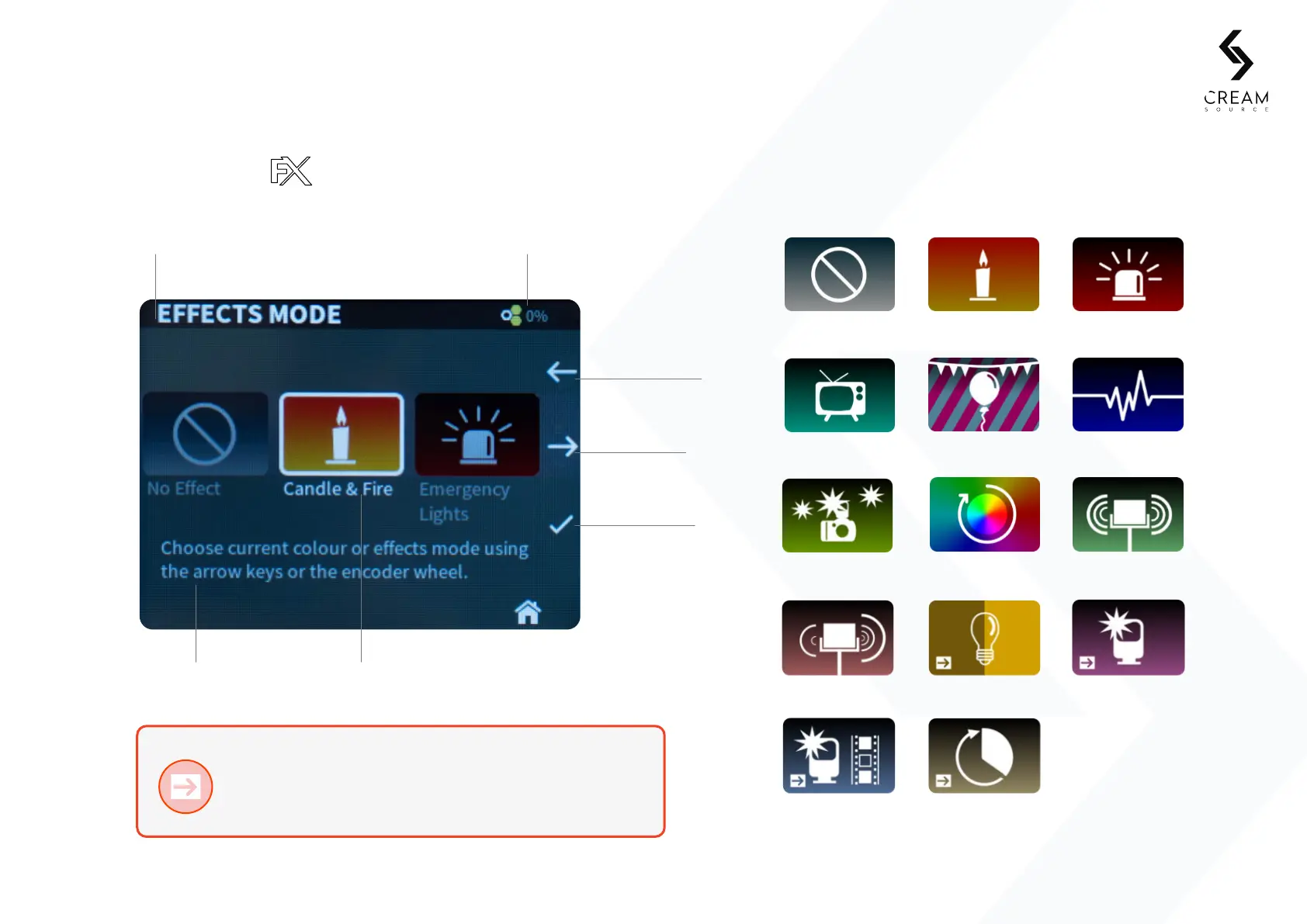
Enter the Eects menu and select one of the following presets. Each preset has multiple
parameters that can be changed to customise the eects.
5. Controls
Selected eectEect description
Notifications trayCurrent mode
Cycle forward
Cycle back
Select mode
Eects O
Dual Level
Calibrate Sync
Sync Flash
Random
Flash Frames
Television
Paparazzi
Candle & Fire
Party
Colour Cycle
Emergency
Pulse
Strobe
More eects may be added in future firmware updates. Visit www.creamsource.com/support for the latest version of CreamOS.


 To Next Page