Page 27Vortex8 User Manual
Version 1.2
5.22 User Presets
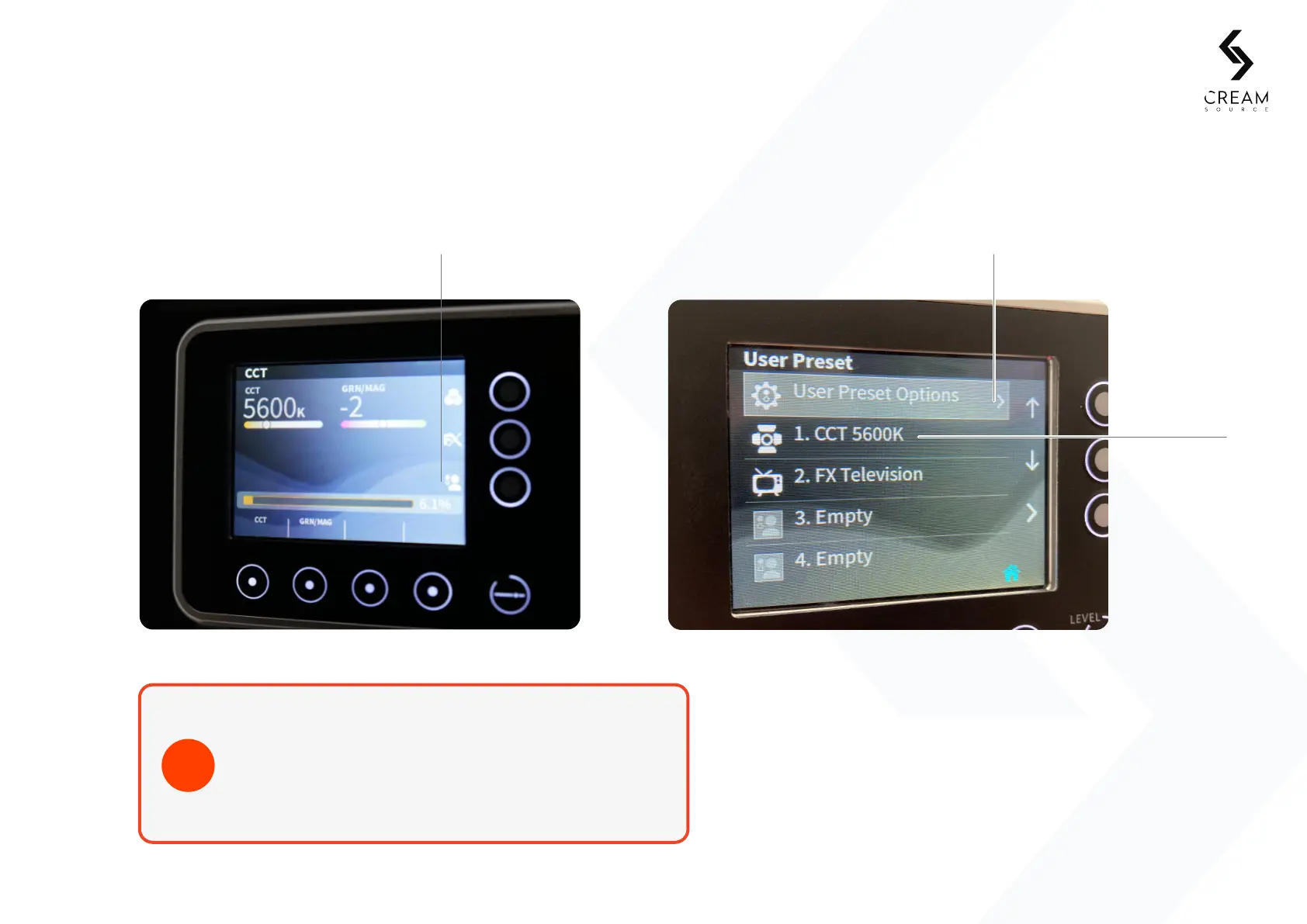
The User Preset menu can be accessed from the Home screen shortcut icon or the Settings menu, from here you will be
able to store, restore and clear User Presets for Eects and Colour modes.
When creating a User Preset for a Colour mode, if an
Eect is running, the User Preset will store both the Eect
and Colour parameters. The icon in the User Preset list
will display the Eect and not Colour mode icon.
TIP
5. Controls
User Presets shortcut Access the User
Preset Options
Saved User Preset


 To Next Page