Page 41Vortex8 User Manual
Version 1.2
7. Camera Sync
7.5 Calibrate Sync
This is a special mode used for calibrating the light to an external sync source, such as the FlashBandit sync box. It is used to make sure the camera
shutter and Creamsource are synchronised, to prevent the flash-banding eects when shooting on a CMOS sensor camera.
If using multiple fixtures with sync distributed by DMX cable, only the first
unit needs to be calibrated. If camera frame rate and/or shutter angle is
changed, it is recommended to re-calibrate.
TIP
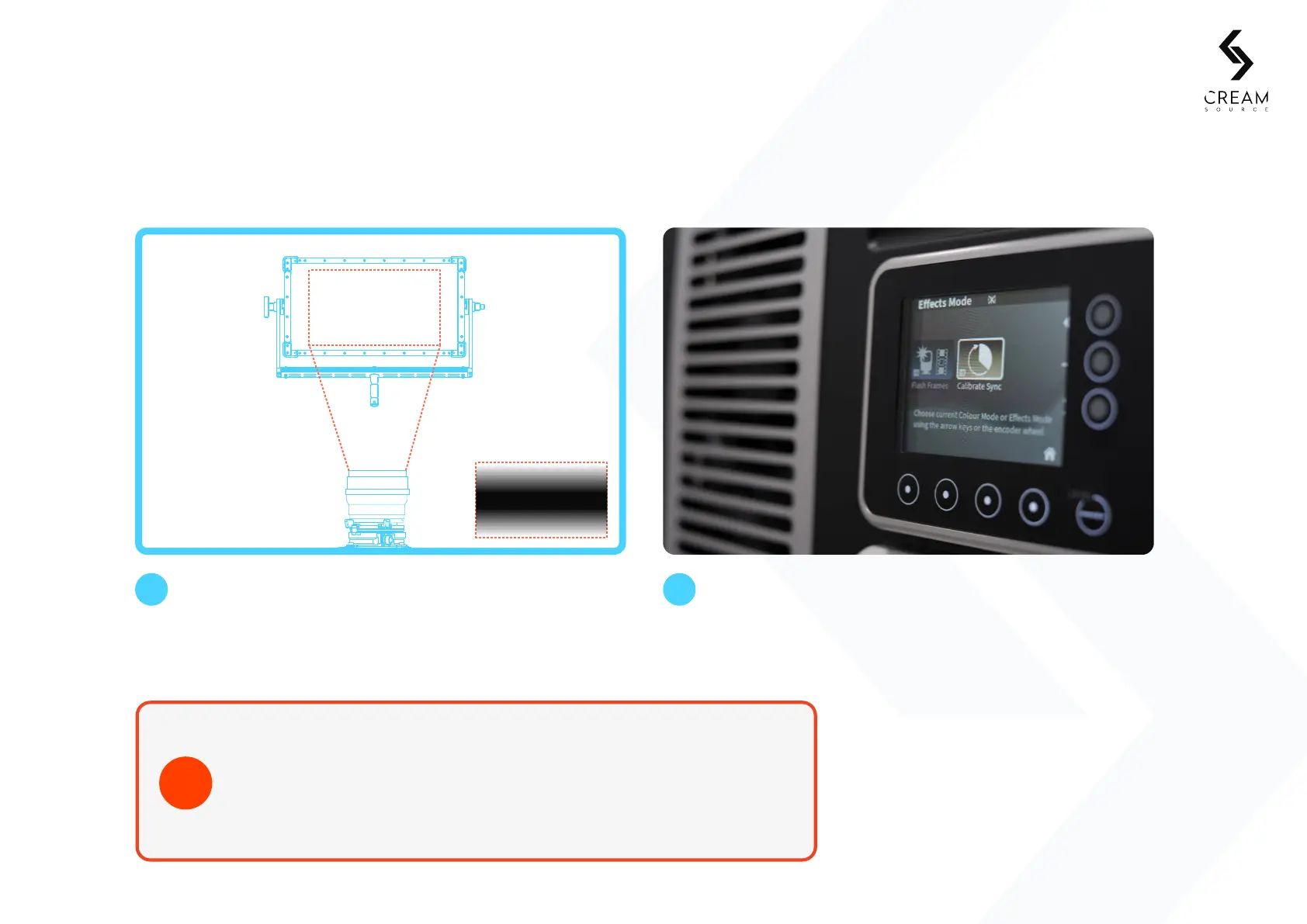
Point your camera directly at the Vortex8 so the
entire frame is covered by the LEDs.
1 2
Select Eects > Calibrate Sync. The fixture will start to
flash at the locked framerate (see 5.20 Calibrate Sync
for more details on these settings).
Camera Monitor


 To Next Page