6. If a corner placement of the subwoofer is not possible, then placement close to the wall, and close to the
soundbar will be a good compromise.
7. Room acoustics has a major influence on sound quality. The ear is particularly troubled by standing waves and
echoes which can be identified by moving around your room and loudly clapping your hands. Parallel surfaces
such as opposite walls, floor, and ceiling encourage this issue. However, rearranging curtains, thick carpets,
rugs, furniture, and bookcases can make major improvements as the sound waves are partially absorbed and
diffused.
8. The soundbar should be setup, as far as possible, with equal distance from the left and right wall. The ceiling
surface is an important on tributary to how overhead (height) effects perform. The ideal ceiling height is
between 2.3–4.3m (7.5–14 ft). Ceiling should be constructed of an acoustically reflective material, such as wall
board,
plaster, hardwood, or any rigid, non-sound absorbing material. Avoid treating ceilings with acoustic damping
materials. For optimal playback, the ceiling should be flat. A shallow vaulted ceiling will provide an acceptable
performance.
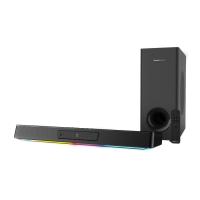
9. The soundbar comes pre-paired out of the factory with the included wireless subwoofer, and this is achieved
through a pair of low latency wireless transceivers operating in the 2.4 GHz region. To avoid interference with
other equipment operating at the same frequency, the transceivers operate at relatively low transmission power,
and adaptively avoid frequency bands used by other equipment. For reliable operation, place the soundbar and
subwoofer within a distance of 10m (33 ft), and avoid placing other equipment operating in the same frequency
region, such as routers and microwave ovens, within the same area.
10. When the shortest possible audio delay is required for gaming, or if the soundbar is unable to reliably connect to
the subwoofer wirelessly due to adverse wireless interference, a wired connection could be used. A standard
3.5 mm stereo mini jack cable can be used to connect the soundbar (via the Sub-out port) to the subwoofer (to
the Sub-in port). The wired connection will take precedence over the wireless connection.
Follow the instructions below to properly care for and clean Creative SXFI CARRIER:
1. Dust lightly with a soft lint-free cloth, and avoid abrasives and spirit-based cleaners. If necessary, wipe gently
and carefully with a cloth that is slightly dampened with glass cleaner to remove stubborn soil and marks.
2. The acoustically transparent fabric grille protects the subwoofer driver unit, and must not be removed. This
could be carefully cleaned using a lint brush. Be careful not to press and deform the drivers under the grille.
Setting up Creative SXFI CARRIER
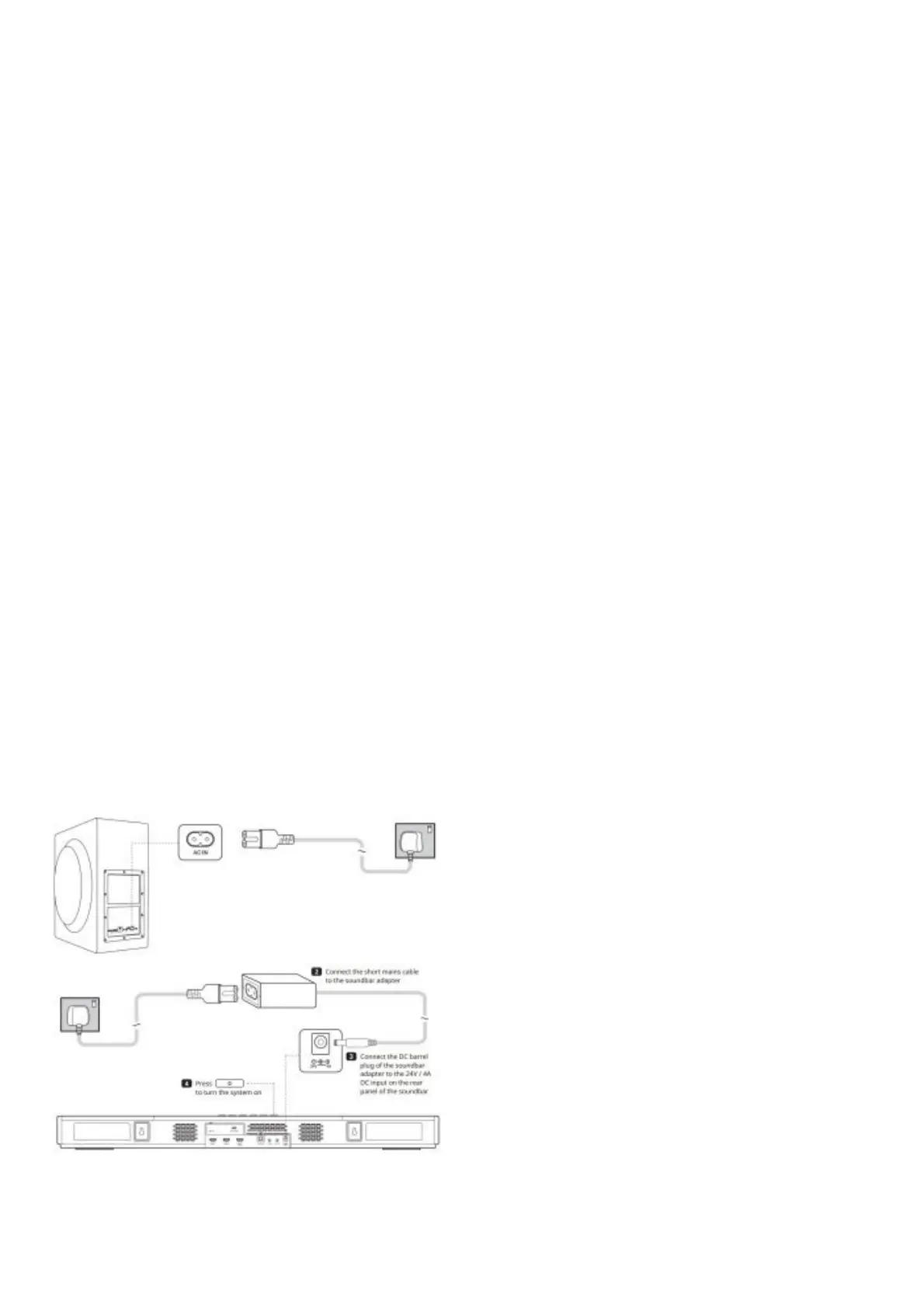
Connecting a Power Source
1. Connect the long mains cable to the subwoofer
Note: To minimize power consumption, the soundbar will enter Network Standby Mode after 15 minutes of inactivity if
no digital source device is connected. The soundbar will exit Network Standby Mode upon receiving user’s input or
with audio playback. You may encounter a few seconds of silence from the subwoofer while the wireless connection
between the soundbar and the subwoofer is re-established. After 28 hours of inactivity, the soundbar will enter






 To Next Page