1. (i) SXFI-OUT
Creative SXFI CARRIER features a separate USB port catered specially for devices that support Super X-Fi
Headphone Holography, such as SXFI THEATER, a low-latency wireless USB headphones.
(ii) USB Audio Creative SXFI CARRIER also features a USB-C audio-in port that serves as an alternate audio
connection for big-screen gaming, or to achieve high quality music playback.
Note: We recommend setting the audio output of your PC to 7.1 channel for gaming, or to 2.0 channel for audio
playback
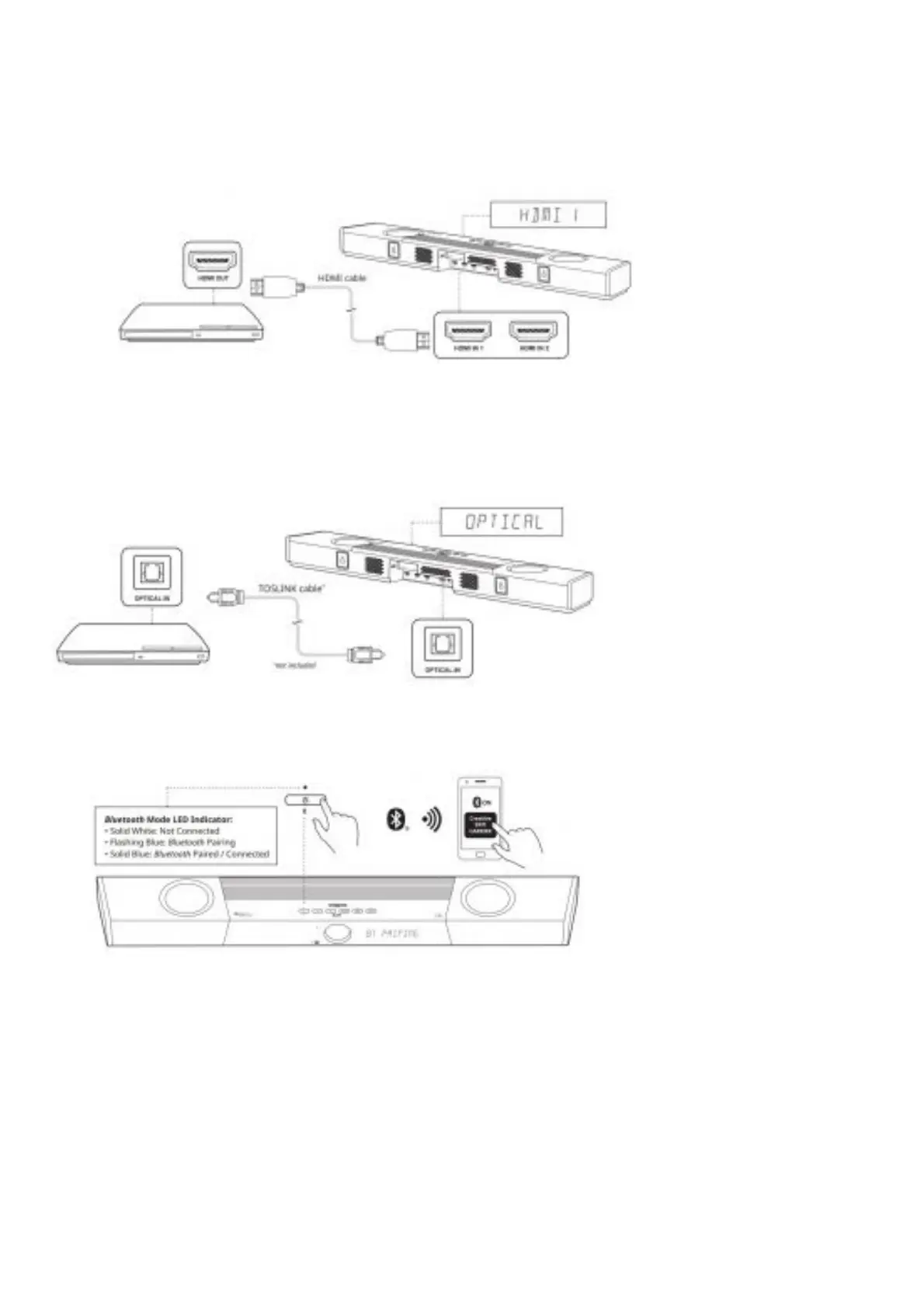
2. HDMI sources
Creative SXFI CARRIER features two Dolby Vision Compatible HDMI 2.1 inputs, with 8K support, HDR10, and
HDR10+.
Setting up Creative SXFI CARRIER
1. Optical-in (Dolby Audio / PCM) Creative SXFI CARRIER features an Optical-in for use with personal assistant
devices, streaming audio devices, or CD players. This input also works as a recommended alternative
connection to the TV if you experience HDMI ARC / eARC compatibility issues.
2. . Bluetooth
1. Press the Bluetooth button once to switch to Bluetooth Mode
2. Press and hold the Bluetooth button on the soundbar or remote control until the Power Button LED flashes
in Blue or until the soundbar displays “BT PAIRING”
3. Select “CREATIVE SXFI CARRIER” from the list of discovered Bluetooth devices to pair
4. Press the Bluetooth button once again to exit Bluetooth Pairing mode
Setting up Creative SXFI CARRIER
Setting Up the Subwoofer






 To Next Page