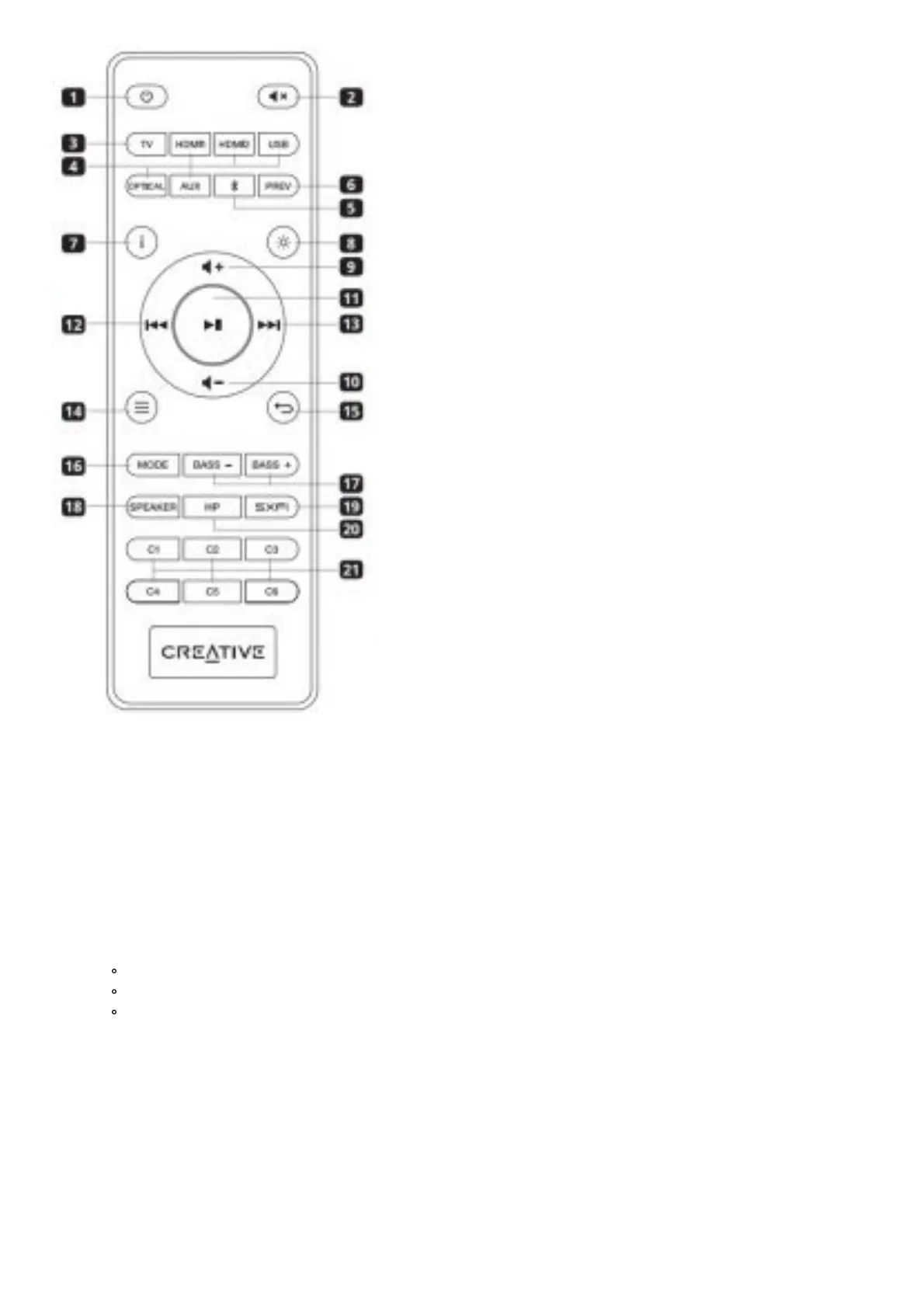
1. Power Button: Press once to turn on soundbar. Press once again to enter Standby mode
2. Mute Button: Press once to mute / unmute audio playback
3. TV: Press once to manually switch TV ARC / eARC
4. Source Selection Buttons (HDMI 1, HDMI 2, USB, Optical, AUX):
Switch to corresponding input source
5. Bluetooth Button: Press once to switch to Bluetooth mode. Press and
hold for 2s to enter Bluetooth Pairing mode
6. Previous Button: Press once to return to previously selected source
7. Info Button: Press to display the following: Audio format information
(Dolby encoded / PCM), Sound mode, and current source
8. LED Display Button: Press to toggle between Bright mode, Dark mode, and OFF
Bright Mode: 100% brightness
Dark Mode: 50% brightness
OFF: Lights up only when there is an interaction; turns off after 5s
9. Volume + Button: Increases volume.1 Press and hold to continuously
increase the volume
10. Volume – Button: Decreases volume.1 Press and hold to continuously
decrease the volume
11. Play / Pause Button: Press once to play / pause audio source (For USB audio and Bluetooth modes only)
12. Previous Track Button: Press once to return to previous track (For USB audio and Bluetooth modes only)
13. Next Track Button: Press once to skip to next track (For USB audio and Bluetooth modes only)
14. Menu Button: Press once to enter device’s settings menu
15. Back Button: Press once to go back to parent menu or exit device’s
settings2 menu
16. Mode Button: Press once to cycle through available Sound modes






 To Next Page