A Tour of Your Player 1-4
Depending on the screen you are in, you can have different menu options.
You can also choose options from a list or a confirmation box.
Selecting menu
options
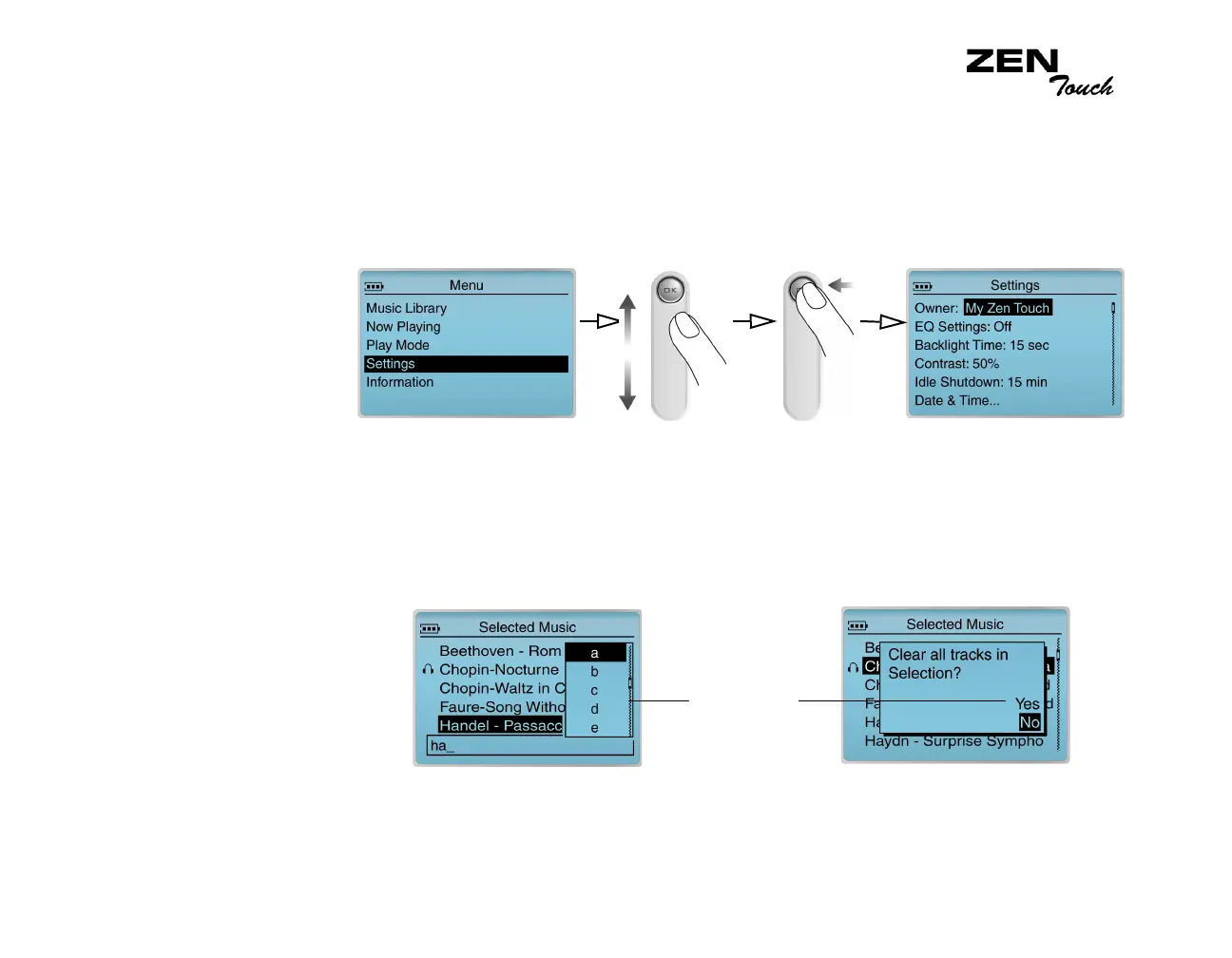
You can use the touch pad control to scroll to selections in menus. For
example, if you are looking at the Menu screen:
1. Use the touch pad control to scroll up and down in the menu.
2. Press the OK button to select the menu item.
Selecting list and
confirmation box
options
You can also use the touch pad control to select confirmation boxes or
options in a list.
1. Use the touch pad control to scroll through the options.
2. Press the OK button to select the option.
From the Menu screen to the Music Library screen
touch pad
control options
Constructing a title from a list Selecting a confirmation box














 To Next Page