Getting Started 2-4
Setting Up
Your Player
1. Make sure that your player is NOT connected to your computer.
2. Insert the Zen Touch CD into your CD-ROM drive.
The Zen Touch CD supports Windows AutoPlay mode and starts running
automatically. If not, you need to enable your CD-ROM drive's auto-
insert notification feature. For more details see "AutoPlay" on page C-1.
3. Follow the instructions on the screen.
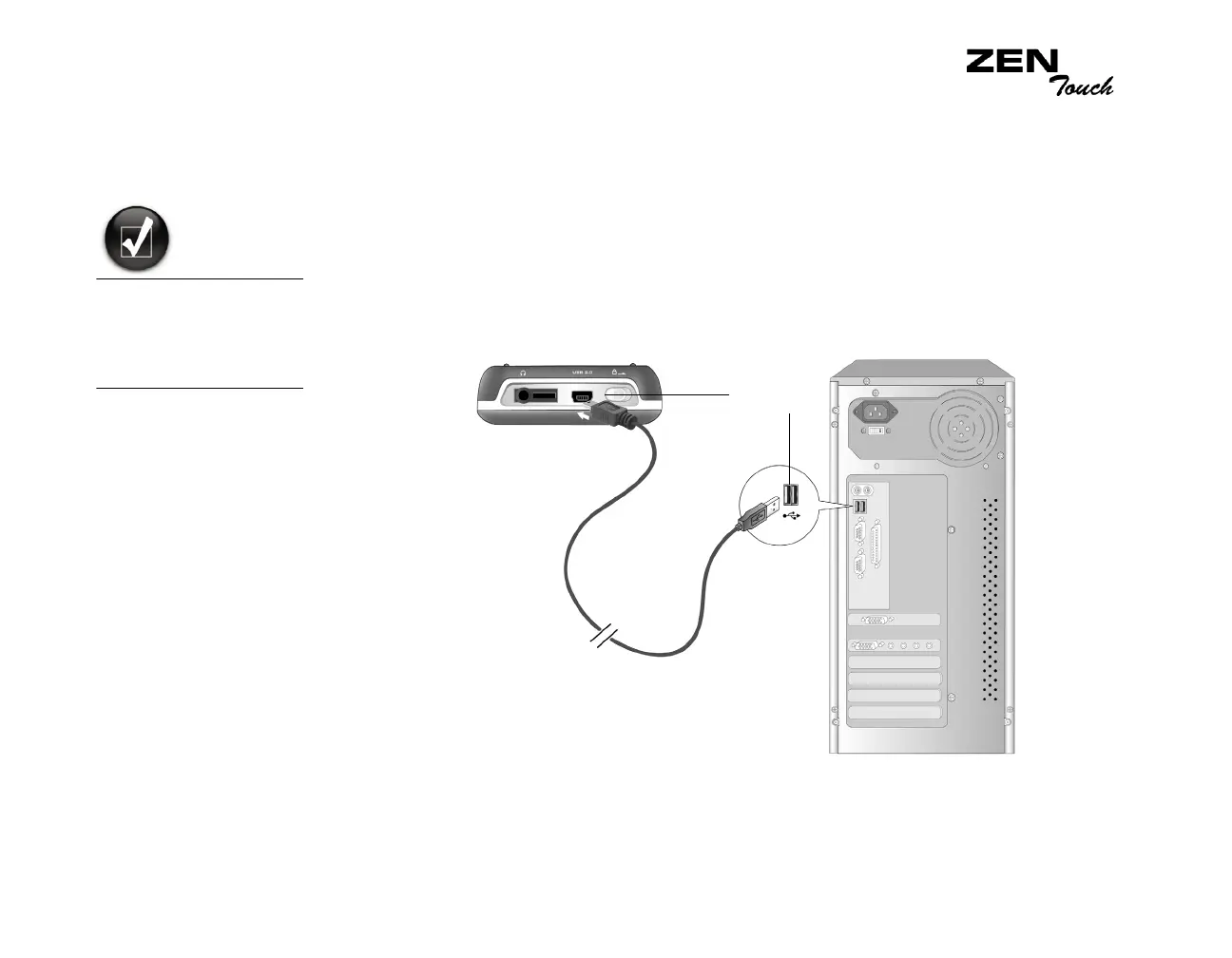
4. When prompted, connect your player to your computer as shown in
Figure 2-2.
You can listen to your
player’s preloaded
music immediately by
pressing the Play/
Pause button.
USB port
Figure 2-3: Connecting your player to your computer.














 To Next Page