Getting Started 2-3
Power Source
and Level
Indicators
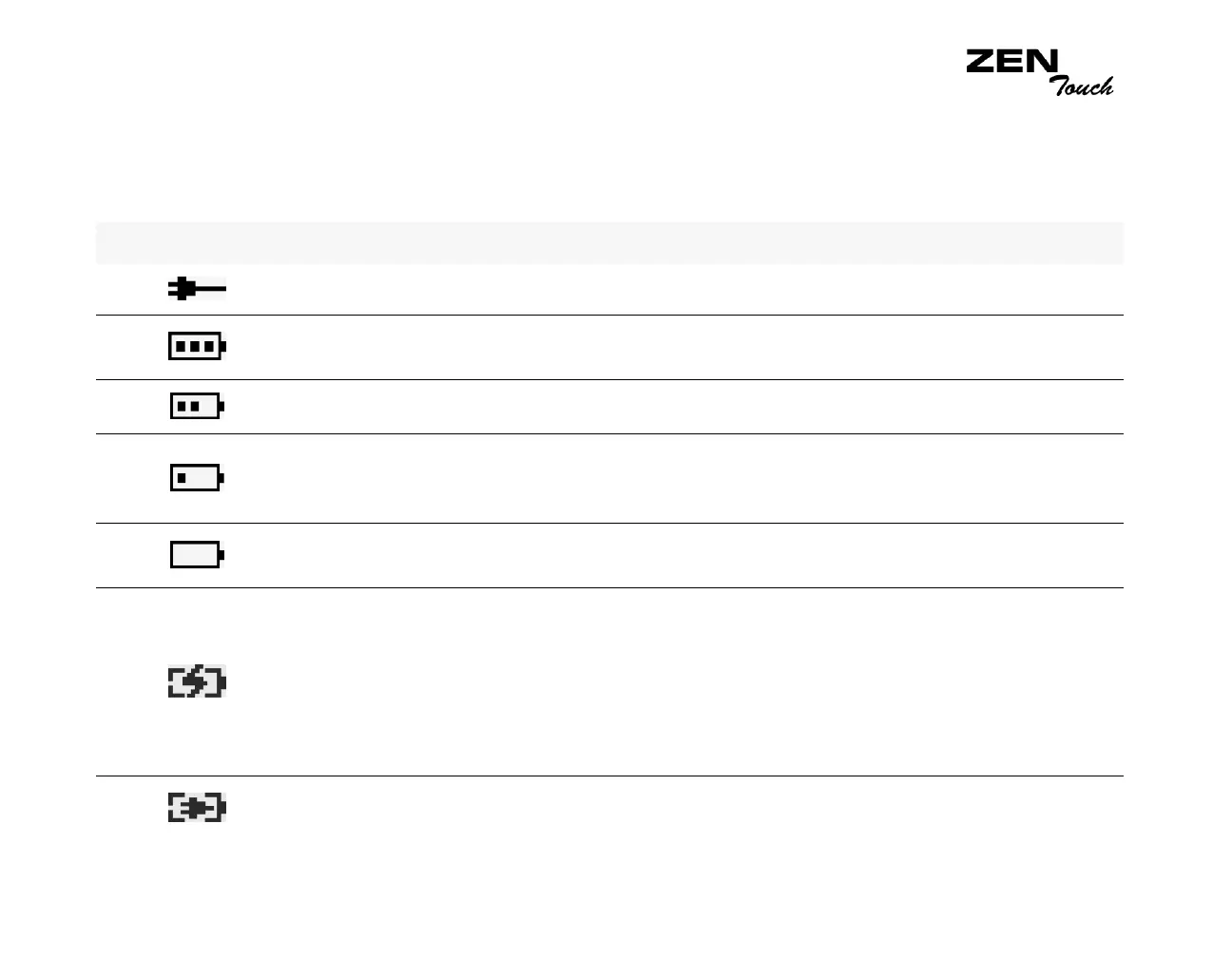
Your player displays one of the following icons, depending on the battery’s
charged status or the power source (battery or electrical power).
Icon What the icon means Notes
❍ your player is running from external power
❍ your player is running from battery power
❍ this battery state icon shows that
the battery is fully charged
❍ your player’s battery is 60% full
❍ your player’s battery is 30% full
❍ Charging your battery when it is
30% full may help prolong your
battery’s life
❍ your player’s battery is 10% full
❍ recharge the battery at the earliest
opportunity
❍ your player is running from electrical
power and is charging the battery
❍ charge the battery fully before
disconnecting the player from the
power outlet
❍ while charging, the icon will
alternate between this icon and a
battery state icon, showing the
approximate level of charge
❍ your player is running from external power
and has finished charging the battery
❍ to use battery power, disconnect
the player from the power outlet














 To Next Page