28 • HD-MD8X8-4KZ-E, HD-MD8X4-4KZ-E, and HD-MD4X4-4KZ-E Web Interface Configuration Guide — Doc. 8908C
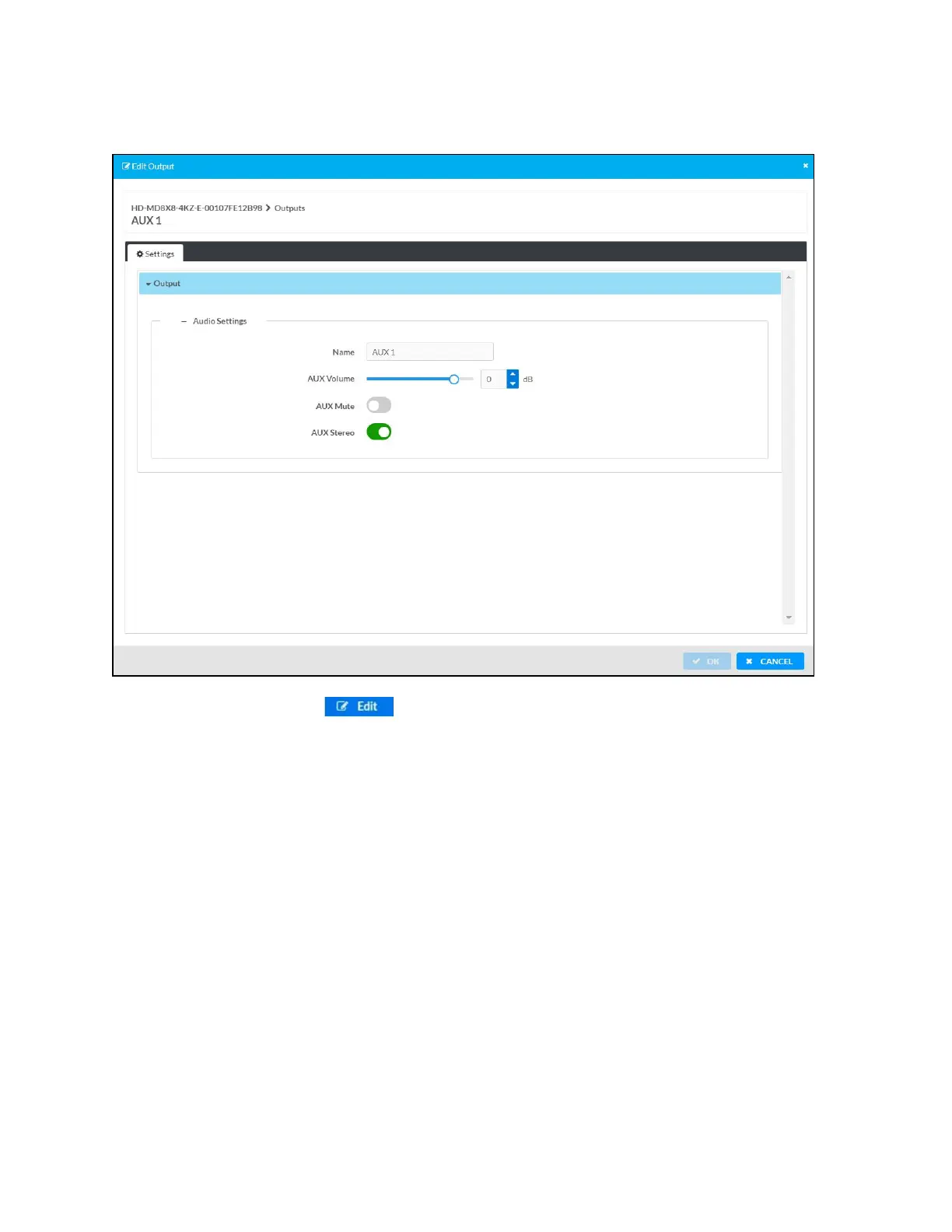
Edit AUX Output Settings
1.
Click the Edit button ( ) in the Actions column to edit the AUX settings of the
selected AUX output.
2. In the Edit Output dialog enter the following:
a. Optionally, edit the name of the AUX output in the Name field.
b. Move the AUX Volume slider to the right to increase or to the left to decrease the
AUX volume or by manually entering a value in the AUXVolume field. Valid value
ranges from -80 dB to 20 dB, adjustable in 1dB increments.
c. Move the AUX Mute slider to right or left to mute or unmute the AUX.
d. Move the AUX Stereo slider to right or left to specify stereo or mono output.
3. Click OK to save. Click Cancel to cancel the changes.












 To Next Page