Web Interface Configuration Guide — Doc. 8908C HD-MD8X8-4KZ-E, HD-MD8X4-4KZ-E, and HD-MD4X4-4KZ-E • 37
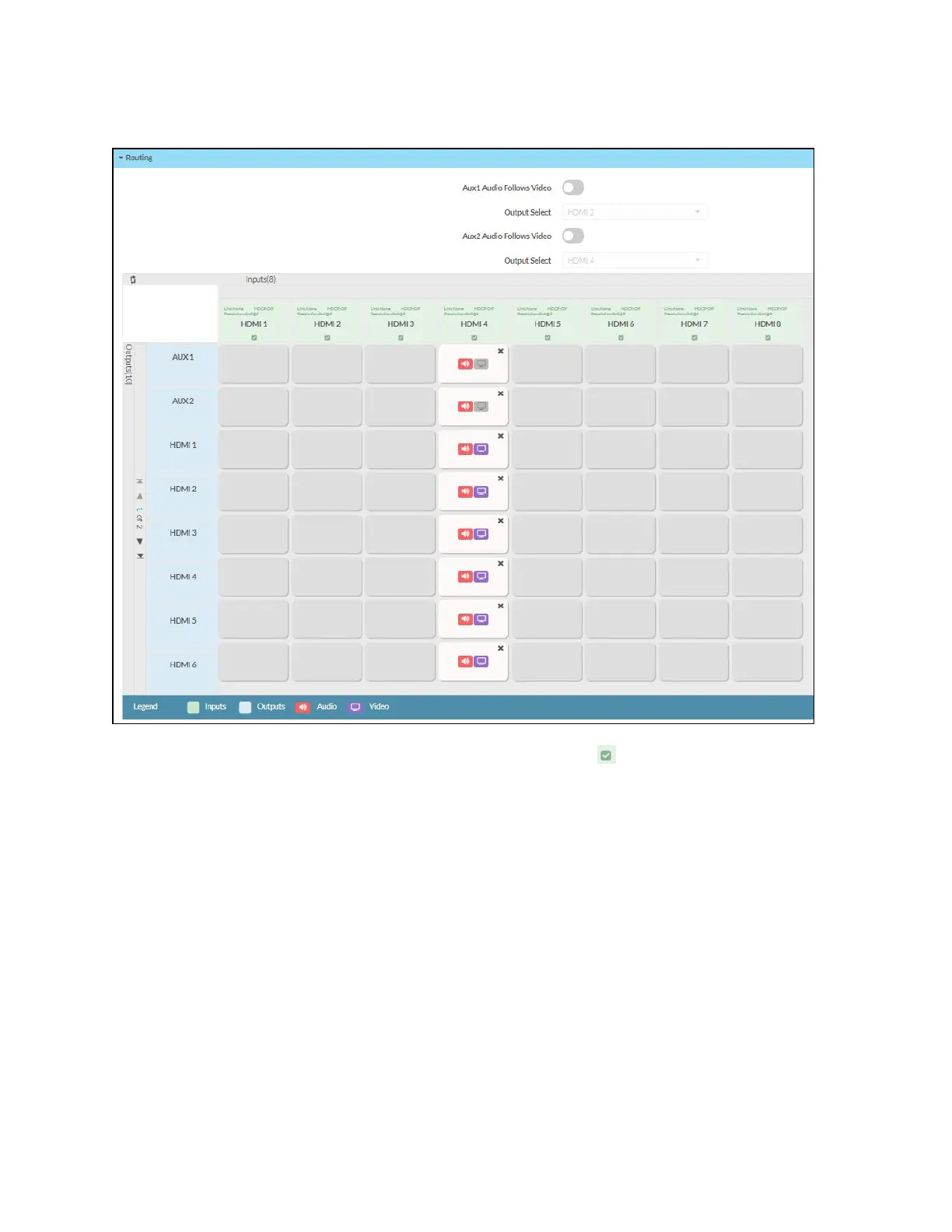
Route a Single Input to all the Outputs
1.
To route a single input to all the outputs, click on the Input icon. The Select For All
Outputs dialog appears.
2. Click OK.
3. Click Save Changes to save the changes.
Manually Route a Local Input to the Output
1. To manually route a local input to the output, click the output box next to the name of the
corresponding input. The input is routed to the output.
2. Click Save Changes to save the changes.
3. Click Revert to revert to the previous settings without saving.












 To Next Page