Product Manual — Doc. 7927K TSW-560, TSW-760, and TSW-1060 • 97
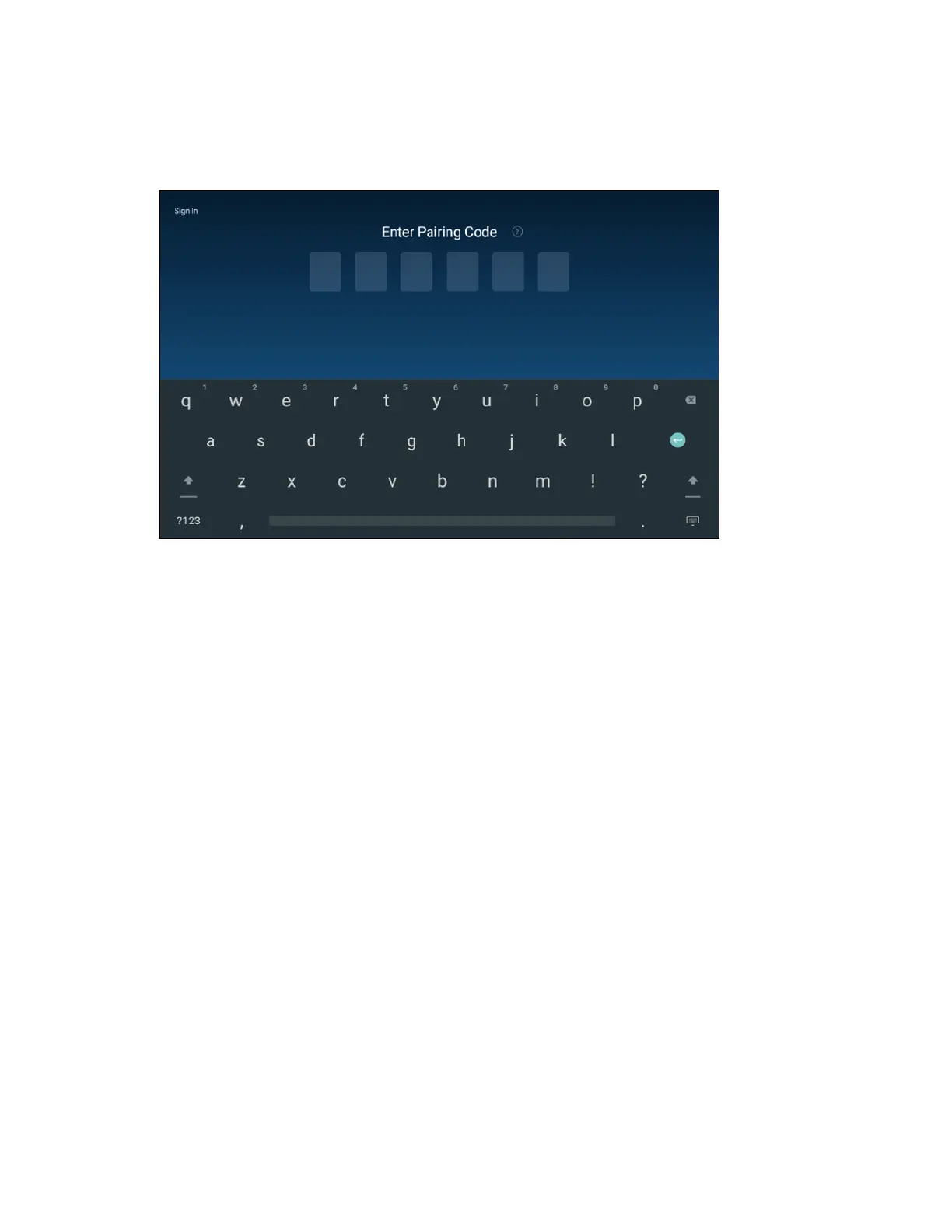
5. Reboot the touch screen. The Zoom Rooms application user interface is displayed on the
touch screen following the reboot.
ZoomRooms User Interface
6. Connect to the Zoom Rooms PC using one of the following methods:
l Use the on-screen keyboard to enter the pairing code for the Zoom Rooms account.
Obtain the pairing code from the IT (Information Technology) department responsible
for the Zoom Rooms deployment.
l Tap Sign In on the top left of the screen, and then enter the email address and
password for the Zoom Rooms account (supplied by your IT department). Tap <
Pairing Code to return to the pairing code screen.





 To Next Page