66 • TSW-560, TSW-760, and TSW-1060 Product Manual — Doc. 7927K
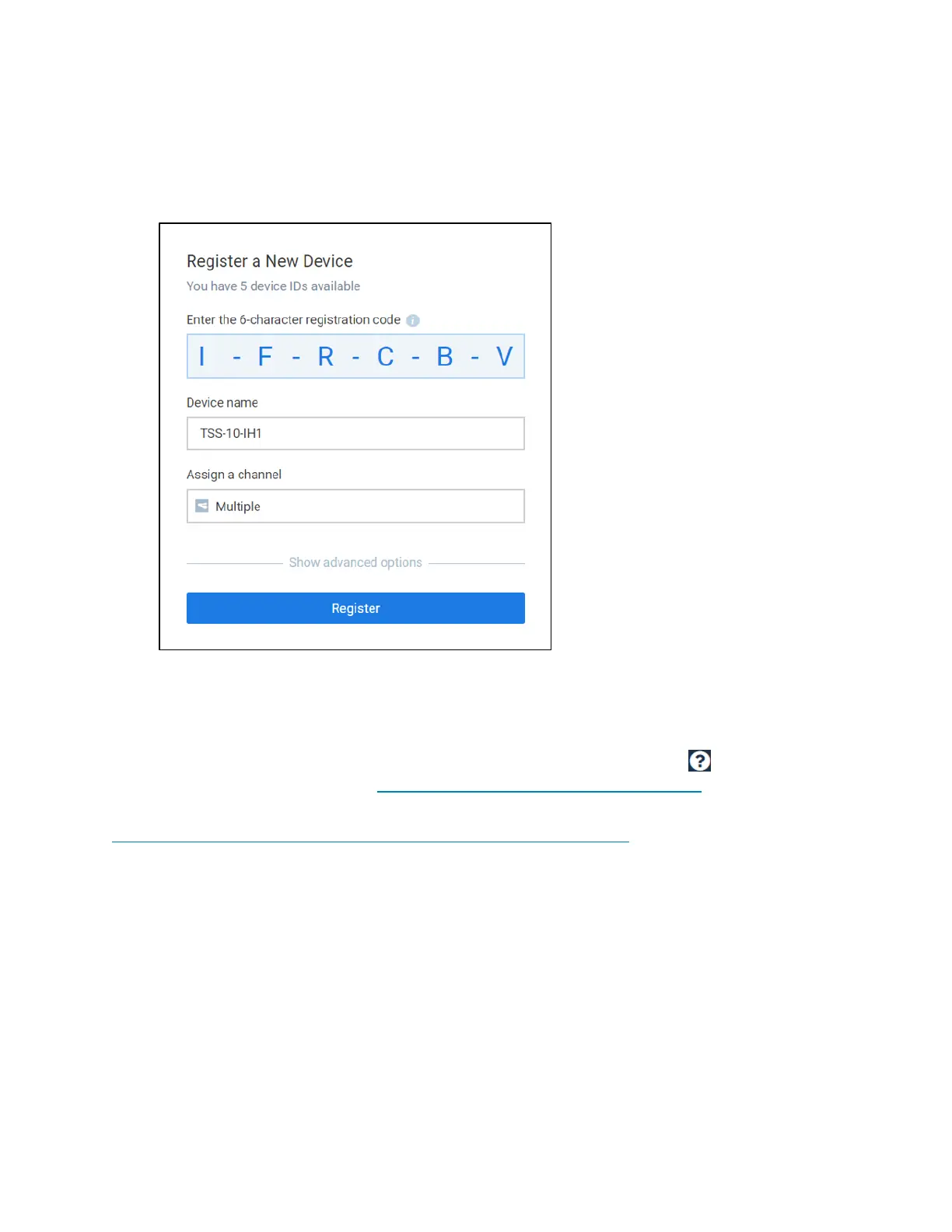
5. Enter the following information in the Register a New Device dialog box that is displayed:
l Enter a device name in the Device Name text field.
l Assign the channel(s) that should be assigned to the touch screen.
Appspace Dashboard - Register a New Device
6. Click Register.
If the device is registered successfully, a growl notification appears confirming the device
registration.
For more information on using the Appspace application, click the help button on any of the
Appspace dashboard pages, or visit https://docs.appspace.com/appspace/7.0/.
For technical support, follow the procedures documented at
https://docs.appspace.com/appspace/7.0/getting-started/support/.











 To Next Page