CTI 2572-B / 2500C-2572-B Installation and Operation Manual 24
Adding Message Blocks to the Logic
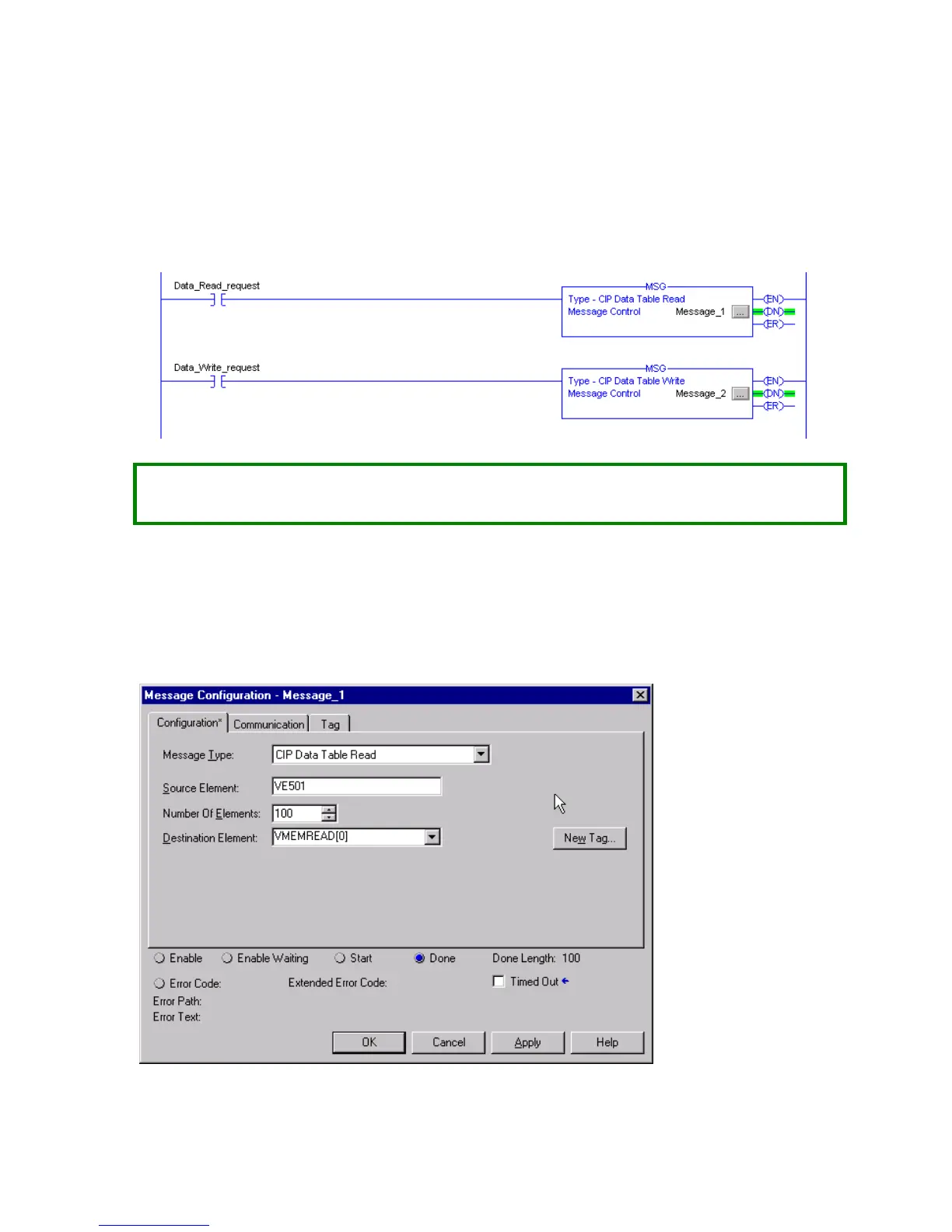
There are two message blocks added to the logic. One block is used to read the data and one to write the
data. The following sections will illustrate how to configure these blocks.
NOTE:
Your logic should use a timer (or similar means) to initiate the message block. Allowing the message
to execute every scan could create excessive loading on the 2572-B modules.
Configuring the Read Message Block
This message will read 100 unsigned integers from V memory starting at V501. Clicking on the ellipsis button
will display the configuration dialog box.
Configuration Tab
The configuration tab is used to define the message contents.


 To Next Page
 Loading...