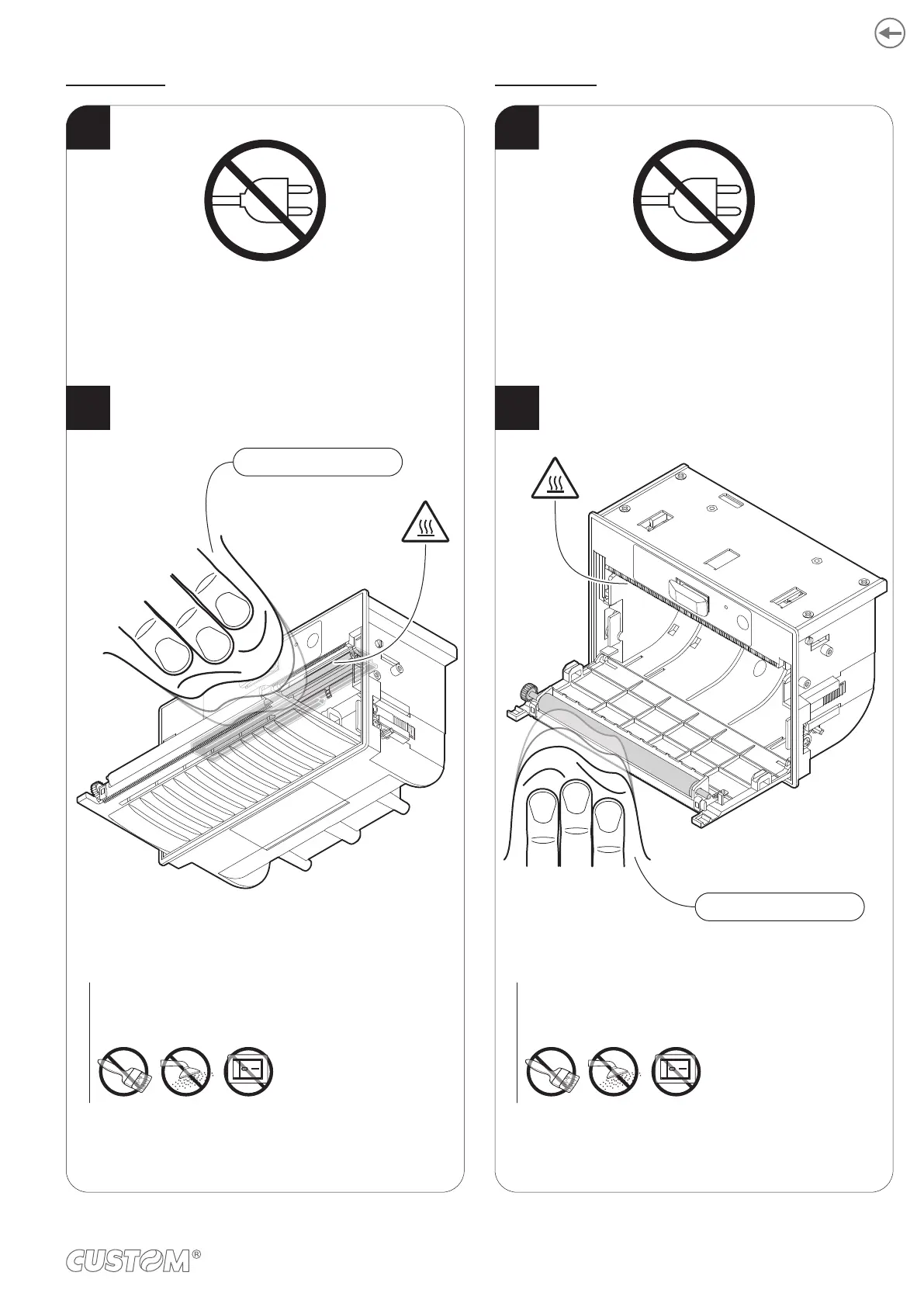
Printing head Printing roller
Clean the printing head by using
a non-abrasive cloth moistened with isopropyl.
ISOPROPYL ALCOHOL
ATTENTION:
Do not use solvents, or hard brushes.
Do not let water or other liquids get inside the machine.
ON
ATTENTION:
Do not use solvents, or hard brushes.
Do not let water or other liquids get inside the machine.
ON
Clean the printing roller by using
a non-abrasive cloth moistened with isopropyl.
ISOPROPYL ALCOHOL
1
2
1
2
Disconnect the power supply cable and open
the front cover of the device
(see paragraph 5.2).
Disconnect the power supply cable and open
the front cover of the device
(see paragraph 5.2).
59












 To Next Page