17
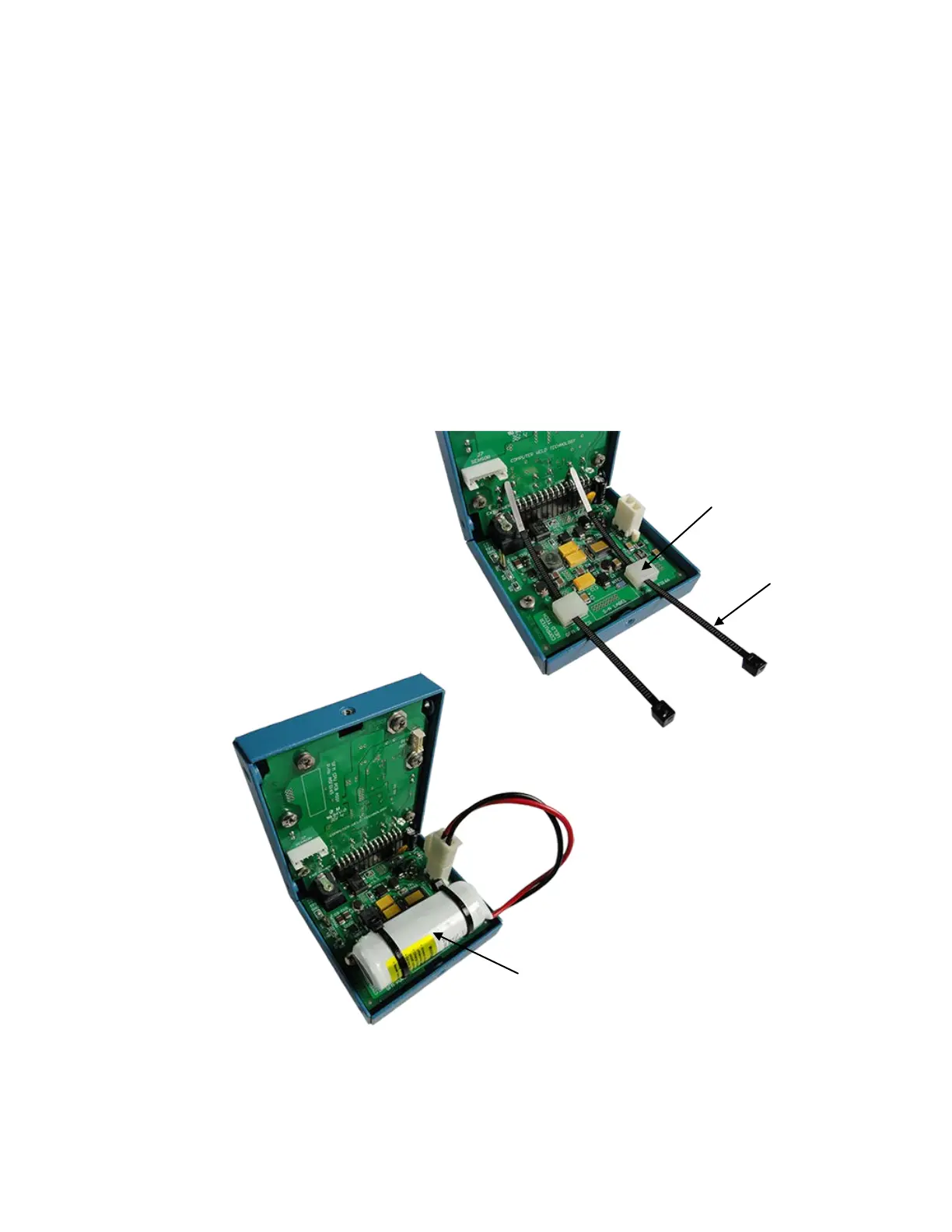
3. How to install the battery:
• Insert the two new cable ties through the two white cable tie holders on
the Power Board.
• Put the battery on top of the two white cable tie mounts and secure in
place with the two cable ties. Trim back the two cable ties.
• Connect the two circuit plug of the battery to J3 Battery Header on the
Power Board.
4. Reinstall the cover and the six screws.
CWT Replacement Part - P/N: A3A0278 (4.1V rechargeable battery)
Ties


 To Next Page