13/38
Sept.
2014
V3.1
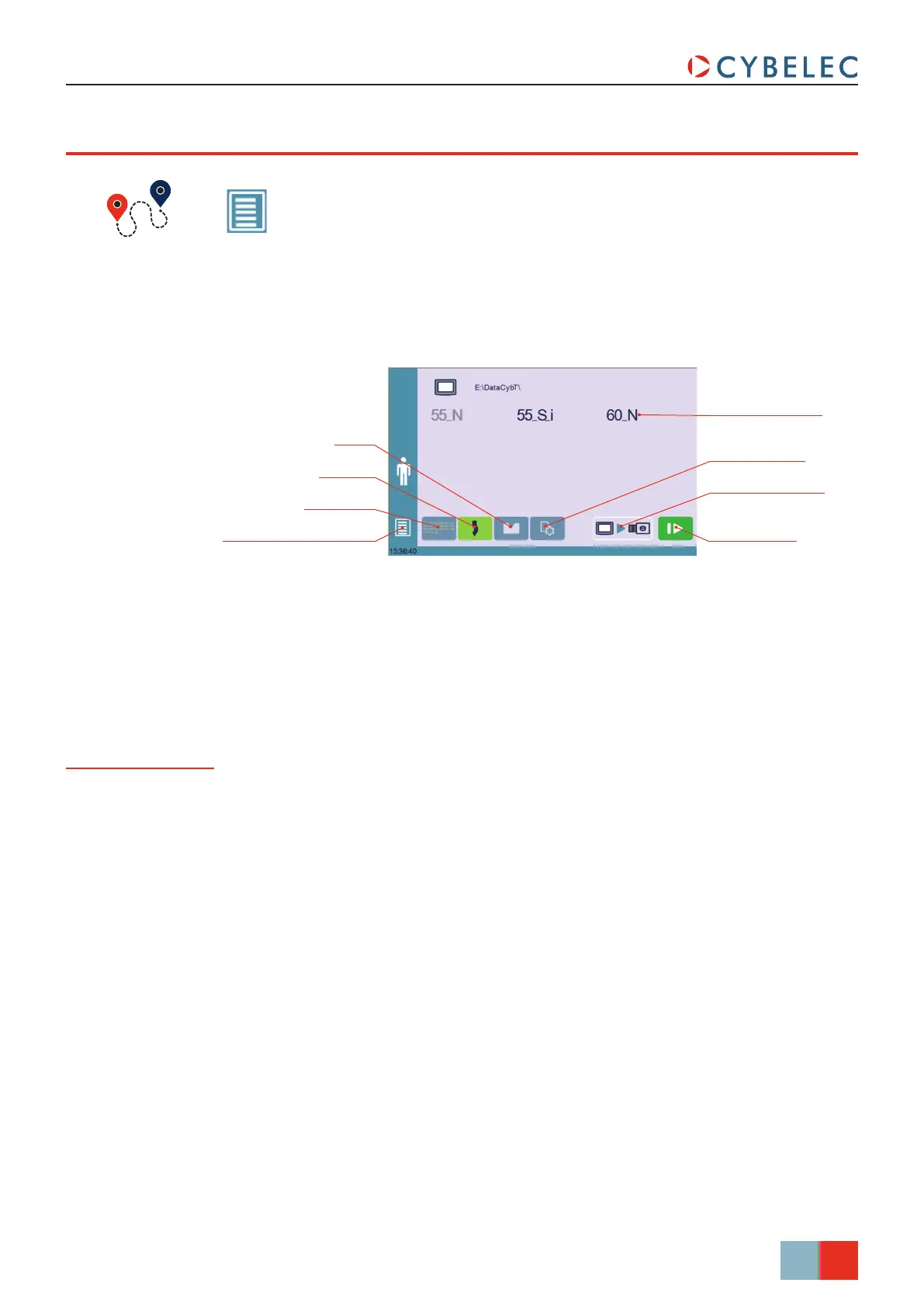
Program list
Direction of transfer
Return to User Preferences Transfer button
Select the les you
want to transfer by
touching their name
Punch list
Machine les listDie list
CybTouch 8 PS User Manual
(Menu Button) → Other menus → USB transfer
uSb TranSfer
This function opens the USB transfer screen, which allows the operator to transfer data
between the CybTouch and a USB key.
CybTouch 8 is delivered with Cybelec’s off-line software PC1200, which controls most of
the other numerical controls produced by Cybelec.
From version S1, PC1200 includes CybTouchConverter, which allows you to convert parts
to the CybTouch format, and import them into your machine with the above mentioned
function.
Importing parts
from other
Cybelec NCs



 To Next Page