EasyManua.ls Logo

CyberPower CP900EPFCLCD - User Manual

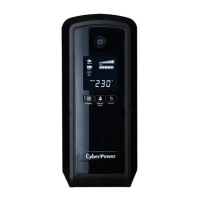
CyberPower CP900EPFCLCD
10 pages
Print Icon
To Next Page IconTo Next Page
Loading...
K01-0000331-00
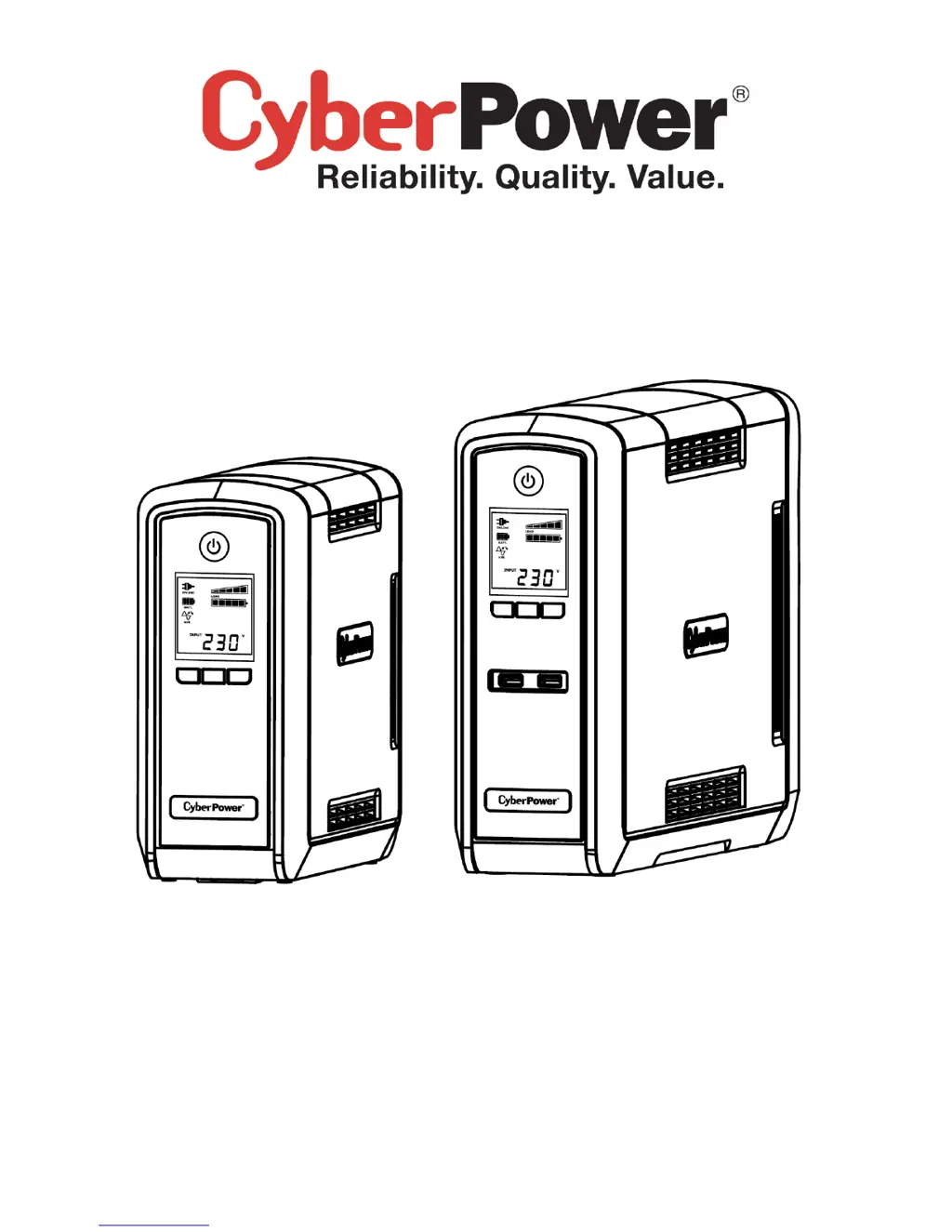
CP900/1300/1500EPFCLCD
User’s Manual

Other manuals for CyberPower CP900EPFCLCD

Questions and Answers

  • D
    David HortonAug 13, 2025
    How to fix CyberPower CP900EPFCLCD UPS that will not turn on?
    • M
      meltonpatriciaAug 13, 2025
      There are several reasons why your CyberPower UPS might not turn on. The on/off switch is designed to prevent damage by rapidly turning it off and on. Turn the UPS off, wait 10 seconds, and then turn it back on. If this doesn't work, contact CyberPower Systems at service@cyberpower-eu.com, as the battery may be worn out or there could be a mechanical problem.
  • D
    debbiefisherAug 16, 2025
    What to do if my CyberPower CP900EPFCLCD UPS won't turn on?
    • B
      banksreginaAug 16, 2025
      There are several reasons why your CyberPower UPS might not be turning on. First, the on/off switch is designed to prevent damage from rapid cycling, so turn the UPS off, wait 10 seconds, and then turn it back on. Second, the battery may be worn out. Finally, there may be a mechanical problem.
  • K
    Kendra WaltonAug 20, 2025
    Why is my CyberPower UPS not providing the expected runtime?
    • A
      Angela CrawfordAug 20, 2025
      The CyberPower UPS may not perform the expected runtime if the battery is not fully charged; in this case, recharge it by leaving the UPS plugged in. Also, the battery may be slightly worn out.
  • J
    Jose ObrienAug 25, 2025
    What to do if the CyberPower CP900EPFCLCD UPS circuit breaker button is projecting?
    • C
      cheryl39Aug 25, 2025
      If the circuit breaker button is projecting from the back of your CyberPower UPS unit, it indicates that the circuit breaker has tripped due to an overload. To resolve this, turn the UPS off and unplug at least one piece of equipment. Wait 10 seconds, reset the circuit breaker by depressing the button, and then turn the UPS back on.
  • T
    Tamara ThompsonAug 28, 2025
    Why CyberPower CP900EPFCLCD UPS does not perform expected runtime?
    • M
      Michael Mahoney Jr.Aug 28, 2025
      There are a couple of reasons why your CyberPower UPS might not be performing as long as expected. It could be that the battery is not fully charged; in this case, recharge it by leaving the UPS plugged in. Alternatively, the battery might be slightly worn out, in which case you should contact CyberPower Systems at service@cyberpower-eu.com about replacement batteries.
  • V
    Victoria JonesAug 31, 2025
    What to do if PowerPanel® Personal Edition is inactive on CyberPower CP900EPFCLCD?
    • T
      Tammy LarsonAug 31, 2025
      If the PowerPanel® Personal Edition is inactive, it could be due to a couple of reasons. First, check that the USB cable is connected to the UPS unit and an open serial port on the back of the computer, using the cable that came with the unit. If it is connected, the unit might not be providing battery power. In this case, shutdown your computer and turn the UPS off. Wait 10 seconds and turn the UPS back on to reset the unit.
  • J
    Justin DownsSep 4, 2025
    What to do if the Circuit breaker button is projecting from the back of my CyberPower CP900EPFCLCD?
    • W
      Wesley Bell DVMSep 4, 2025
      If the circuit breaker button is projecting from the back of your CyberPower UPS, it means the circuit breaker has tripped due to an overload. To fix this, turn the UPS off and unplug at least one piece of equipment. Wait 10 seconds, reset the circuit breaker by depressing the button, and then turn the UPS on.
  • W
    wilkersonandrewSep 8, 2025
    What to do if PowerPanel® Personal Edition is inactive with my CyberPower CP900EPFCLCD?
    • F
      Frank BrownSep 8, 2025
      If PowerPanel® Personal Edition is inactive, it could be due to a disconnected USB cable. Ensure the USB cable is connected to the UPS unit and an open serial port on the back of the computer, using the cable that came with the unit. Alternatively, the unit may not be providing battery power. To resolve this, shut down your computer and turn the UPS off, wait 10 seconds, and then turn the UPS back on to reset the unit.

Summary

IMPORTANT SAFETY INSTRUCTIONS

INSTALLING YOUR UPS SYSTEM

UNPACKING

Lists the components included in the UPS package.

BASIC OPERATION

BATTERY REPLACEMENT

BATTERY REPLACEMENT PROCEDURE

Provides a step-by-step guide for safely replacing the UPS battery.

DEFINITIONS FOR ILLUMINATED LCD INDICATORS

ONLINE

Indicates the UPS is supplying utility power to connected equipment.

BATTERY

Shows the UPS is operating on internal batteries during a power failure.

OVER LOAD

Indicates that the battery-supplied outlets are overloaded.

ESTIMATED RUNTIME

Displays the estimated runtime based on current battery capacity and load.

TROUBLESHOOTING

CyberPower CP900EPFCLCD Specifications

General IconGeneral
WaveformPure sine
Output power540 W
UPS topologyStandby (Offline)
Input frequency50/60 Hz
Maximum current10 A
Surge protectionYes
Country of originChina
Audible alarm modesAlarm when on battery, Low battery alarm, Overload alarm
Surge energy rating405 J
Output power capacity0.9 kVA
Power protection featuresOver power, Over voltage, Overload, Short circuit
Surge protection featuresFax, Modem, Network, Telephone
Input operation voltage (max)270 V
Input operation voltage (min)170 V
Output voltage Total Harmonic Distortion (THD)10 %
InterfaceUSB
Nominal input voltage165-265 V
Nominal output voltage230 V
Operating temperature (T-T)32 - 104 °F
Compatible operating systemsWindows 7/Vista/XP/2000/Server 2003, Linux
Suitable for use in country/locationEurope
Power plugC14 coupler
AC outlets quantity6 AC outlet(s)
Modem (RJ-11) ports1
USB 2.0 ports quantityUSB 2.0 ports have a data transmission speed of 480 Mbps, and are backwards compatible with USB 1.1 ports. You can connect all kinds of peripheral devices to them.
Form factorTower
Cable length1.83 m
Display typeLCD
CertificationCE, EAC, RCM
Product colorBlack
LED indicatorsOperation
Housing materialPlastic
Operating altitude0 - 3000 m
Non-operating altitude0 - 15000 m
Storage temperature (T-T)15 - 45 °C
Operating relative humidity (H-H)0 - 95 %
Harmonized System (HS) code8504408590
Battery technologySealed Lead Acid (VRLA)
Battery recharge time8 h
Typical backup time at full load1 min
Typical backup time at half load7 min
Weight and Dimensions IconWeight and Dimensions
Depth230 mm
Width100 mm
Height275 mm
Weight6600 g
Package depth365 mm
Package width195 mm
Package height335 mm
Package weight7800 g

Related product manuals