3
peripheral equipment does not exceed 900VA for CP900EPFCLCD; 1300VA/1500VA for
CP1300/1500EPFCLCD.
2.Ensure that the equipment plugged into the battery power-supplied/surge outlets does
not exceed the UPS unit's rated capacity ( 900VA/540W for CP900EPFCLCD; 1300VA/780W for
CP1300EPFCLCD; 1500VA/900W for CP1500EPFCLCD). If the rated unit capacities are exceeded,
an overload condition may occur and cause the UPS unit to shut down or the circuit breaker to trip.
BASIC OPERATION
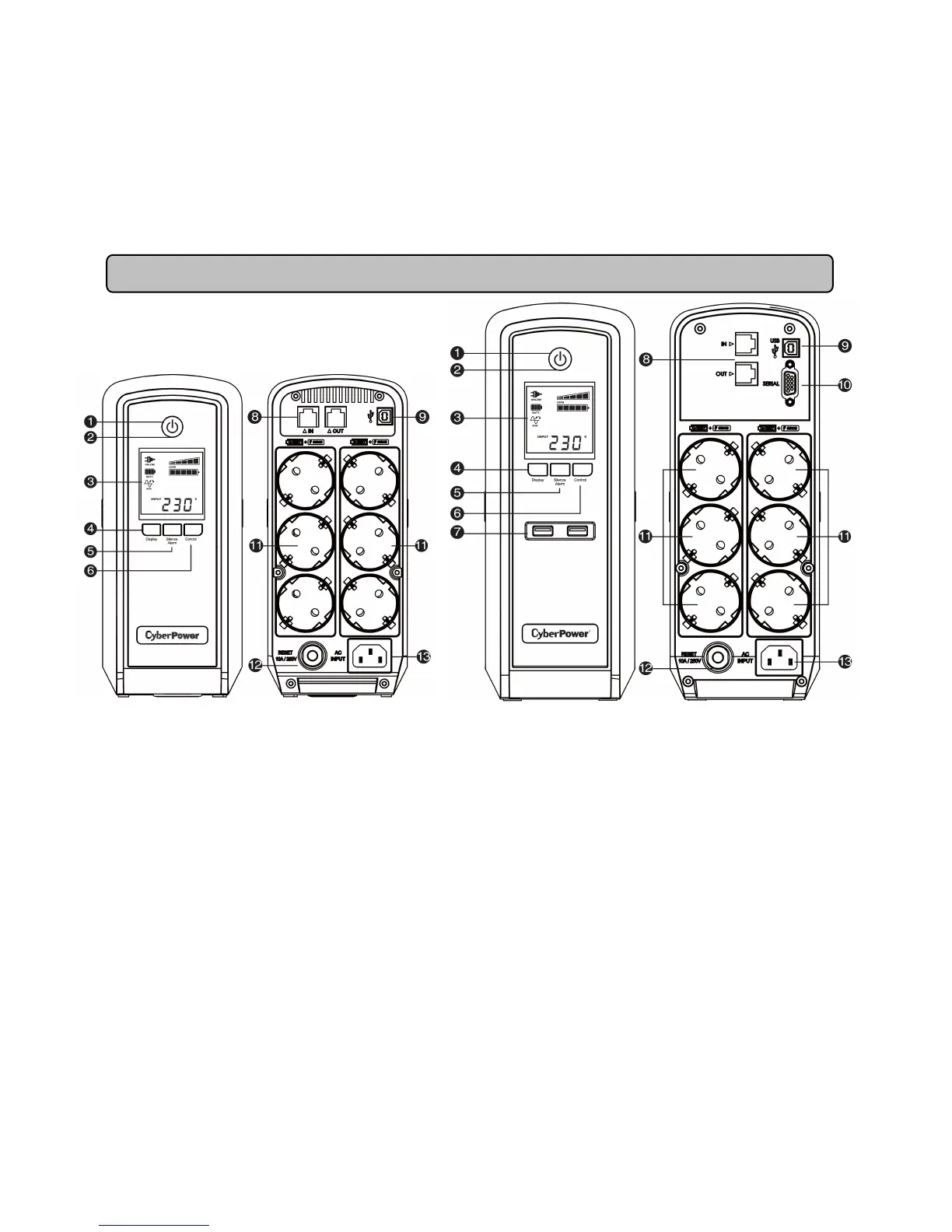
DESCRIPTION
1. Power Switch
Used as the master on/off switch for equipment connected to the battery power supplied outlets.
2. Power On Indicator
This LED is illuminated when the utility power is normal and the UPS outlets are providing power,
free of surges and spikes.
3. LCD Module Display
High resolution and intelligent LCD display shows all the UPS information with icons and
messages. For more information please check the “Definitions for Illuminated LCD Indicators”
section.
4. Display Switch
The switch can be used to select the LCD display contents including Input Voltage, Output Voltage
and Estimated Run Time. The toggle frequency is set to one time per 0.5 second. Press the switch
to roll down the function menu. Pressing the switch for 2 seconds will turn the LCD display on or off
while in AC/Utility power mode.
5. Silence Alarm Switch
The toggle frequency is set to one time per 0.5 second. Press the switch to roll up the function








 To Next Page