
 To Next Page
B
Brian LunaAug 9, 2025
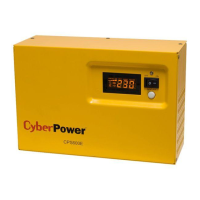
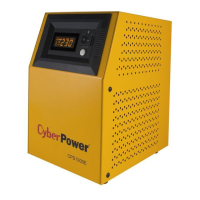
What if my CyberPower CPS1000E is not working because it is not connected to an AC outlet?
- AAmber JacobsonAug 9, 2025
To resolve this, ensure the CyberPower UPS is connected to a 220/230/240V outlet.

What if my CyberPower CPS1000E is not working because it is not connected to an AC outlet?
To resolve this, ensure the CyberPower UPS is connected to a 220/230/240V outlet.
What to do if CyberPower UPS outlet not working?
If the outlet on your CyberPower UPS isn't providing power, it could be due to a tripped circuit breaker from an overload. To resolve this, turn the UPS off, unplug a device, wait 10 seconds, reset the circuit breaker by pressing the button, and then turn the UPS back on. Alternatively, the batteries might be discharged; in that case, recharge the unit for at least 4 hours.
 General
| Brand | CyberPower |
|---|---|
| Model | CPS1000E |
| Category | UPS |
| Language | English |