EasyManua.ls Logo

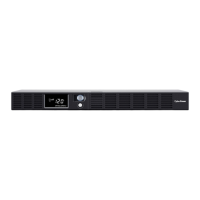
CyberPower OR1500LCDRTXL2U - User Manual

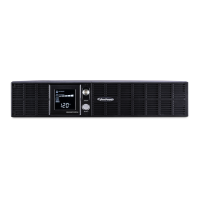
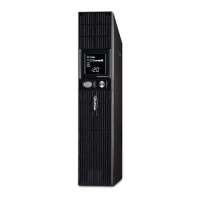
CyberPower OR1500LCDRTXL2U
10 pages
Print Icon
To Next Page IconTo Next Page
Loading...
INTELLIGENT UPS SERIES
OR1500LCDRTXL2U / OR2200LCDRTXL2U
USER MANUAL
YOUR ULTIMATE ALLY IN POWER
Cyber Power Systems (USA), Inc.
4241 12th Avenue East, Suite 400 | Shakopee, MN 55379 | CyberPowerSystems.com
FEATURES
1. Power Switch
2. Power On Indicator (Blue)
3. LCD Module Display
4. LCD Function Selection Switch
5. 8 Full-Time Battery Powered and Surge
Protected Outlets
6. AC Power Cord
7. Output Circuit Breaker
8. Input Circuit Breaker
9. USB Port
10. Communication Protection Ports RJ45
11. Wiring Fault Indicator (Red)
12. Coax.Cable.DSS Surge Protection
13. Serial Port I (Primary)
14. Serial Port II (Dry Contact)
15. EPO (Emergency Power O) Port
16. SNMP / HTTP Network Slot
17. External Battery Pack Connector
FPO

Questions and Answers

  • T
    terryrhondaJul 26, 2025
    What to do if my CyberPower OR1500LCDRTXL2U UPS will not turn on?
    • T
      thomascameronJul 26, 2025
      If your CyberPower UPS doesn't turn on, there are several potential reasons. First, the on/off switch may be preventing rapid cycling, so turn the UPS off, wait 10 seconds, and then turn it back on. Ensure the unit is connected to a functioning 110/120V 60Hz outlet. Also, shutdown your computer and turn the UPS off, wait 10 seconds, and turn the UPS back on to reset the unit. Check that the USB/serial cable is connected to both the UPS unit and the correct USB/serial port on the back of your computer, using the cable that came with the unit.
  • I
    Isaac PierceJul 31, 2025
    Why my CyberPower OR1500LCDRTXL2U will not turn on?
    • M
      Michael CooperJul 31, 2025
      There are several reasons why your CyberPower UPS might not be turning on. * The on/off switch may be preventing damage from rapid cycling; turn the UPS off, wait 10 seconds, and then turn it back on. * Ensure the unit is properly connected to a 110/120V 60Hz outlet.
  • C
    cfisherAug 5, 2025
    How to fix CyberPower OR1500LCDRTXL2U outlets that stopped providing power?
    • H
      hharringtonAug 5, 2025
      If the full-time surge protection outlets on your CyberPower UPS stop providing power, it's possible the circuit breaker has tripped due to an overload. To resolve this, turn the UPS off and unplug at least one piece of equipment. Wait 10 seconds, then reset the circuit breaker by pressing the button. Finally, turn the UPS back on.
  • M
    Melissa FoxAug 10, 2025
    What to do if my CyberPower OR1500LCDRTXL2U doesn't perform expected runtime?
    • L
      Laura WeaverAug 10, 2025
      If your CyberPower UPS isn't providing the expected runtime, it could be due to the battery not being fully charged. Recharge the battery by leaving the UPS plugged in. Another possibility is that the battery is worn out.
  • M
    Mary JonesAug 15, 2025
    What to do if CyberPower OR1500LCDRTXL2U full-time surge protection outlets stop providing power?
    • D
      Derek DouglasAug 15, 2025
      If the full-time surge protection outlets on your CyberPower UPS are not providing power, it's possible the circuit breaker has tripped due to an overload. To resolve this, turn off the UPS and unplug at least one piece of equipment. Wait 10 seconds, then reset the circuit breaker by pressing the button. Finally, turn the UPS back on.
  • C
    cchavezAug 20, 2025
    What to do if PowerPanel® Business Edition is inactive for CyberPower UPS?
    • L
      Luis GrantAug 20, 2025
      If the PowerPanel® Business Edition is inactive (all icons are gray), there might be a problem with the connection. * Ensure the USB / serial cable is correctly connected to both the UPS unit and an open USB / serial port on the back of your computer, using the cable that came with the unit. * Also, verify that the USB / serial cable is connected to the correct port on the back of the computer. Try an alternative port. * If the unit is not providing battery power, shut down your computer, turn the UPS off, wait 10 seconds, and turn the UPS back on to reset the unit. * Make sure you are using the serial cable that came with the unit.

Summary

Product Registration and Safety Warnings

Product Registration

Register your CyberPower UPS for warranty, ownership confirmation, and technical support.

Important Safety Warnings

Crucial safety instructions for installation, operation, and handling of the UPS unit.

Installing Your UPS System

Unpacking and Contents

List of items included in the UPS box upon receipt and inspection.

Power Requirements

Guidance on determining equipment power needs and UPS capacity limits.

UPS Overview and AVR Function

General description of UPS features and explanation of Automatic Voltage Regulation (AVR).

Hardware Installation Guide

Steps for initial setup, battery charging, and connecting equipment to the UPS.

Basic Operation and Features

User Interface and Controls

Description of the power switch, indicators, and LCD display functions.

Power Outlets and Protection

Details on battery-backed outlets, power cord, and circuit breakers.

Connectivity and Communication Ports

Overview of USB, serial, network, EPO, and surge protection ports.

Battery Replacement

Battery Safety Precautions

Important safety warnings regarding battery handling, disposal, and potential hazards.

Battery Replacement Procedure

Step-by-step instructions for safely replacing the UPS battery pack.

LCD Indicator Definitions and Troubleshooting

LCD Indicator Definitions

Explanation of various icons and meters displayed on the UPS LCD screen.

Troubleshooting Common Issues

Guidance on diagnosing and resolving common UPS operational problems.

Technical Specifications and System Diagram

Technical Specifications

Detailed specifications for OR1500LCDRTXL2U and OR2200LCDRTXL2U models.

System Function Block Diagram

Visual representation of the UPS internal functional components and signal flow.

CyberPower Technology and Compliance

GreenPower UPS Technology

Explanation of the advanced energy-saving bypass technology.

FCC Compliance Statement

Information regarding FCC rules and interference guidelines for the device.

Warranty and Support Information

Details on limited warranty, connected equipment guarantee, and contact information.

CyberPower OR1500LCDRTXL2U Specifications

General IconGeneral
Output power1125 W
Input frequency- Hz
Surge energy rating1840 J
Output power capacity1.5 kVA
EMI/RFI noise filteringYes
Power protection featuresOverload
Battery type12V, 7AH
Management platformSNMP, HTTP
Nominal input voltage90-140 V
Nominal output voltage120 V
AC outlet typesNEMA 5–15R
AC outlets quantity8 AC outlet(s)
Modem (RJ-11) ports2
USB 2.0 ports quantity1
Form factorRackmount/Tower
Cable length3 m
Display typeLCD
CertificationUL1778, cUL 107.3, FCC DOC Class B
Product colorBlack
Rack capacity2U
Battery technologySealed Lead Acid (VRLA)
Battery recharge time8 h
Typical backup time at full load7 min
Typical backup time at half load18 min
Operating temperature (T-T)0 - 35 °C
Operating relative humidity (H-H)0 - 90 %
Sustainability certificatesRoHS
Weight and Dimensions IconWeight and Dimensions
Depth477.52 mm
Width431.8 mm
Height88.9 mm
Weight26988.7 g

Related product manuals