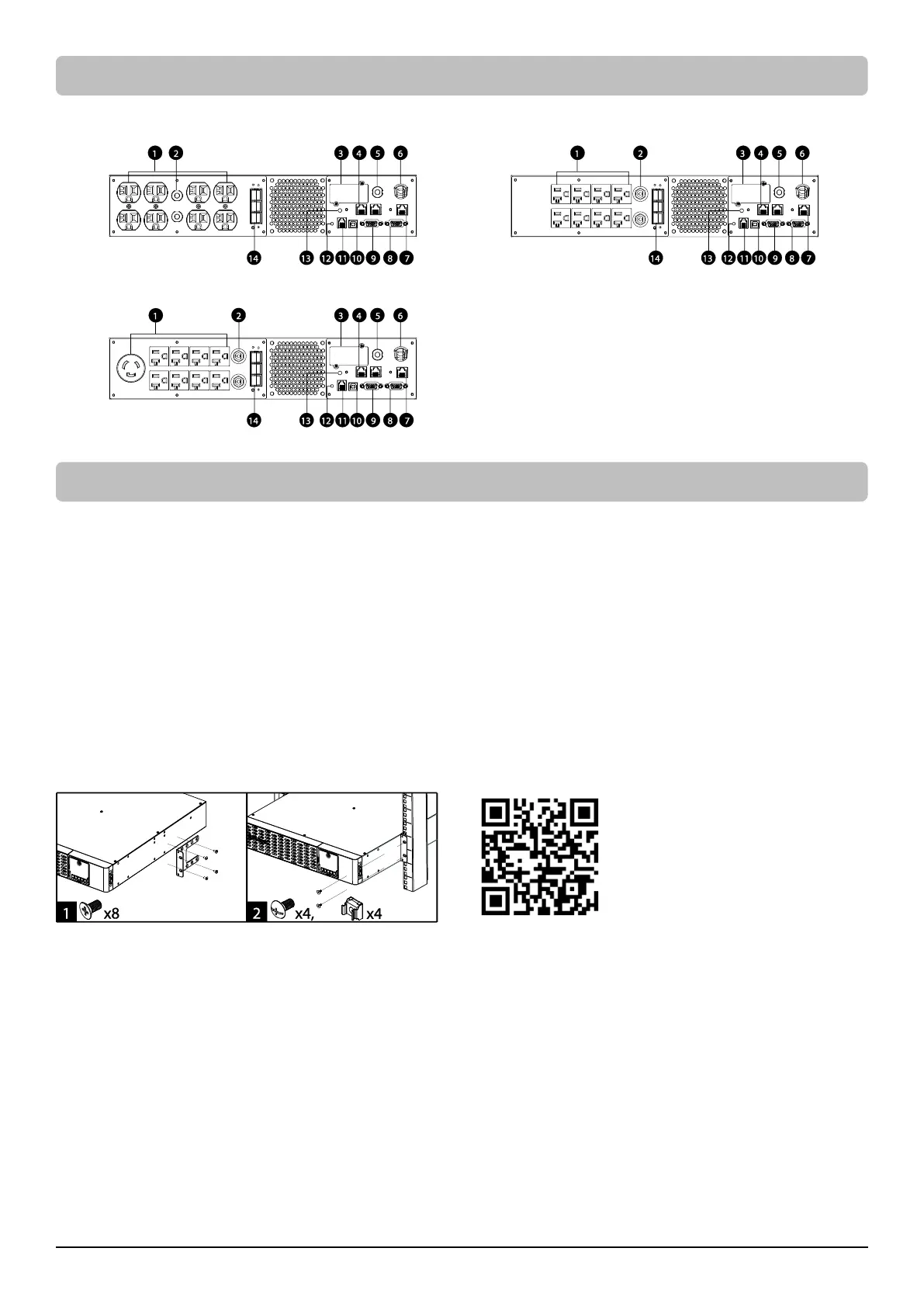
The product is designed for tower installation and rack installation for 2-post rack and 4-post rack. Read and follow the procedures thoroughly
before and during your installation of the product.
The installation videos are available online. Scan the QR code below for detailed information.
Preparation
CAUTION! It is strongly recommended to have an additional person assist this installation process if the product is heavy.
CAUTION! It is strongly recommended that the 2 post rack be bolted to the floor prior to the installation of the product.
1. Remove all equipment connected to the product.
2. Make sure the product is disconnected from AC power source.
3. Remove internal batteries to reduce weight of the unit before the installation. Refer to BATTERY REPLACEMENT section for instructions.
Rack Installation for 2-post Rack
1. Attach the brackets with provided M5 flat head screws.
2. Affix the product to the rack with suitable M5/M6 screws and cage nuts. (M5 trust head screws are provided with the product in the
mechanical accessory box.)









 To Next Page