circuitry bypasses the transformer when utility power is normal, significantly increasing the power efficiency of the UPS. As a result, a
GreenPower UPS™ produces less heat and uses less energy reducing energy costs.
When utility power is abnormal, the GreenPower UPS™ operates like a normal UPS. Since utility power operates normally 88% of the time,
the GreenPower UPS™ operates primarily in its cost-cutting bypass mode.
LIMITED WARRANTY AND CONNECTED EQUIPMENT GUARNTEE
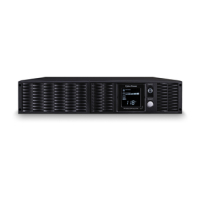
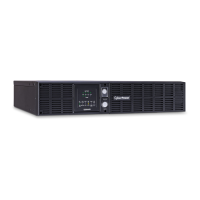
Read the following terms and conditions carefully before using the CyberPower PR3000LCDRT2U/PR3000LCDRTXL2U (the “Product”). By
using the Product you consent to be bound by and become a party to the terms and conditions of this Limited Warranty and Connected
Equipment Guarantee (together referred to as this “Warranty”). If you do not agree to the terms and conditions of this Warranty, you should
return the Product for a full refund prior to using it.
Who is Providing this Warranty?
CyberPower Systems (USA), Inc. (“CyberPower”) provides this Limited Warranty.
What Does This Warranty Cover?
This warranty covers defects in materials and workmanship in the Product under normal use and conditions. It also covers equipment that
was connected to the Product and damaged because of the failure of the Product.
What is the Period of Coverage?
This warranty covers the Product for three years and connected equipment for as long as you own the Product.
Who Is Covered?
This warranty only covers the original purchaser. Coverage ends if you sell or otherwise transfer the Product.
How Do You Get Service?
1. Call us at (877) 297-6937 or write to us at Cyber Power Systems (USA), , 4241 12th Ave. E., STE 400, Shakopee, MN 55379 or send us
an e-mail message at claims@cpsww.com for instructions.
2. When you contact CyberPower, identify the Product, the Purchase Date, and the item(s) of Connected Equipment. Have information on
all applicable insurance or other resources of recovery/payment that are available to the Initial Customer and Request a Claim
3. You must provide a dated Proof-of-Purchase receipt (or other proof of the original purchase) and provide a description of the
4. Pack and ship the product with a dated Proof- of-Purchase receipt to CyberPower and, if requested, the item(s) of Connected
Equipment, a repair cost estimate for the damage to the Connected Equipment, and all claim forms that CyberPower provides to Show
the Claim Number on the shipping label or include it with the product. You must prepay all shipping costs, you are responsible for
packaging and shipment, and you must pay the cost of the repair estimate.
How Long Do I Have To Make A Claim?
All claims must be made within ten days of the occurrence.
What Will We Do To Correct Problems?
CyberPower will inspect and examine the Product.If the Product is defective in material or workmanship, CyberPower will repair or replace it at
CyberPower’s expense, or, if CyberPower is unable to or decides not to repair or replace the Product (if defective) within a reasonable time,
CyberPower will refund to you the full purchase price you paid for the Product (purchase receipt showing price paid is required).
If it appears that our Product failed to protect any equipment plugged into it, we will also send you forms for making your claim for the
connected equipment. We will repair or replace the equipment that was damaged because of the failure of our Product or pay you the fair
market value (NOT REPLACEMENT COST) of the equipment at of the time of the damage. We will use Orion Blue Book, or another a third-
party valuation guide, or eBay, craigslist, or other source to establish that amount. Our maximum liability is limited to $400,000 for
PR3000LCDRT2U/PR3000LCDRTXL2U.
Who Pays For Shipping?
We pay when we send items to you; you pay when you send items to us.
What Are Some Things This Warranty Does Not Cover?
1. This Warranty does not cover any software that was damaged or needs to be replaced due to the failure of the Product or any data that
is lost as a result of the failure or the restoration of data or records, or the re installation of
2. This Warranty does not cover or apply to: misuse, modification, operation or storage outside environmental limits of the Product or the
equipment connected to it, nor for damage while in transit or in storage, nor if there has been improper operation or maintenance, or use
with items not designed or intended for use with the Product, such as laser printers, appliances, aquariums, medical or life support
devices,
What Other Limitations Apply?
1. This Warranty does not apply unless the Product and the equipment that was connected to it were connected to properly wired and
grounded outlets (including compliance with electrical and safety codes of the most current electrical code), without the use of any
adapters or other
2. The Product must have been plugged directly into the power source and the equipment connected to the Product must be directly
connected to the Product and not “daisy-chained” together in serial fashion with any extension cords, another Product or device similar to
the Product, surge suppressor, or power Any such installation voids the Limited Warranty.
3. The Product and equipment connected to it must have been used properly in a suitable and proper environment and in conformance with
any license, instruction manual, or warnings provided with the Product and the equipment connected to it.
4. The Product must have been used at all times within the limitations on the Product’s VA capacity.






 To Next Page