The UPS will not turn on.
The on/off switch is designed to
prevent damage by rapidly
turning it off and on.
Turn the UPS off. Wait 10 seconds and then turn the UPS on.
The unit is not connected to an AC
outlet.
The unit must be connected to a 110/120V outlet.
The battery is worn out.
Contact CyberPower Systems about replacement batteries at
tech@cpsww.com
Mechanical problem.
Contact CyberPower Systems at tech@cpsww.com
PowerPanel
®
Personal Edition is
inactive
The serial cable or USB cable is not
connected.
Connect the cable to the UPS unit. You must use the cable that came
with the unit.
The cable is connected to the wrong
port.
Try another port of your computer
The unit is not providing battery
power.
Shutdown your computer and turn the UPS off. Wait 10 seconds and
turn the UPS back on. This should reset
the unit.
The serial cable is not the cable that
was provided
with the unit.
You must use the cable included with the unit for the software
Additional troubleshooting information can be found at www.cyberpowersystems.com/support.htm
TECHNICAL SPECIFICATIONS
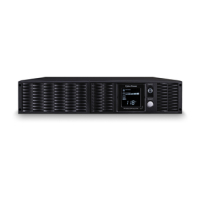
Model PR3000LCDRT2U PR3000LCDRTXL2U
Capacity(VA) 3000 3000
Capacity(Watts) 2700 3000
Input






 To Next Page