CAUTION! The UPS must be connected to a grounded AC power outlet with fuse or circuit breaker protection. DO NOT plug the UPS into an
outlet that is not grounded. If you need to de-energize this equipment, turn off and unplug the UPS.
CAUTION! DO NOT USE FOR MEDICAL OR LIFE SUPPORT EQUIPMENT! CyberPower Systems does not sell products for life support or
medical applications. DO NOT use in any circumstance that would affect operation or safety of any life support equipment, with any medical
applications, or patient care.
CAUTION! The battery can energize hazardous live parts inside even when the AC input power is disconnected.
CAUTION! For pluggable equipment, the socket-outlet shall be installed near the equipment and shall be easily accessible.
CAUTION! To prevent the risk of fire or electric shock, install in a temperature and humidity controlled indoor area, free of conductive
contaminants. (Please see specifications for acceptable temperature and humidity range).
CAUTION! To reduce the risk of electric shock, do not remove the cover, except to service the battery. There are no serviceable parts inside,
except for the battery.
CAUTION! To avoid electrical shock, turn off the unit and unplug it from the AC power source before servicing the battery or installing a
computer component.
CAUTION! DO NOT USE WITH OR NEAR AQUARIUMS! To reduce the risk of fire, do not use with or near aquariums. Condensation from
the aquarium can come in contact with metal electrical contacts and cause the machine to short out.
CAUTION! For model PR3000LCDRT2U and PR3000LCDRTXL2U use in a computer room as defined in the standard for the Protection of
Electronic Computer/Data Processing Equipment, ANSI/NFPA 75.
INSTALLING YOUR UPS SYSTEM
UNPACKING
Inspect the UPS upon receipt. The box should contain the following. UPS Unit; (1) User’s Manual for UPS; Rack Mount Brackets; (1) Metal
Stand Plate; Emergency Power Off Cable (gray); PowerPanel
®
Business Edition Software CD; Serial Interface Cable (DB-9); USB A+B Type
Cable; Warranty Registration Card; Rubber Buffer.
OVERVIEW
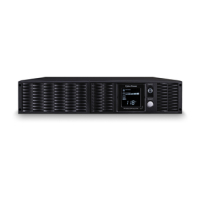
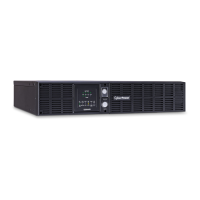
The PR3000LCDRT2U/PR3000LCDRTXL2U provides battery backup, automatic voltage regulation (AVR), and optimal performance of
computers and other network equipment by ensuring consistent sinewave power. The PR3000LCDRT2U/PR3000LCDRTXL2U features 1874
Joules of surge protection, and provides battery backup during power outages. The PR3000LCDRT2U/PR3000LCDRTXL2U ensures
consistent power to your computer system and its included software will automatically save your open files and shutdown your computer
system during a utility power loss.
AUTOMATIC VOLTAGE REGULATOR(AVR)
The PR3000LCDRT2U/PR3000LCDRTXL2U stabilizes inconsistent utility power. The incoming utility power may be damaging to important
data and hardware, but with Automatic Voltage Regulation, the computer will not experience damaging voltage levels. An Automatic Voltage
Regulator automatically increases low or decreases high voltage to a consistent, computer safe 110V/120V. The unit powerful sealed lead-
acid batteries will provide power only if the incoming voltage drops below 80V or increases above 150V.
SYSTEM BLOCK DIAGRAM
HARDWARE INSTALLATION GUIDE






 To Next Page