1. Your new UPS may be used immediately upon However, recharging the battery for at least four hours is recommended to ensure that
the battery’s maximum charge capacity is achieved. Charge loss may occur during shipping and storage. To recharge the battery, simply
leave the unit plugged into an AC outlet. The unit will charge in both the on and off position.
2. If you plan to use the included software, connect either the serial cable or the USB cable to the corresponding port on the UPS and the
computer. Note: if the USB port is used the serial port will be disabled. To control multiple computers install PowerPanel
®
Business
Edition Agent on the computer connected with the USB cable and PowerPanel
®
Business Edition Slave on the remaining computers.
3. With the UPS unit off and unplugged, connect your computer, monitor, and any externally powered data storage device (Hard drive,
Tape drive, ) into the battery power supplied outlets. DO NOT plug a laser printer, copier, space heater, vacuum, paper shredder or
other large electrical device into the UPS. The power demands of these devices will overload and possibly damage the unit.
4. Plug the UPS into a 2 pole, 3 wire grounded receptacle (wall outlet). Make sure the wall branch outlet is protected by a fuse or circuit
breaker and does not service equipment with large electrical demands (e.g. air conditioner, refrigerator, copier, ). Avoid using extension
cords.
5. Depress the power switch to turn the unit on. The Power On indicator light will illuminate. If an overload is detected, an audible alarm will
sound and the unit will emit one long beep. To correct this, turn the UPS off and unplug at least one piece of equipment from the battery
power supplied outlets. Wait 10 seconds. Make sure the circuit breaker is depressed and then turn the UPS on.
6. Your UPS is equipped with an auto-charge When the UPS is plugged into an AC outlet, the battery will automatically recharge.
7. To maintain optimal battery charge, leave the UPS plugged into an AC outlet at all times.
8. To store your UPS for an extended period, cover it and store with the battery fully charged. Recharge the battery every three months to
ensure battery life.
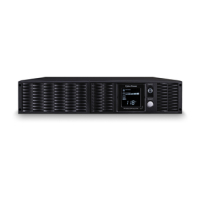
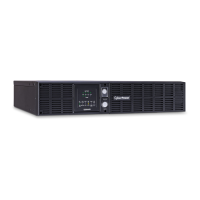
9. Professional Rack Mount UPS provide one serial port, one dry contact port, and one USB port to allow communication between the UPS
and computers or equipment. The dry contact port (Serial Port II) signals information for equipment that can utilize a dry contact UPS.
The primary computer, with PowerPanel
®
Business Edition installed, connected to Serial Port I or the USB port is the computer that you
use to control the UPS. When there is a power failure, the primary computer which connects to Serial Port I or the USB port will start to
shutdown after a user controlled delay. PowerPanel
®
Business Edition Agent software will save and close any open files prior to shutting
the system down and signal any configured slaves to shutdown.
10. EPO (Emergency Power Off) Port:
The feature is used with EPO controllers. Use the provided gray cable to connect to an EPO contact switch. Follow the appropriate
circuit diagram below to wire the cable to match your EPO configuration. EPO function is provided in the UPS. EPO remote switch which
is a Push-Back button installed computer room outside by a EPO cable, and not connected any other equipment.
Option1: user supplied normally closed switch
Option2: user supplied normally Open switch
Dry connect is controlled by the PowerPanel® Software. Please go to www.cyberpowersystems.com for free download.
Note: Both USB and Serial can not be used simultaneously.
Install PowerPanel® Business Edition software on the primary computer connected to UPS with either a serial cable or USB cable.
The equipment can read information from dry contact.
When you first receive the unit, plug in the unit to fully charge the battery.






 To Next Page