EasyManua.ls Logo

CycleOps PRO 300PT - Setup Recording Rate, Units, Odometer; Recording Rate Configuration; Speed Unit Selection; Odometer Initial Value

CycleOps PRO 300PT
126 pages
Print Icon
To Next Page IconTo Next Page
To Previous Page IconTo Previous Page
Loading...
13
Setup 2
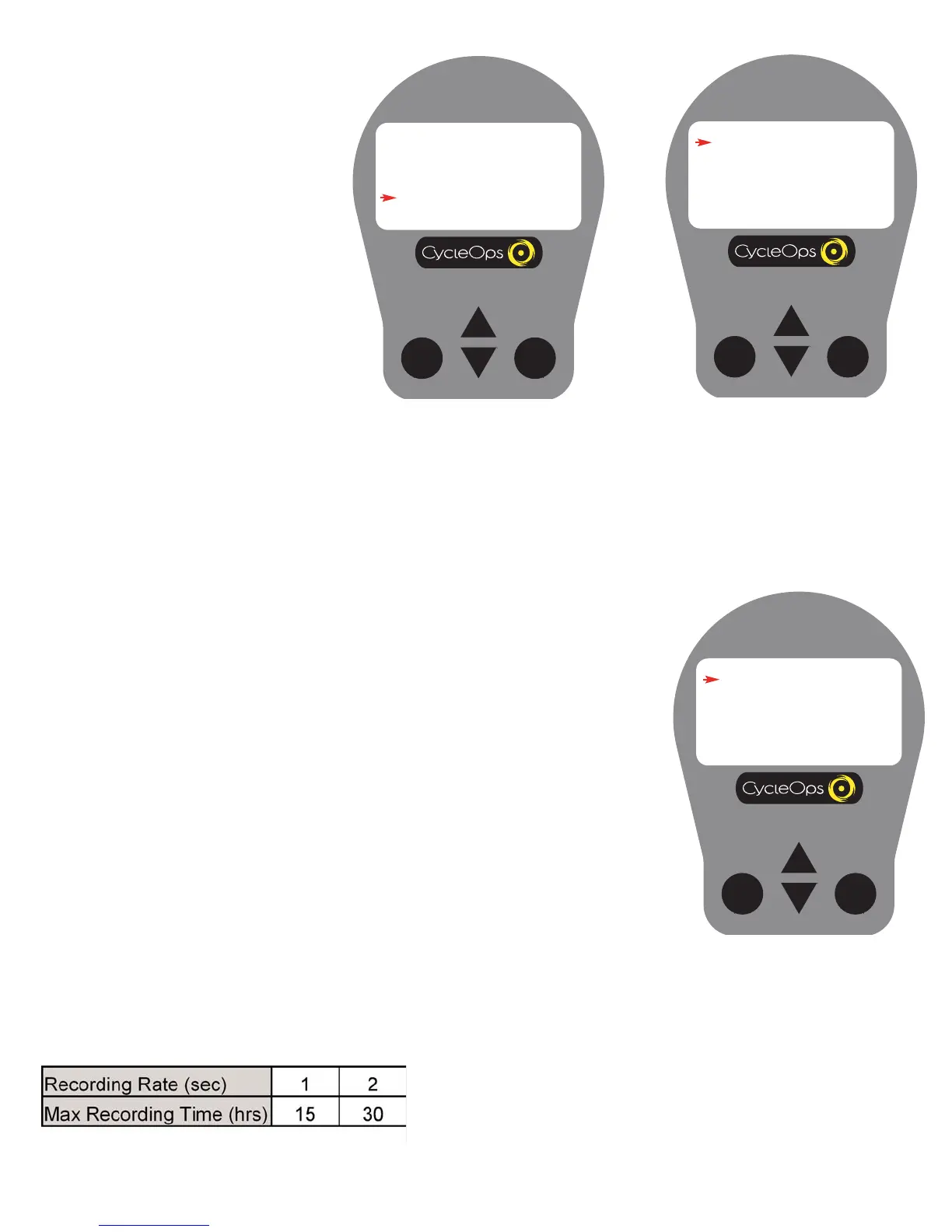
4) Press [SELECT] to enter [COMPUTER]
mode.
Setup 1
1) From [MAIN MENU] press [DOWN
ARROW] to scroll to [SETUP] and press
[SELECT].
Setup 3
5) Press [SELECT] to enter [RATE]. Use [UP
ARROW] or [DOWN ARROW] to toggle
between 1 and 2 seconds for the recording
rate of the console. Press [SELECT] to
accept changes and reenter scrolling
menu. NOTE: Different recording rates yield
different amounts of total storage time.
Refer to the chart on left to select the most
appropriate storage rate. S
ee Table 2 at left.

SELECT
MODE
SETUP
COMPUTER
AVERAGE
ZEROS
TIME AND DATE
MODES
CODED SENSOR ID
RETURN
SELECT
MODE
MAIN MENU
RETURN TO RIDE
CLEAR MEMORY
TEST
SETUP
SELECT
MODE
COMPUTER
RATE 10
MPH-KPH MPH
ODOMETER 00255
AUDIBLE OFF
RETURN
Set Up, (Recording Rate,
Speed, Odometer,
Audible)
Table 2

Table of Contents

Related product manuals