10 of 29Fly6 CE603 User Guide |
Mounting your Fly6
Mounting your Fly6 to your bike
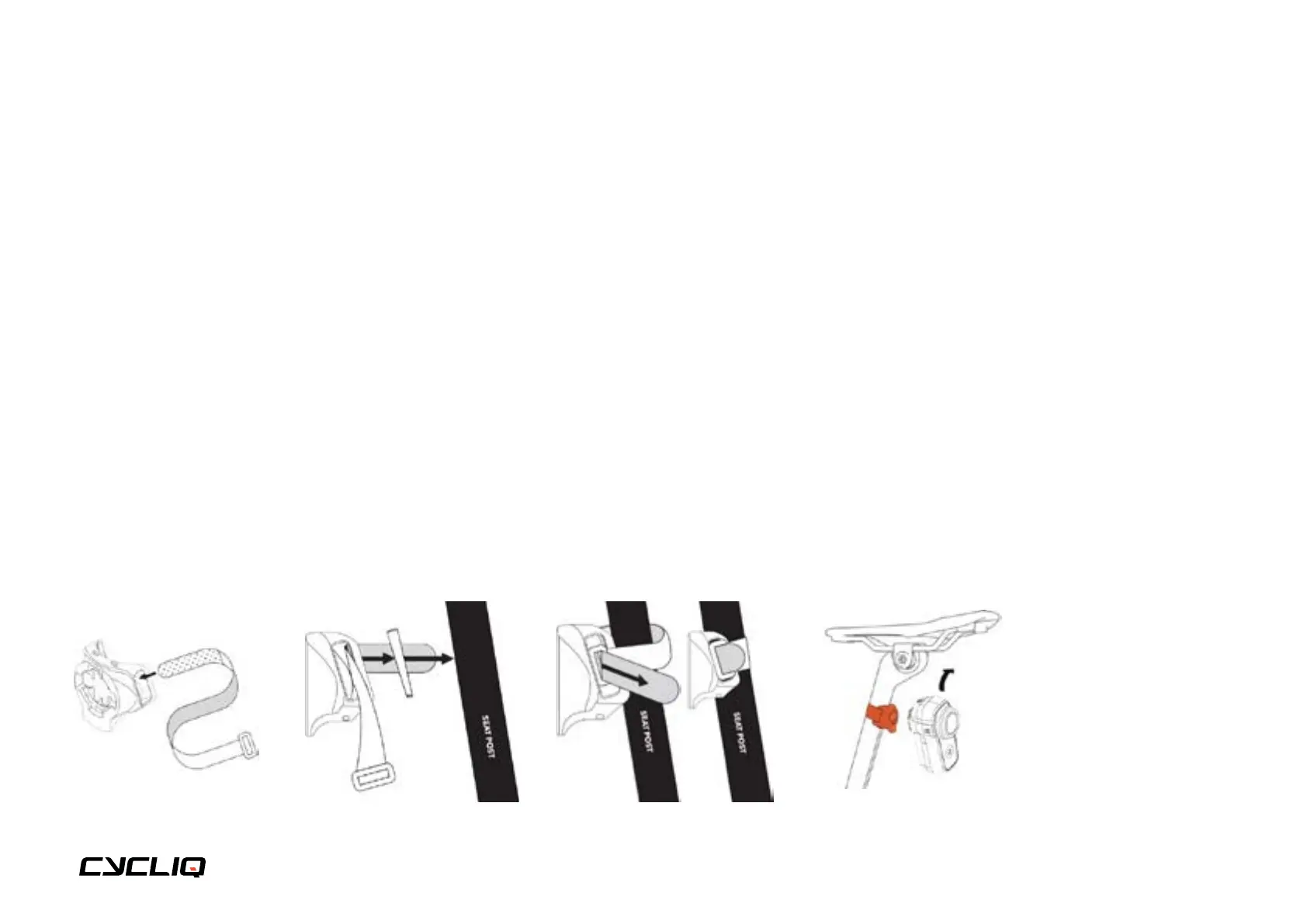
Your Fly6 comes with a seat post mount that features the Cycliq 1/8 Turn Quick Release System. There are 2 Velcro strap
lengths included to allow for mounting to traditional (narrow) and aero (wide) seat post styles.
1. Select the appropriate
spacer or adapter for
your bike. Place the
spacer or adapter
between the Fly6 seat
post mount and the
seat post.
2.
1. Insert either the
standard or aero length
seat post strap and pull
all the way through
until the clasp meets
the seat post mount,
ensuring the silicon-
coated surface grips
your seat post.
1.
1. While holding the
mount against your
seat post, wrap the
Velcro strap around
and feed it through the
rectangular hoop at the
other end of the strap.
Wrap the Velcro back
on itself to secure your
mount.
3.
NOTE
The Fly6 must be
mounted in an upright
position as pictured.
1. To mount your Fly6
align the tabs on the
Fly6 with the slots in
the seat post mount.
Turn Fly6 clockwise a
1/8th turn until you hear
a click and then the
Fly6 will be locked into
the seat post mount.
4.
1. You can easily remove
your Fly6 from the
bike by removing it
from the seat post
mount with a 1/8th turn
anticlockwise. You can
leave the mount on
your bike for next use.
5.



 To Next Page