8 of 29Fly6 CE603 User Guide |
Inserting and removing the microSD card
• Your Fly6 comes with a 32GB microSD card pre-installed.
• Your Fly6 MUST have a microSD card installed to operate.
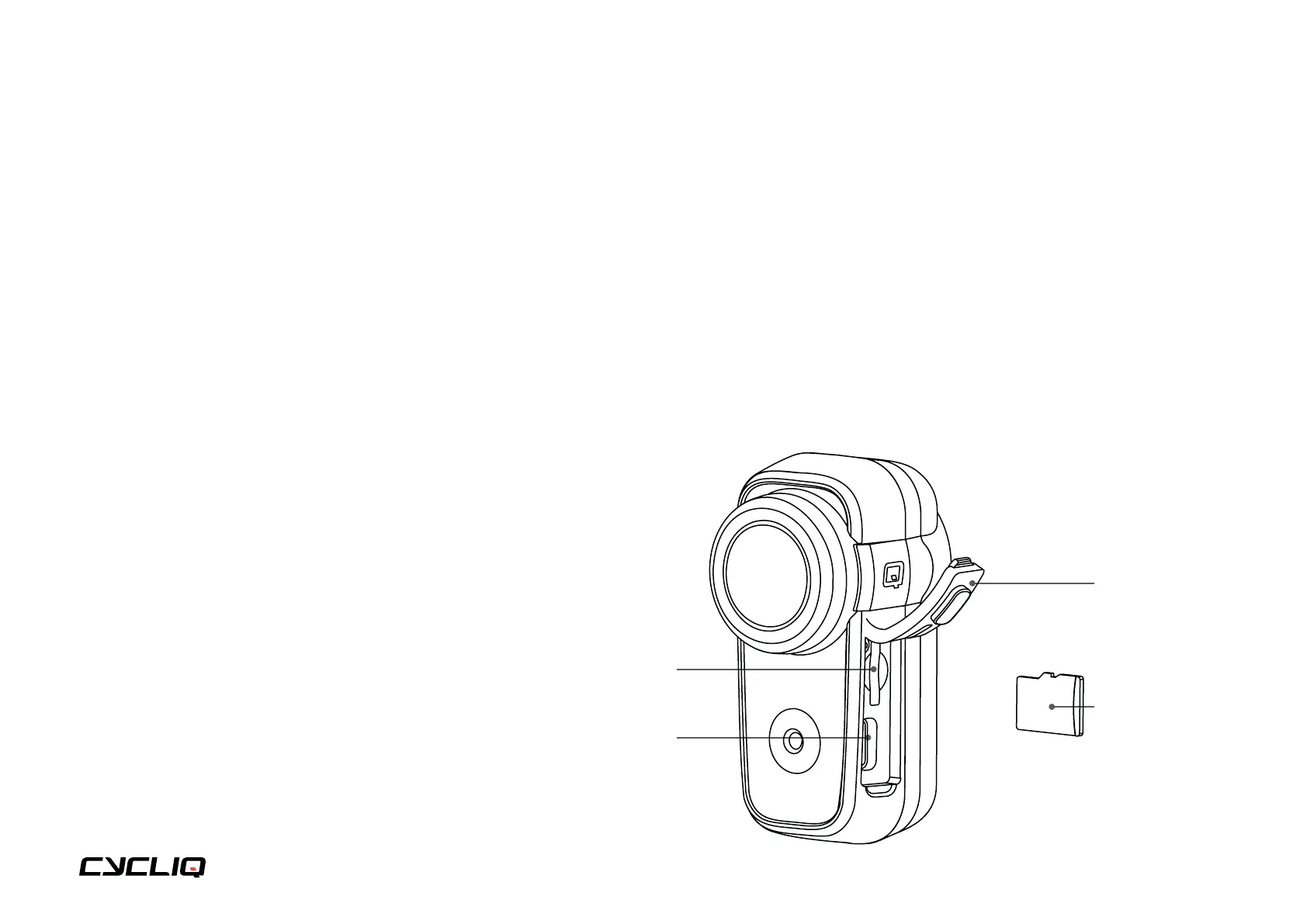
You can insert a microSD card into the microSD card slot of your Fly6 and press
in gently until locked in place.
Please ensure the notch on the microSD card is pointing upwards towards the
top of the Fly6, as illustrated here.
To remove your microSD card, gently press down on the microSD card until it
releases from the microSD card slot.
Note
We highly recommend formatting your microSD card regularly. This will ensure
your Fly6 operates at peak performance and guarantee your ride is always
recorded. More information of how to format your microSD card is available here.
microSD card slot
USB-C port
Port cover
microSD card



 To Next Page