13 of 29Fly6 CE603 User Guide |
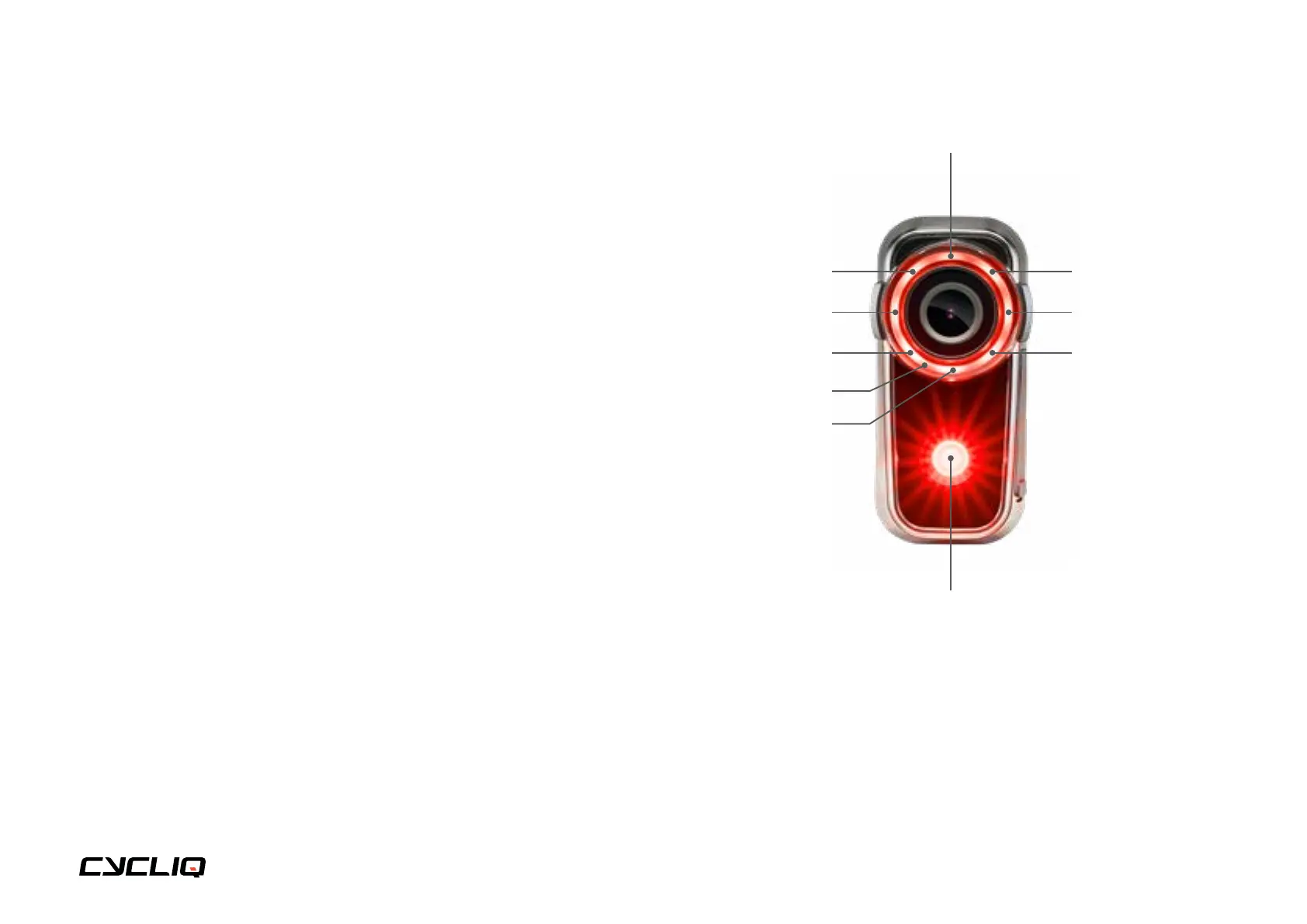
LED 9 tail light
LED 1 indicator light
LED 8 bezel light LED 2 bezel light
LED 5 bezel light
Microphone
LED 4 bezel lightLED 6 bezel light
LED 3 bezel lightLED 7 bezel light
Tail light options
The following options are available:
• Camera Only Mode (tail light off)
• Constant Mode High (tail light solid with high intensity)
• Constant Mode Low (tail light solid with low intensity)
• Flash Mode High (tail light flashing with high intensity)
• Flash Mode Low (tail light flashing with low intensity)
• Organic Mode (tail light random pattern with variable intensity)
You can cycle through the available tail light options using the Power button.
The available tail light options can be customised via the CycliqPlus app.
Note
To maximise battery life, select a lower intensity tail light option and turn
off your Fly6 when not in use. Your tail light mode and intensity will be
remembered when you power off your Fly6. The next time you power on
your Fly6 it will resume with the previously used light mode and intensity.
Consider bicycle light regulations in your area when setting up your tail light.



 To Next Page