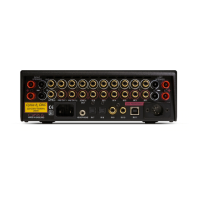
1. Power Switch
2. Red LE.D.
3. Lead for connection to Cyrus II or LFAU
4. Socket for connection to Cyrus PCM II
5. I.E.C mains socket
IN CASE OF TROUBLE
CYRUS II OR 767 LFAU/PSX COMBINATION
NOTE: In Cyrus II or 767 LFAU/PSX combination, the power switch of the
Cyrus II or 767 LFAU' is ineffective, as far as the operation of the system is
concerned. The power switch may be turned on (up) to illuminate the L.E.D.
on the unit if so desired.
PSX L.E.D. DOES NOT ILLUMINATE AND THERE IS NO SOUND
Check that the PSX is plugged into the mains socket, and the power switch
is On.
Check the mains fuse of the PSX.
AS ABOVE BUT THERE IS SOUND FROM THE SPEAKERS
The L.E.D. on the PSX is faulty.
SOUND FROM ONE SPEAKER ONLY
Check the fault does not occur on other inputs by listening to other
sources. If the fault persists then continue with the following. If not the
relevant source is at fault.
Check input and loudspeaker connections of the channel without sound.
Check loudspeaker fuse if any.



 To Next Page