Web User Interface
16
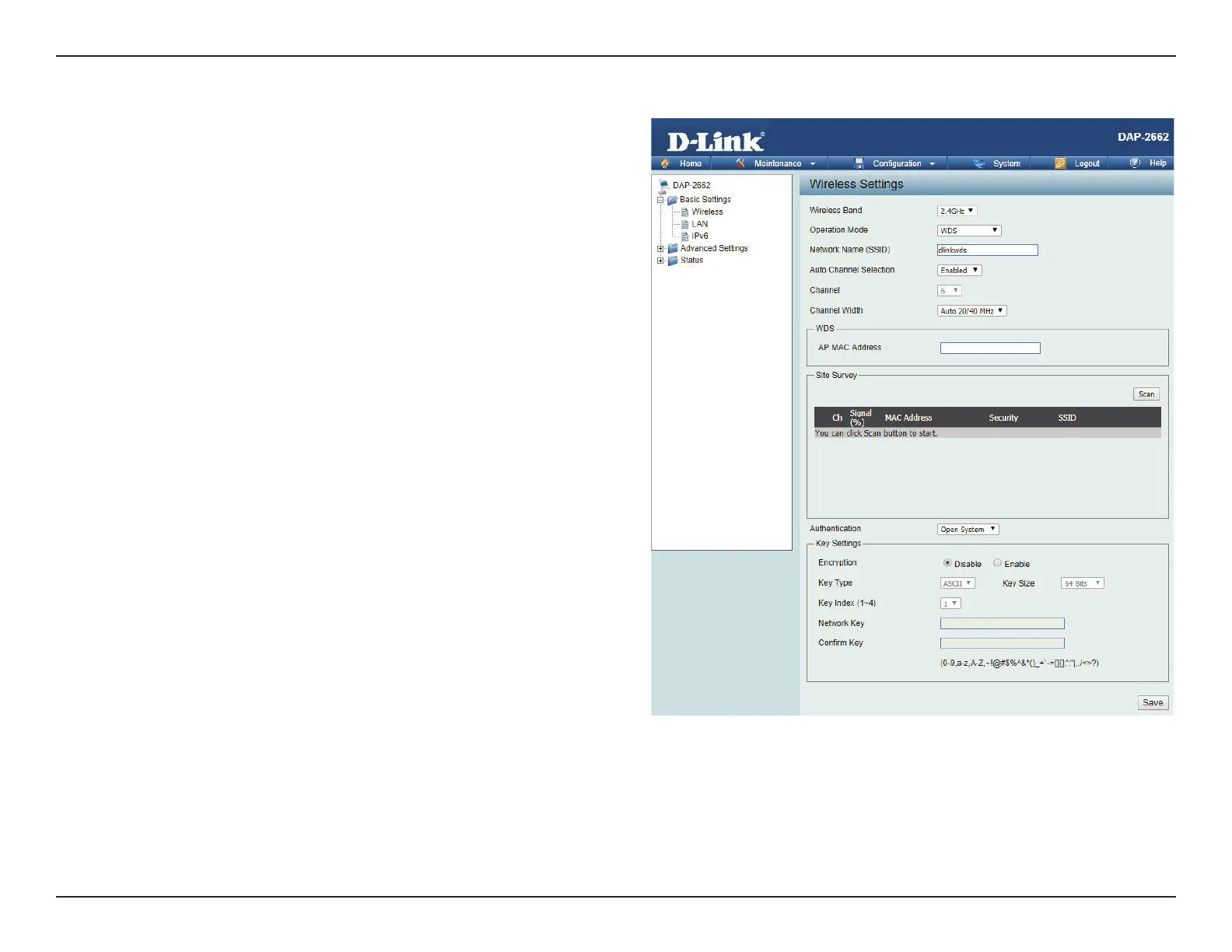
Wireless Band:
Mode:
Network Name (SSID):
Auto Channel
Selection:
Channel:
Channel Width:
Remote AP MAC
Address:
Select either 2.4GHz or 5GHz from the drop-down
menu.
WDS is selected from the drop-down menu.
Service Set Identier (SSID) is the name designated
for a specic wireless local area network (WLAN). The
SSID’s factory default setting is dlink. The SSID can
be easily changed to connect to an existing wireless
network or to establish a new wireless network.
Enabling this feature automatically selects
the channel that will provide the best wireless
performance. This feature is not supported in WDS
mode.
All devices on the network must share the same
channel. To change the channel, use the drop-down
menu to make the desired selection.
Use the drop-down menu to choose 20 MHz or
Auto 20/40 MHz.
Enter the MAC addresses of the APs on your network
that will serve as bridges to wirelessly connect
multiple networks.
WDS Mode














 To Next Page