Web User Interface
37
Internal RADIUS Server
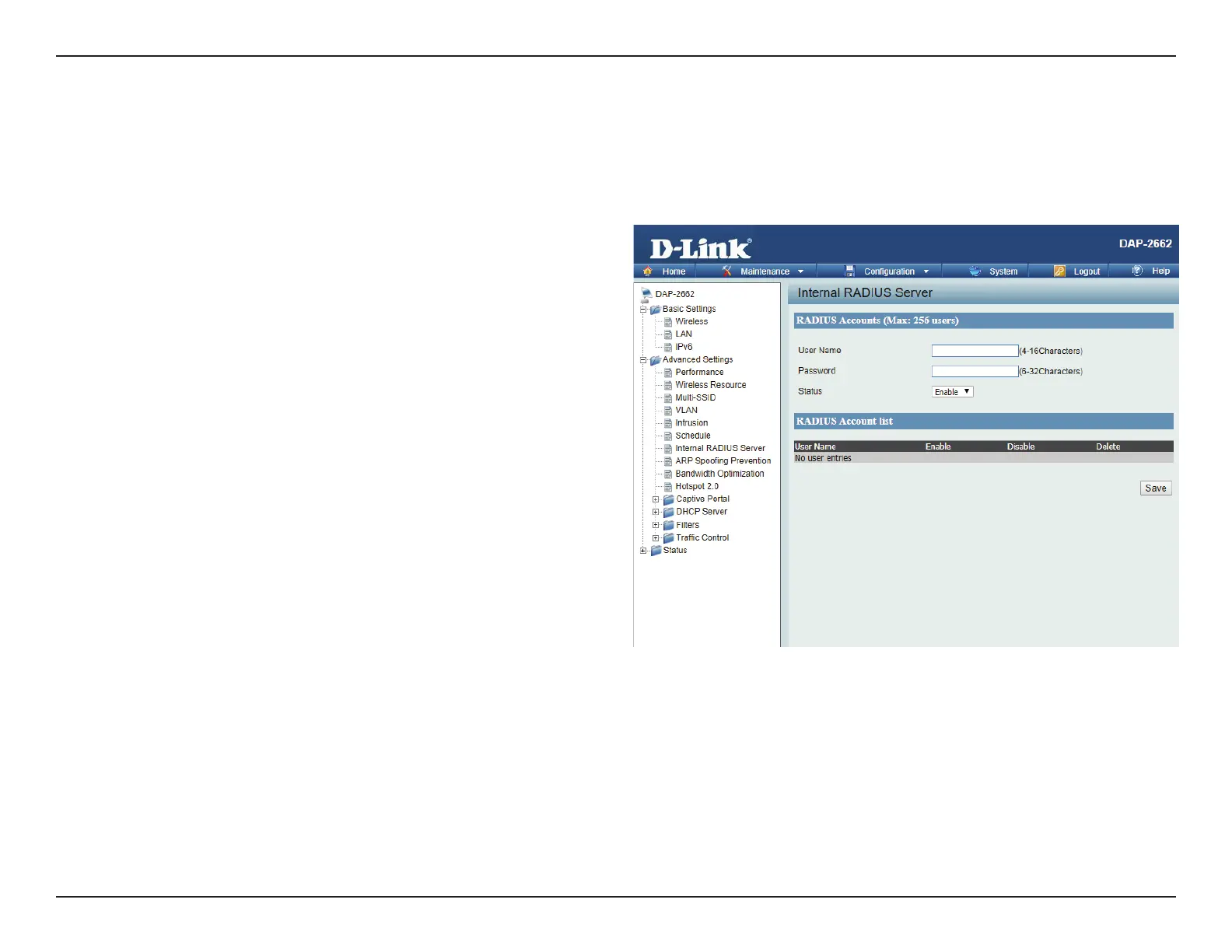
The DAP-2662 features a built-in RADIUS server. Once you have nished adding a RADIUS account, click the Save to have your changes take eect.
The newly-created account will appear in this RADIUS Account List. The radio buttons allow the user to enable or disable the RADIUS account. Click
the icon in the delete column to remove the RADIUS account. We suggest you limit the number of accounts to below 30.
User Name:
Password:
Status:
RADIUS Account List:
Enter a name to authenticate user access to the
internal RADIUS server.
Enter a password to authenticate user access to the
internal RADIUS server. The length of your password
should be 8~64.
Toggle the drop-down menu between Enable and
Disable.
Displays the list of users.














 To Next Page