18D-Link DCS-4602EV User Manual
Section 3: Conguration
Conguration
Using the Conguration Interface
After completing the Camera Installation Wizard, you are ready to use your camera. The camera’s built-in Web conguration
utility is designed to allow you to easily access and congure your DCS-4602EV. At the end of the wizard, click Link, or enter
the IP address of your camera into a web browser, such as Firefox. To log in, use the User name admin and the password you
created in the Installation Wizard. If you did not create a password, the default password is blank. After entering your password,
click OK.
Step 1
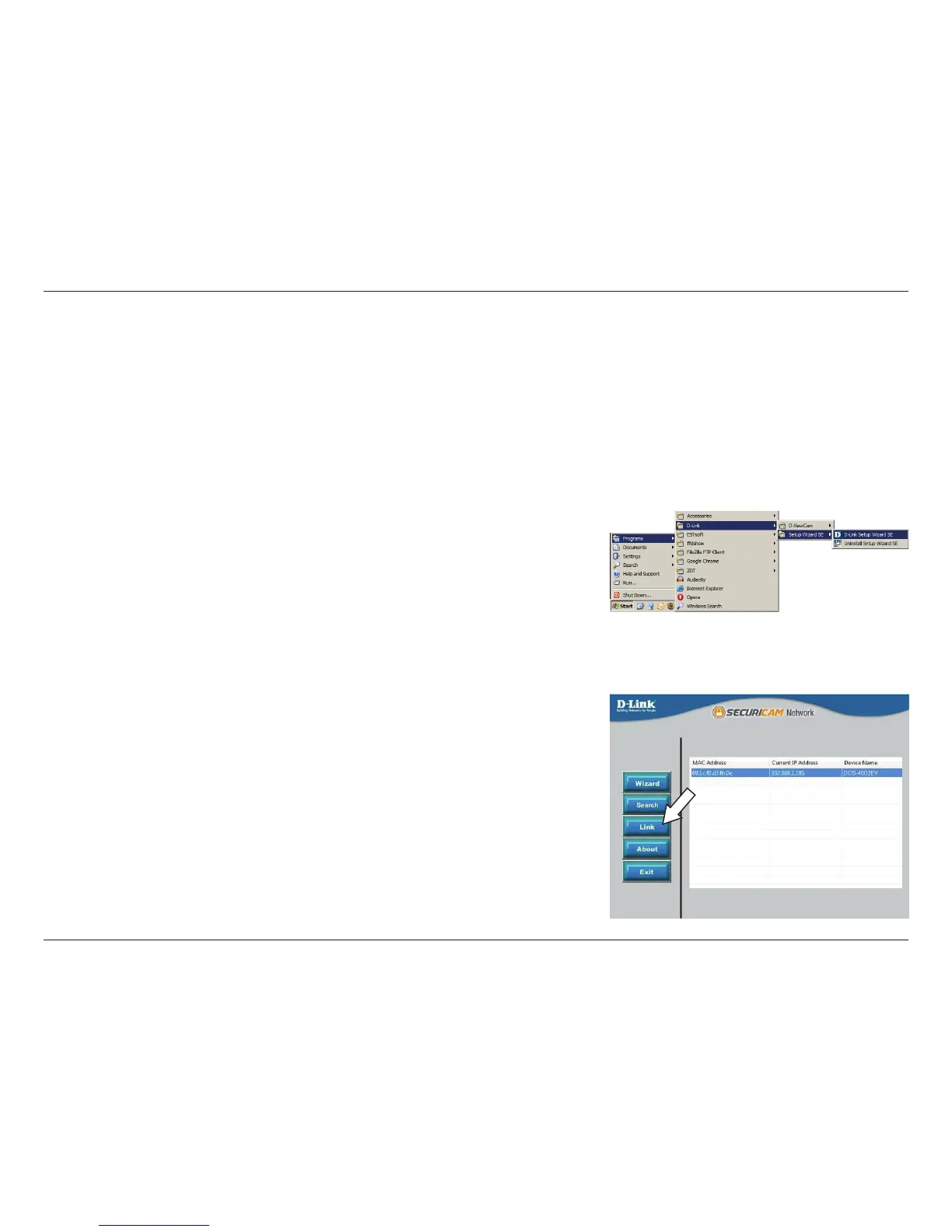
Click on the D-Link Setup Wizard SE icon that was created in your Windows Start
menu (Start > D-Link > Setup Wizard SE).
Step 2
Select the camera and click Link to access the web conguration.
The Setup Wizard will automatically open your web browser to the IP address of
the camera.


 To Next Page