15D-Link DCS-933L User Manual
Section 2 - Installation
Manual Hardware Installation
If you wish to set up your camera without using the Camera Setup Wizard, please follow these steps.
Note: In order to use the mydlink features of this product, you will need to go through the Camera Setup Wizard or Zero
Conguration Setup.
Optional: Use WPS to Connect Wirelessly
You can use WPS to connect your camera to your network wirelessly. For more
information, refer to “WPS - Push Button Setup” on page 17. If your router
doesnotsupportWPS,youwillstillbeabletosetupyourcamera’swireless
settingsinthecamera’swebinterface.
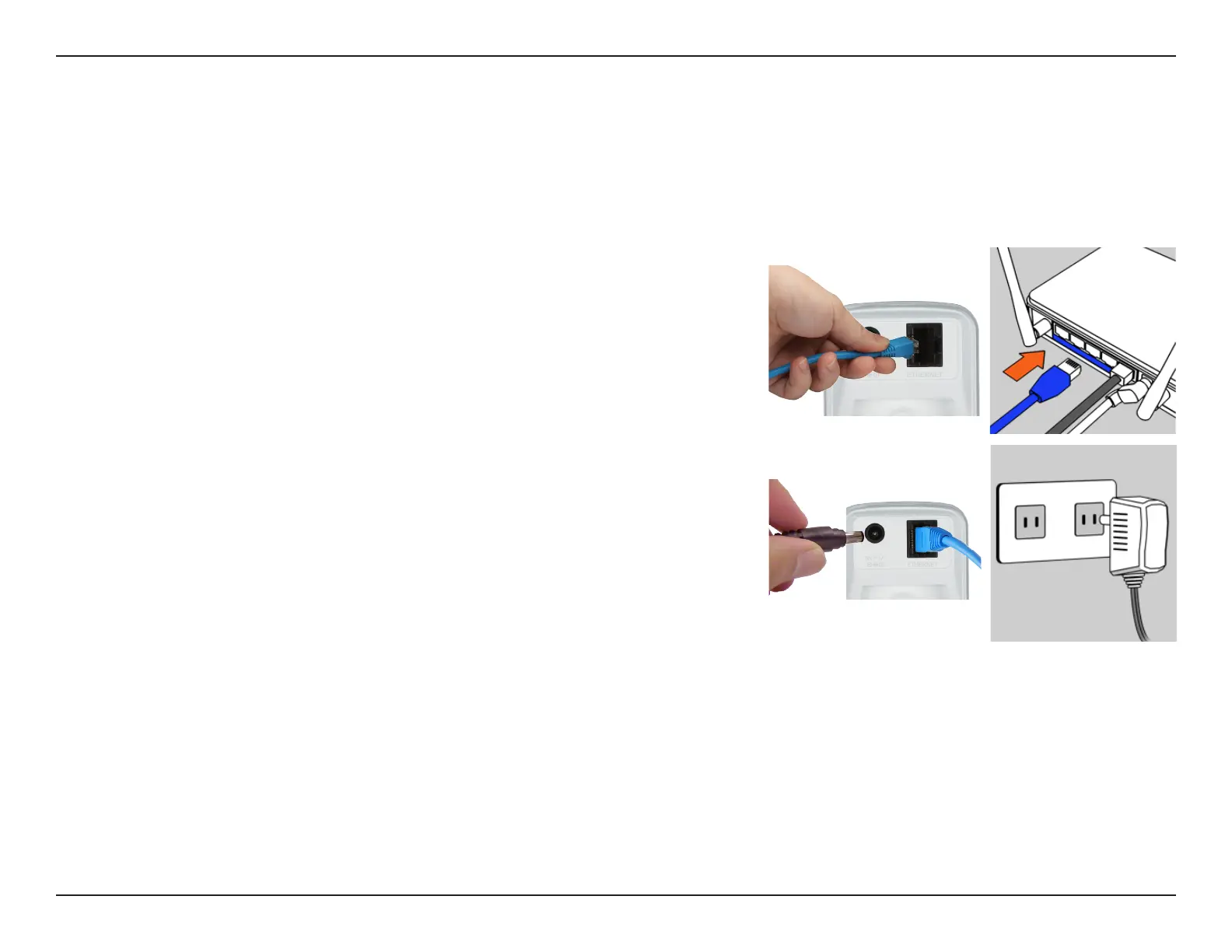
Connect the Ethernet Cable
UsetheincludedEthernetcableandplugitintothecamera.Plugtheother
end into an available port on your router.
Attach the External Power Adapter
Connect the power adapter to the power connector on your camera, then
plug the power adapter into a wall outlet.
Congure Your Camera
Refer to “Conguration” on page 19 for information on how to congure
your camera.



 To Next Page