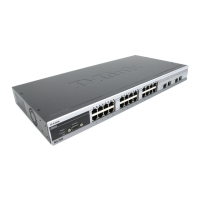
DES-3550 Layer 2 Fast Ethernet Switch
9
NETWORK MONITORING COMMANDS
The network monitoring commands in the Command Line Interface (CLI) are listed (along with the appropriate parameters) in
the following table.
Command Parameters
show packet ports <portlist>
show error ports <portlist>
show utilitzation [cpu | ports {<portlist>}]
clear counters ports <portlist>
clear log
show log index <value>
enable syslog
disable syslog
show syslog
create syslog host <index 1-4> ipaddress <ipaddr> {severity [informational | warning | all] |
facility [local0 | local1 | local2 | local3 | local4 | local5 | local6 | local7] |
udp_port <udp_port_number>| state [enable | disable]
config syslog host [all | <index 1-4>] {severity [informational | warning | all] | facility [local0 |
local1 | local2 | local3 | local4 | local5 | local6 | local7] | udp_port
<udp_port_number> | ipaddress <ipaddr> | state [enable | disable]}
delete syslog host [<index 1-4> | all]
show syslog host <index 1-4>
config system_severity [[all | trap | log] [critical | warning | information]]
show system_severity
Each command is listed, in detail, in the following sections.
75



 To Next Page