55D-Link DIR-820L User Manual
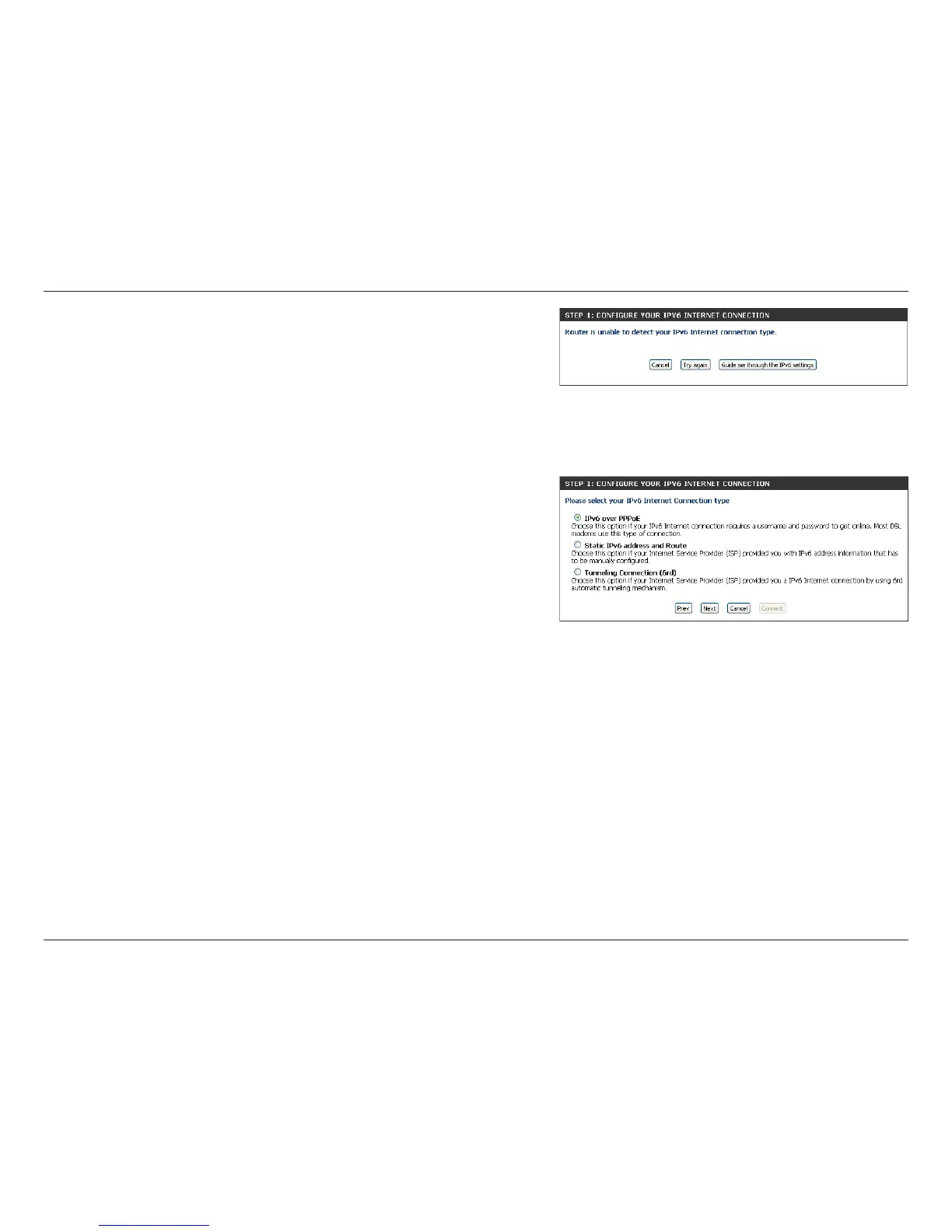
However, if the automatic detection fails, the user will be prompt to either Try
again or to click on the Guide me through the IPv6 settings button to initiate the
manual continuation of the wizard.
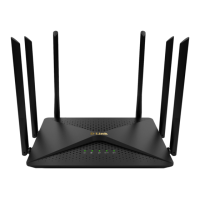
If you click on Guide me through the IPv6 settings button, there are several
connection types to choose from. If you are unsure of your connection method,
please contact your IPv6 Internet Service Provider.
Note: If using the PPPoE option, you will need to ensure that any PPPoE client software
on your computers has been removed or disabled. The three options available on
this page are IPv6 over PPPoE, Static IPv6 address and Route, and Tunneling
Connection (6rd).
Choose the required IPv6 Internet Connection type and click on the Next button
to continue. Click on the Prev button to return to the previous page. Click on the
Cancel button to discard all the changes made and return to the main page.


 To Next Page