TCP/IP Printing for Windows 98SE/ME
D-Link DPR-1020 - User Manual 128
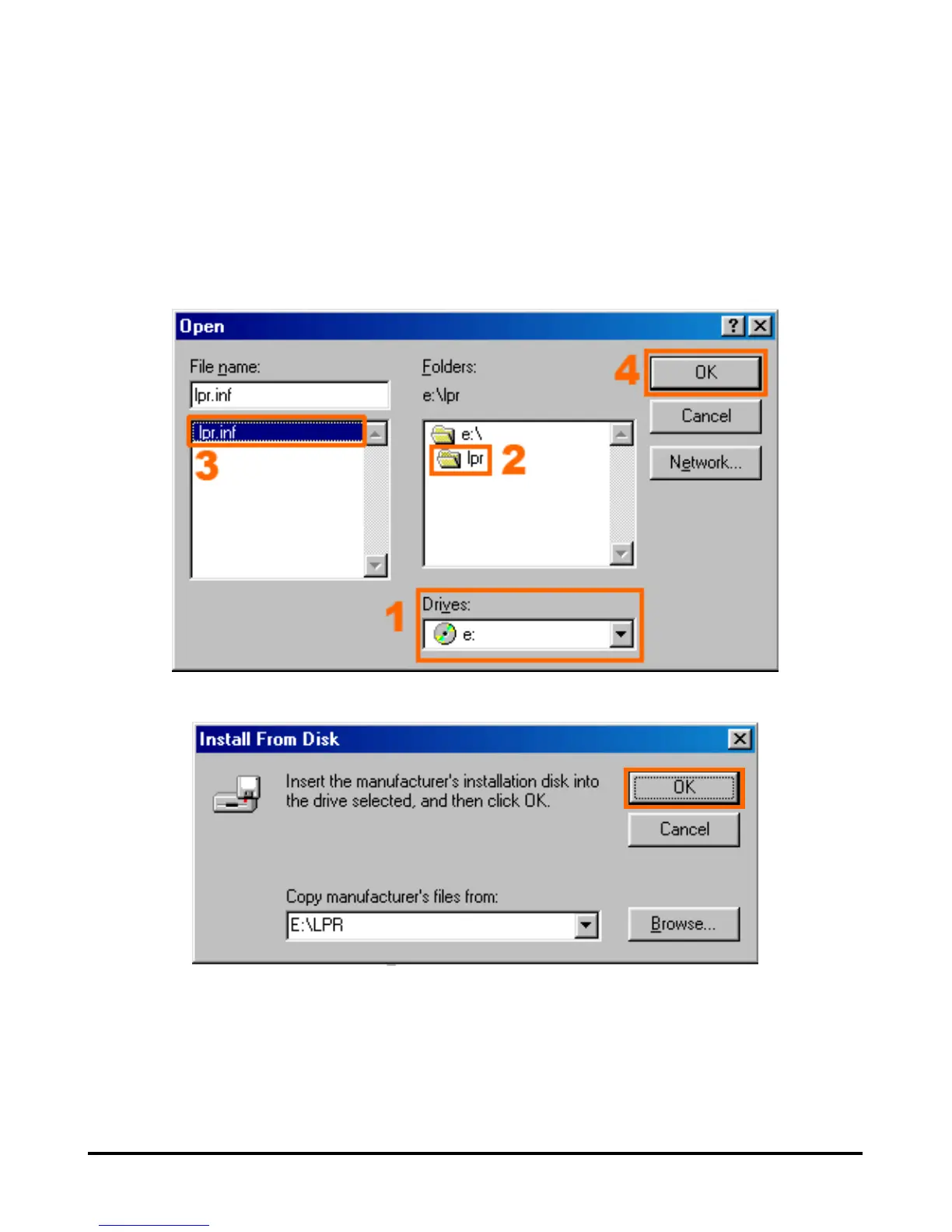
1. Insert the DPR-1020 CD into your CD-ROM drive. Select the CD’s drive letter
from the drop-down box.
2. Double-click on the folder lpr.
3. Select lpr.inf to highlight it.
4. Click OK.
Click OK to confirm the location of the file.












 To Next Page