Using the PS Software
D-Link DPR-1020 - User Manual 18
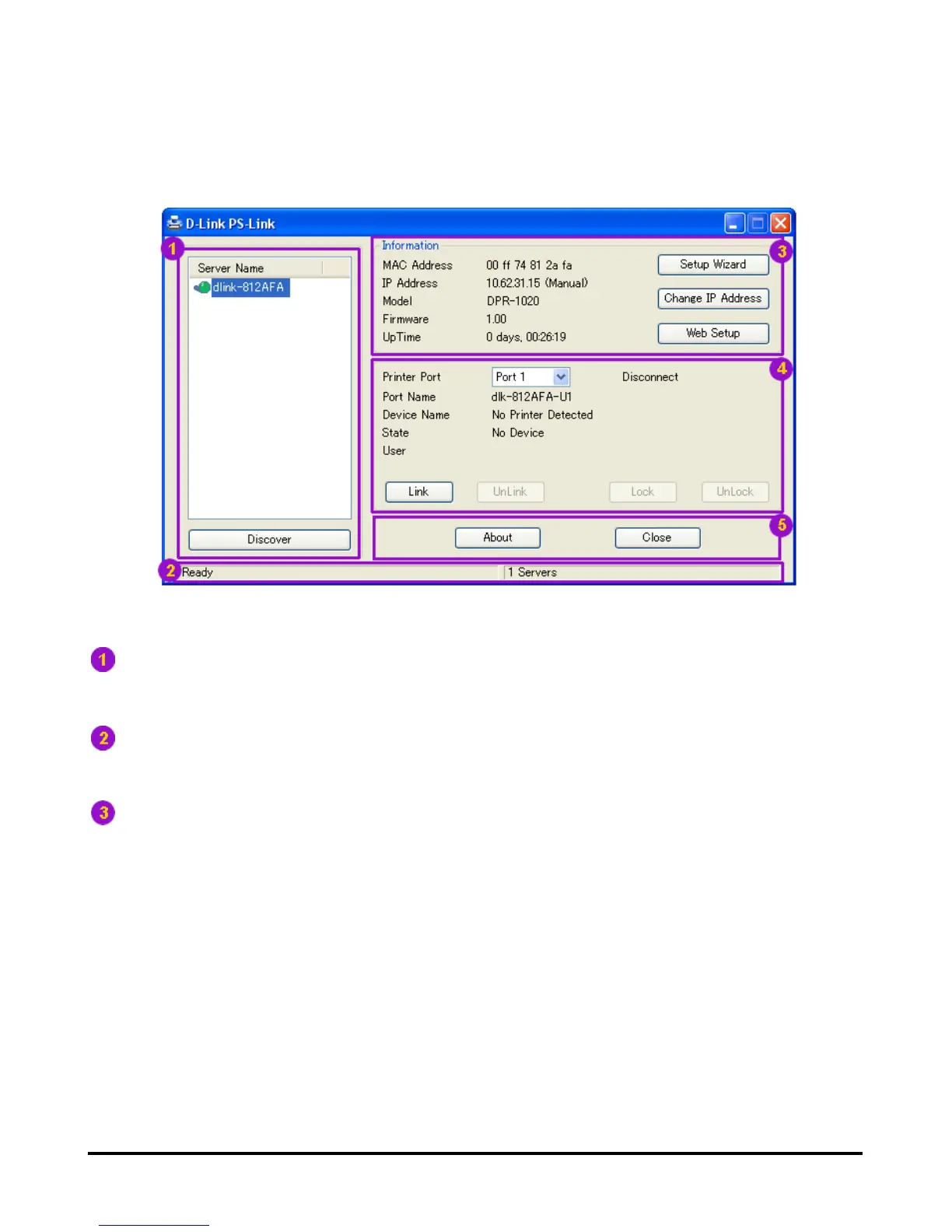
Server Name: This list displays the name of the MFP Servers within the network.
Discover: Click this button to search for more MFP Servers.
Status Bar: The status bar at the bottom of the screen displays the current
system status and number of connected MFP servers.
Information: This field displays basic information regarding the selected MFP
Server in the Device List.
There are also three buttons: Setup Wizard, Change IP Address, and Web
Setup. Here is an explanation of each button:
[Setup Wizard] – Setup Wizard will allow you to configure the print server
step-by-step. When this button is clicked, the following screen will display.












 To Next Page