Using the PS Software
D-Link DPR-1020 - User Manual 47
For Fuji Xerox:
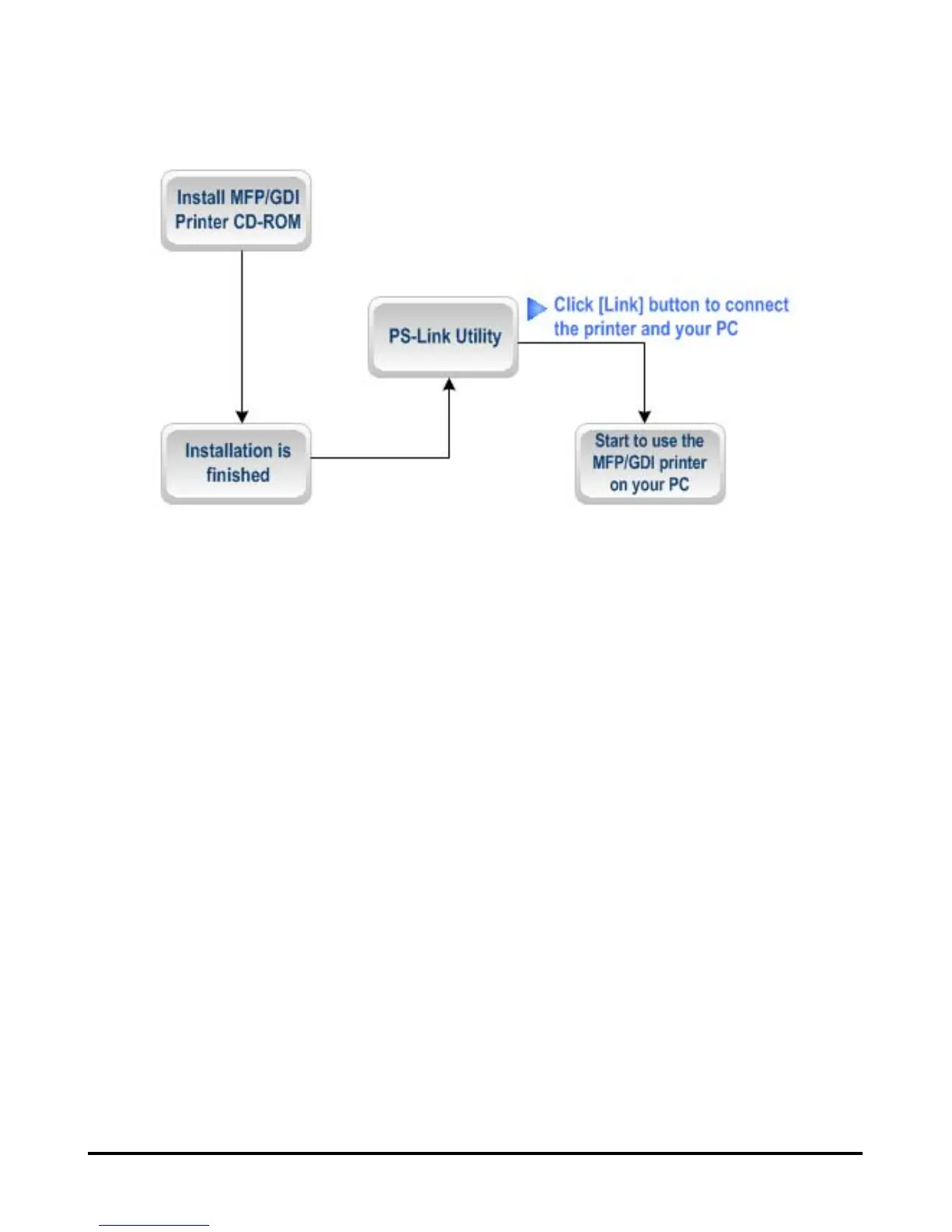
1. The installation program of the Xerox MFP/GDI printer will not request you to
make a physical connection between the printer and your computer.
2. After the installation has finished, you will have to link the connection between the
MFP/GDI printer and your computer in order to use the printer on your computer. To
do this you need to use PS-Link to link the two devices.
Launch the PS-Link utility and click the [Link] button.












 To Next Page