Using the Web Configurator
D-Link DPR-1020 - User Manual 65
3. Have Disk:
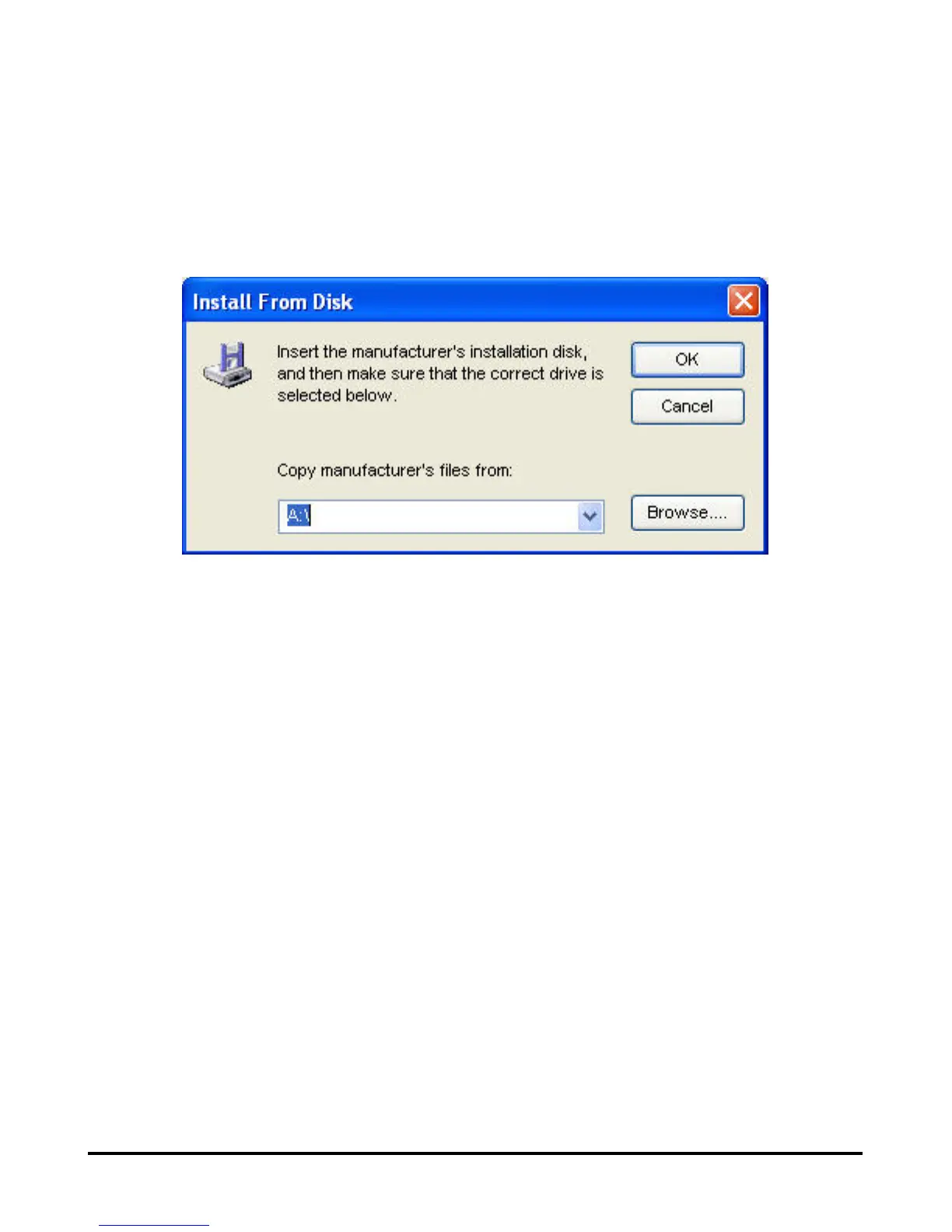
Click the Have Disk button to bring up the following window. Insert the
manufacturer’s installation CD to install the printer driver. After the correct driver is
selected, click the OK button to continue.
After the selection of the printer driver, the wizard will ask you to confirm your
selection again in the following window. You‘re allowed to edit the name of the printer
in the “Network Printer Name” field and enable this printer as the default printer by
checking the box “Use this printer as the default printer for Windows-based
programs”.
After you have completed the verification and configuration, click the Next > button
to continue. The printer (in this case the HP Laser Jet 2000) will be automatically
created in the Windows’ Printers and Faxes screen.












 To Next Page