7D-Link DSL-3900 User Manual
Section 1 - Product Overview
Hardware Overview
LEDs
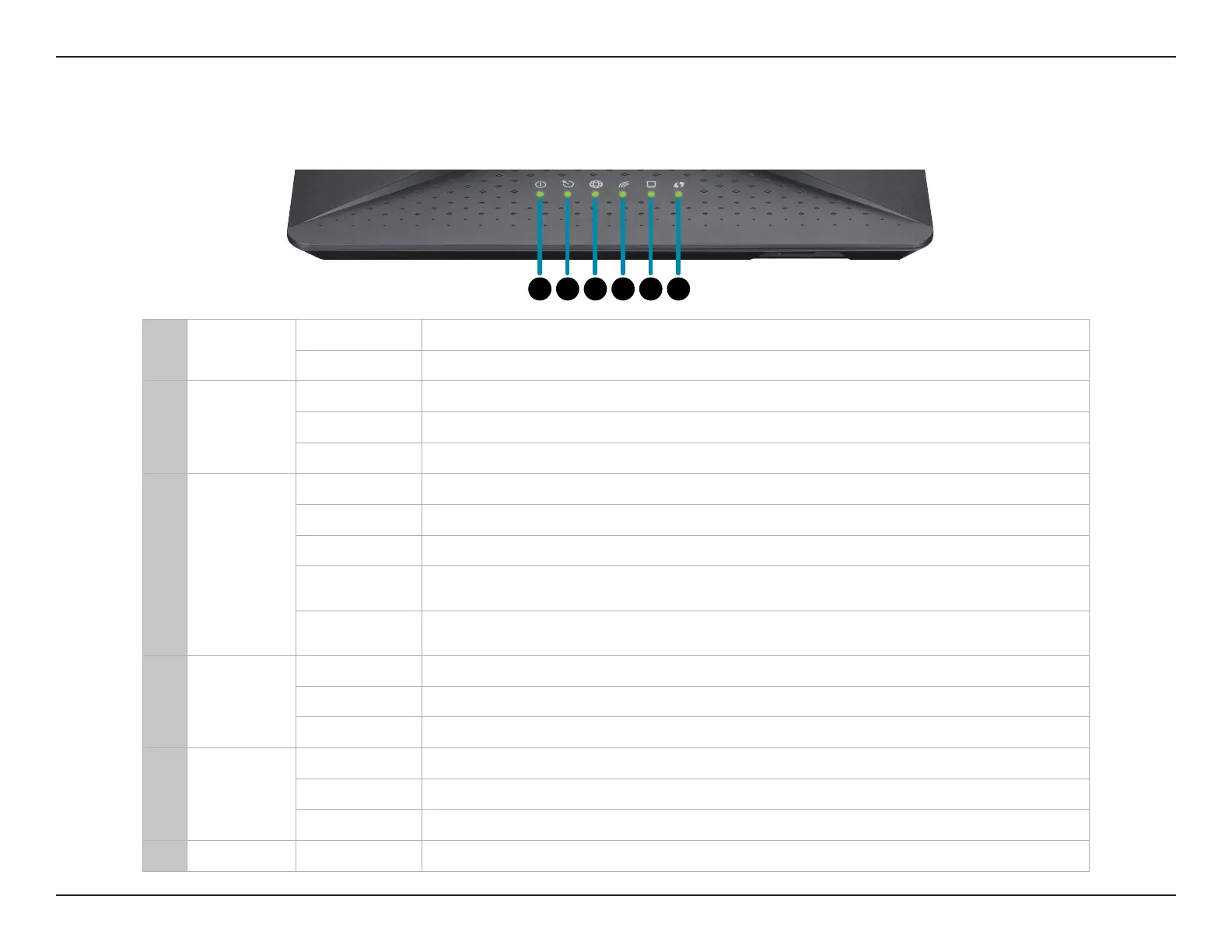
1 Power
Solid green A solid green light indicates the device is powered on and working properly.
Solid red A solid red light indicates that the device is booting or an error has occurred.
2 Broadband
Solid green A solid green light indicates a proper connection to a DSL-enabled telephone line.
Blinking green A blinking red turning to green light indicates the DSL port is negotiating a connection.
O An unlit light indicates no connection to a DSL enabled-telephone line.
3 Internet
Solid green A solid green light indicates an Internet connection.
Blinking green A blinking green light indicates Internet activity.
Solid red A solid red light indicates a PPP or DHCP failure. Check your username and password.
Blinking Red/
Green
A blinking LED that alternates between red for 1 second then green for 1 second
indicates that the rmware is currently being updated.
O
An unlit light indicates there is no broadband connection available, or the Internet
connection attempt timed out.
4 Wireless
Solid green A solid green light indicates that either of the 2.4/5 GHz wireless networks are enabled.
Blinking green A blinking green light indicates wireless activity.
O An unlit light indicates that the wireless functionality is disabled.
5 Ethernet
Solid green A solid green light indicates a device is connected to the respective LAN port.
Blinking green A blinking green light indicates LAN port activity.
O An unlit light indicates that no Ethernet devices are connected.
6 WPS Blinking green A blinking green light indicates the WPS process is active.
1 2 3 4 5 6



 To Next Page