xStack Storage Management Center Software User’s Guide 21
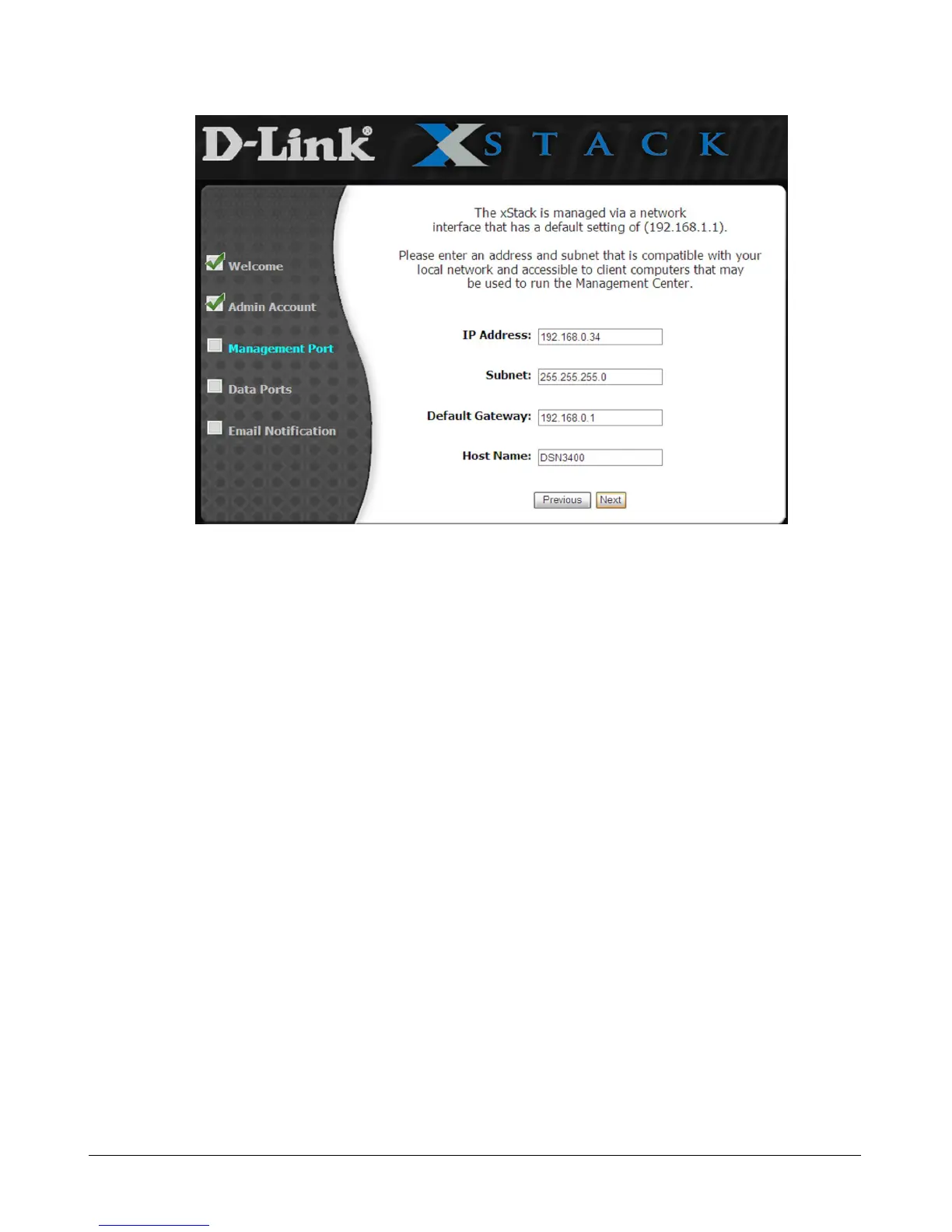
Figure 3-4. Management Port Page
4. The Management Port page provides fields for entering an IP address, subnet, default
gateway, and host name of the xStack Storage management port. The settings you specify
must be compatible with your local network and accessible to client computers that may be
used to access the xStack Storage Management Center. By default, the host name is blank,
and you should change this to one that is more meaningful.
5. Click Next to continue. The Data Port page appears once for each data port on your system
(see Figure 3-5).



 To Next Page