DVG-5004S User’s Manual VoIP Gateway Configuration
D-Link Systems, Inc. 59
3-4-9 DDNS
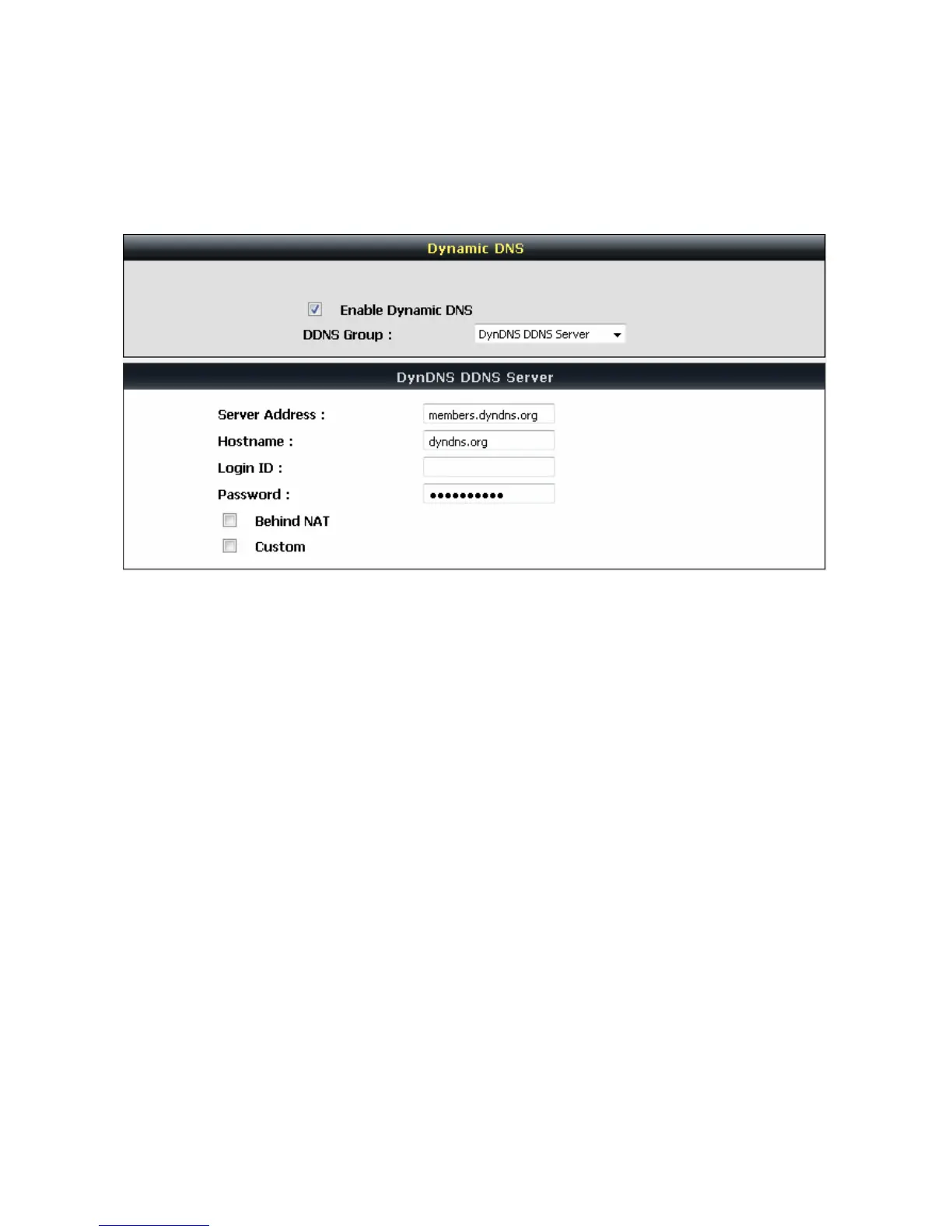
Advanced Settings → DDNS
Enable Dynamic DNS: Check the box to enable DDNS function. It is only necessary when the VoIP
Gateway is set up behind an Internet sharing device that uses a dynamic IP address and does not support
DDNS.
Server address: Accept the default setting or fill a correct DDNS Service FQDN.
Hostname: Enter the URL of the system (or NAT) – applied from domain name registration providers (e.g.
DVG01.dyndns.org).
Username or Key/Password or Key: Enter the Login ID and password used to log-in to the DDNS server.
Note: If the VoIP Gateway is set up under NAT, then enter the hostname in the NAT IP/Domain that is
the same as the Hostname of the DDNS.


 To Next Page