DVG-5004S User’s Manual VoIP Gateway Configuration
D-Link Systems, Inc. 54
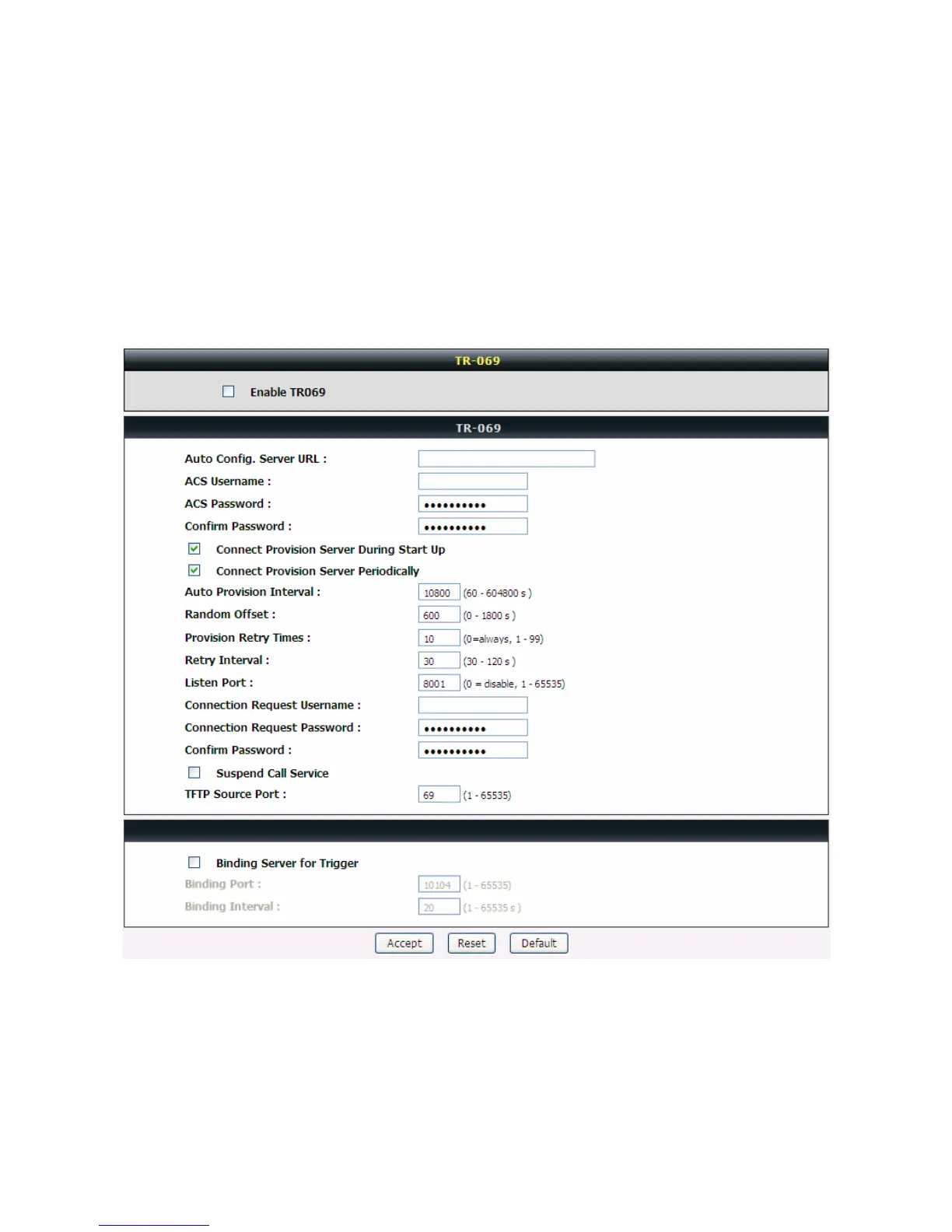
3-4-5 TR069
TR069 allows operator to manage DVG with a TR069 standard protocol.
Note: Fill in the parameters needed by your VoIP Service Provider. Please check with your VoIP
Service Provider about the availability of these services.
Advanced Settings → Provision Settings
Enable TR069: Check the box to start TR069 service
Auto Config. Server URL: Enter the Provisioning Server’s URL required by your VoIP Service Provider.
ACS Username: Enter an available user name


 To Next Page