27D-Link DVG-5802S User Manual
Section 3 - Conguration
DHCP Reservation
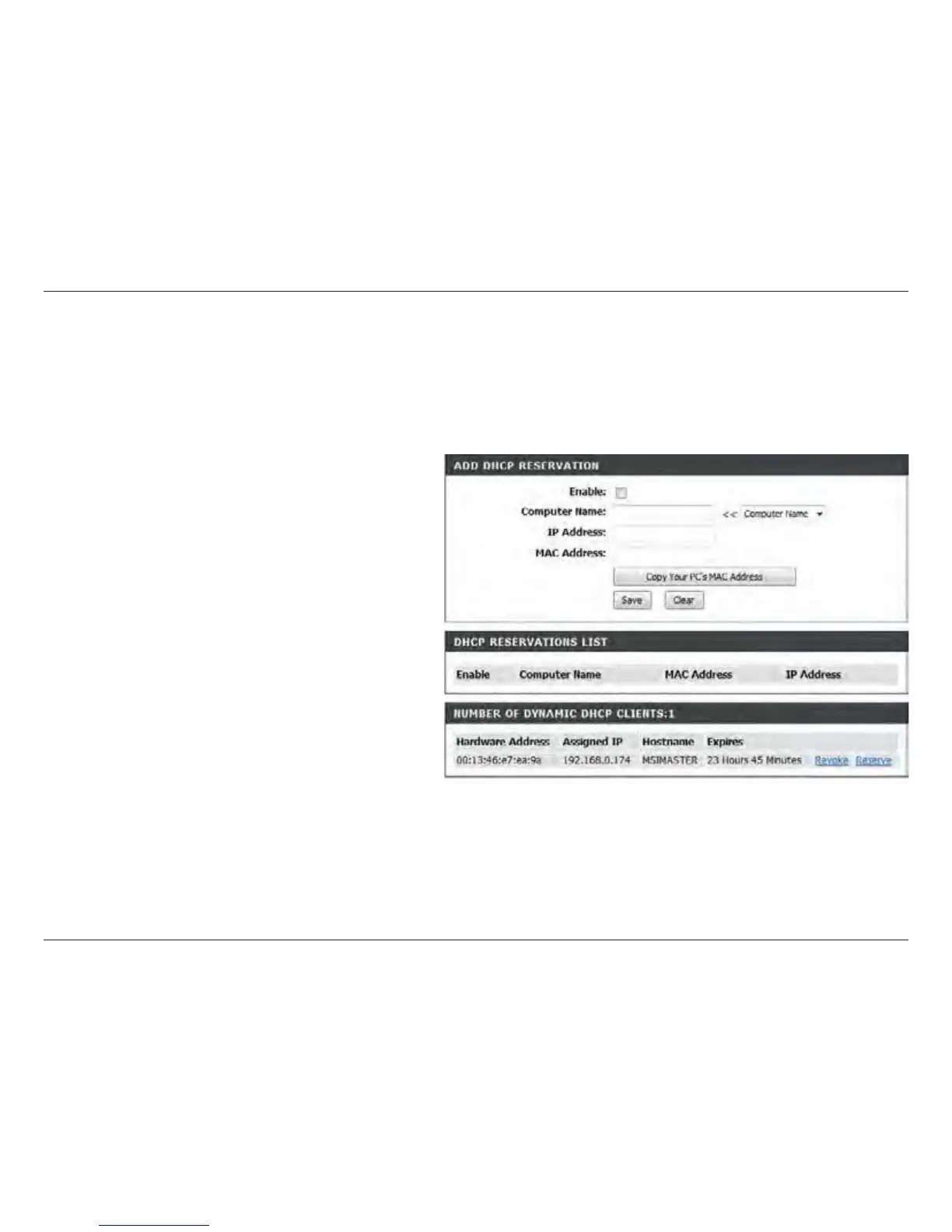
If you want a computer or device to always have the same IP address assigned, you can create a DHCP reservation.
The router will assign the IP address only to that computer or device.
Note: This IP address must be within the DHCP IP Address Range.
Check this box to enable the reservation.
Enter the computer name or select from the
drop-down menu and click <<.
Enter the IP address you want to assign to the
computer or device. This IP Address must be
within the DHCP IP Address Range.
Enter the MAC address of the computer or
device.
If you want to assign an IP address to the
computer you are currently on, click this button
to populate the elds.
Click Save to save your entry. You must click
Save Settings at the top to activate your
reservations.
Enable:
Computer
Name:
IP Address:
MAC Address:
Copy Your PC’s
MAC Address:
Save:


 To Next Page