55D-Link DVG-5802S User Manual
Section 3 - Conguration
Email Settings
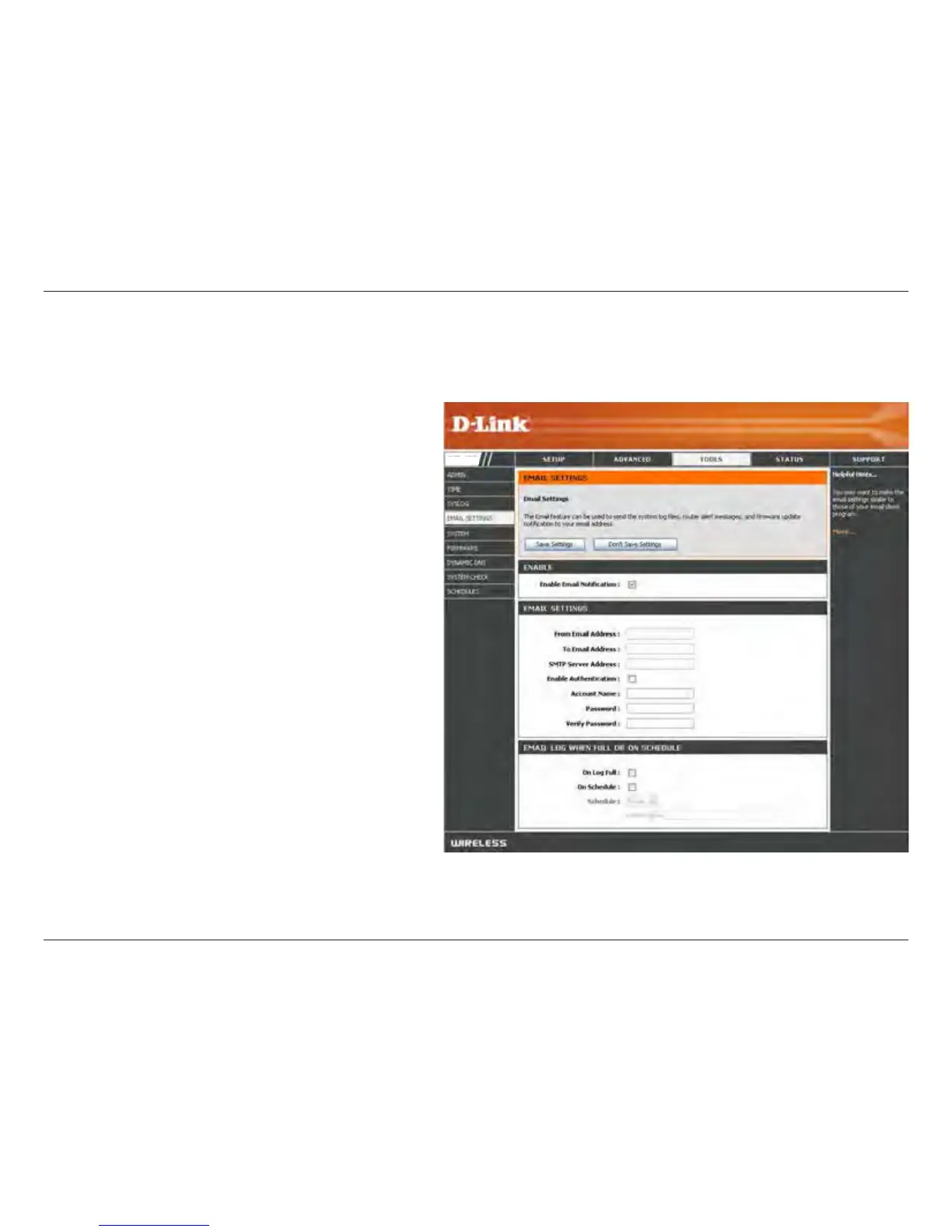
The Email feature can be used to send the system log les, router alert messages, and rmware update notication
to your email address.
Enable Email
Notication:
From Email
Address:
To Email
Address:
SMTP Server
Address:
Enable
Authentication:
Account Name:
Password:
On Log Full:
On Schedule:
Schedule:
When this option is enabled, router activity logs
are e-mailed to a designated email address.
This email address will appear as the sender
when you receive a log le or rmware upgrade
notication via email.
Enter the email address where you want the
email sent.
Enter the SMTP server address for sending email.
If your SMTP server requires authentication,
select this option.
Check this box if your SMTP server requires
authentication.
Enter your account for sending email.
Enter the password associated with the account.
Re-type the password associated with the
account.
When this option is selected, logs will be sent
via email when the log is full.
Selecting this option will send the logs via email
according to schedule.
This option is enabled when On Schedule is selected. You can select a schedule from the list of dened schedules. To create
a schedule, go to Tools > Schedules.
DVG-5802S


 To Next Page