36D-Link DVG-5802S User Manual
Section 3 - Conguration
Network Filters
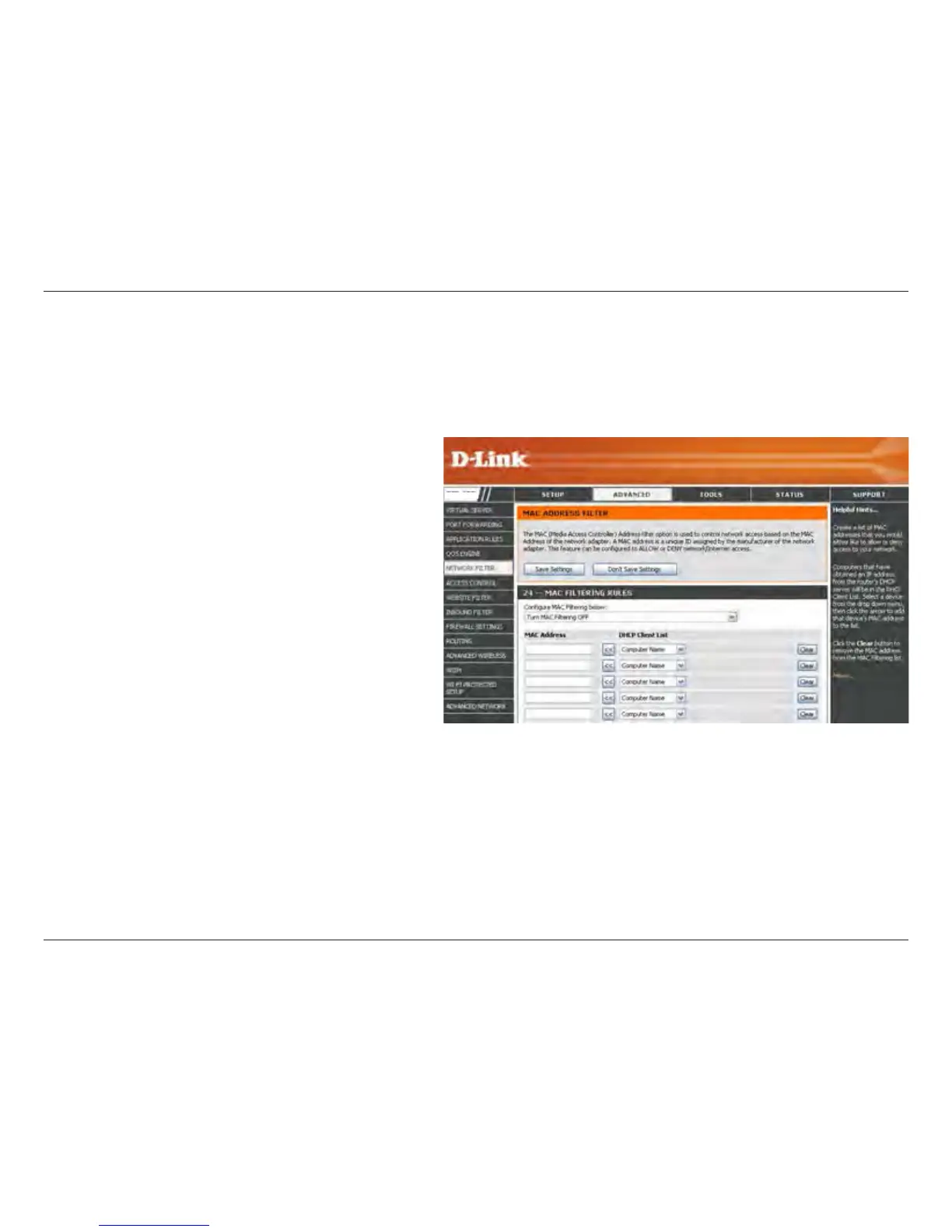
Select Turn MAC Filtering Off, allow MAC
addresses listed below, or deny MAC addresses
listed below from the drop-down menu.
Enter the MAC address you would like to
lter.
To nd the MAC address on a computer, please
refer to the Networking Basics section in this
manual.
Select a DHCP client from the drop-down menu
and click << to copy that MAC Address.
Congure MAC
Filtering:
MAC Address:
DHCP Client:
Use MAC (Media Access Control) Filters to allow or deny LAN (Local Area Network) computers by their MAC addresses
from accessing the Network. You can either manually add a MAC address or select the MAC address from the list of
clients that are currently connected to the Broadband Router.
DVG-5802S


 To Next Page