D-Link Unified Access System Software User Manual
02/15/2011
Page 216 Document 34CS3000-SWUM104-D10
MAC Address used by Routing VLANs: 00:00:00:01:00:02
Logical
VLAN ID Interface IP Address Subnet Mask
------- -------------- --------------- ---------------
200 0/4/1 0.0.0.0 0.0.0.0
The new VLAN routing interface is 0/4/1 in unit/slot/port format. For non-stacking platforms, the interface would be 4/1.
4 Enter the interface configuration mode for the new VLAN routing interface.
(switch-prompt) #configure
(switch-prompt) (Config)#interface 0/4/1
5 Assign an IP address to the interface and enable routing.
(switch-prompt) (Interface 0/4/1)#ip address 192.168.60.15 255.255.255.0
(switch-prompt) (Interface 0/4/1)#routing
6 Add the port to which the call server is attached to VLAN 200 (in this example, the call server is attached to port 3).
(switch-prompt) (Config)#interface 1/0/3
(switch-prompt) (Interface 1/0/3)#vlan participation include 200
To perform the same steps by using the Web interface, use the following procedures:
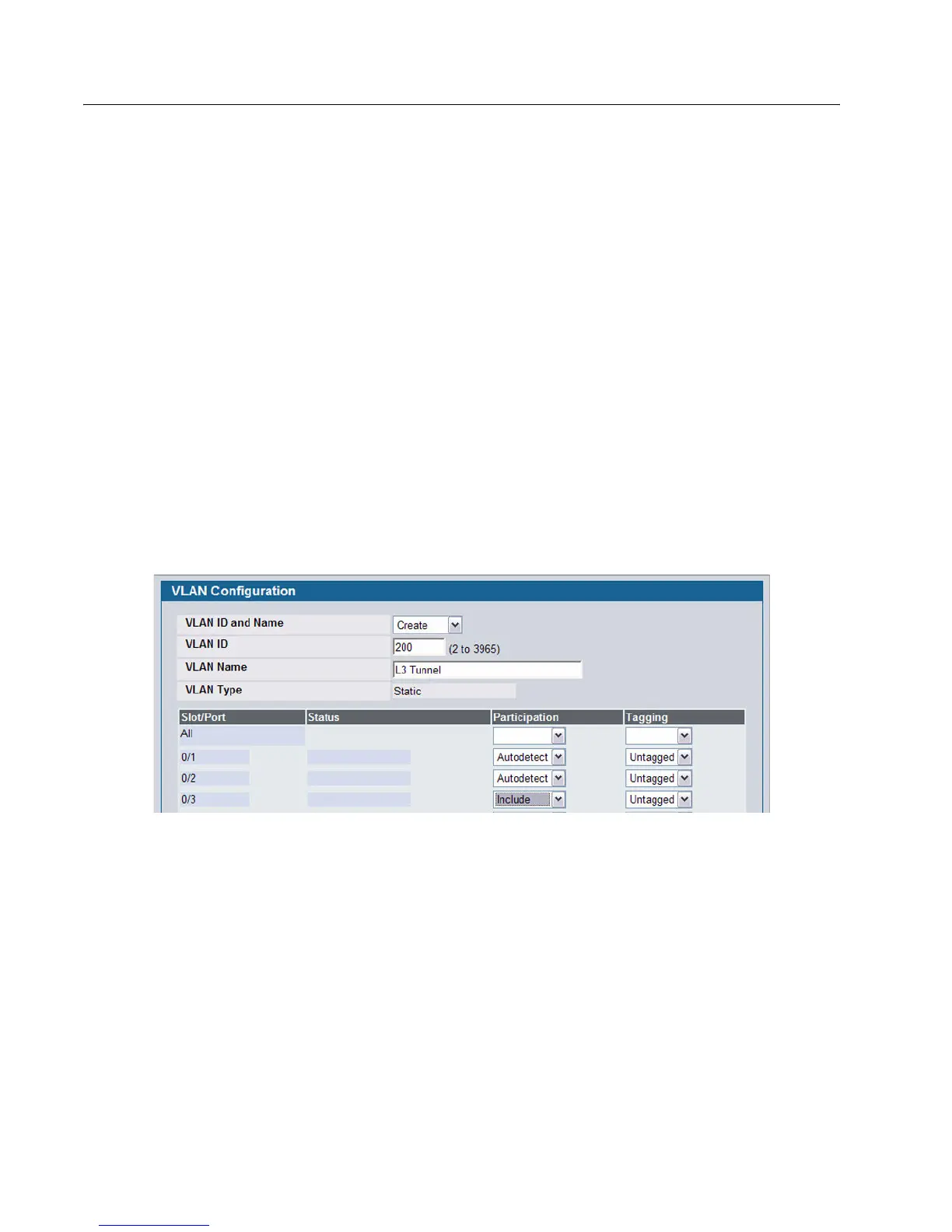
1 From the L2 Features > VLAN > Configuration page, create a VLAN, give it a name, and add the port to which the call
server is attached to VLAN 200 (in this example, the call server is attached to port 3).
2 From the L3 Features > VLAN Routing Configuration page, create a VLAN routing interface on VLAN 200.



 To Next Page
 Loading...